
Before activating a license, users must be registered on my.opswat.com. Registration is free.
MetaDefender Diode X must be provisioned with a license to be operational. In this section we will show how to get a valid license file and how to apply it to your system.
A license is only required on the Diode X BLUE side. There is no need to apply a license on the RED side.
Activating MetaDefender Diode X
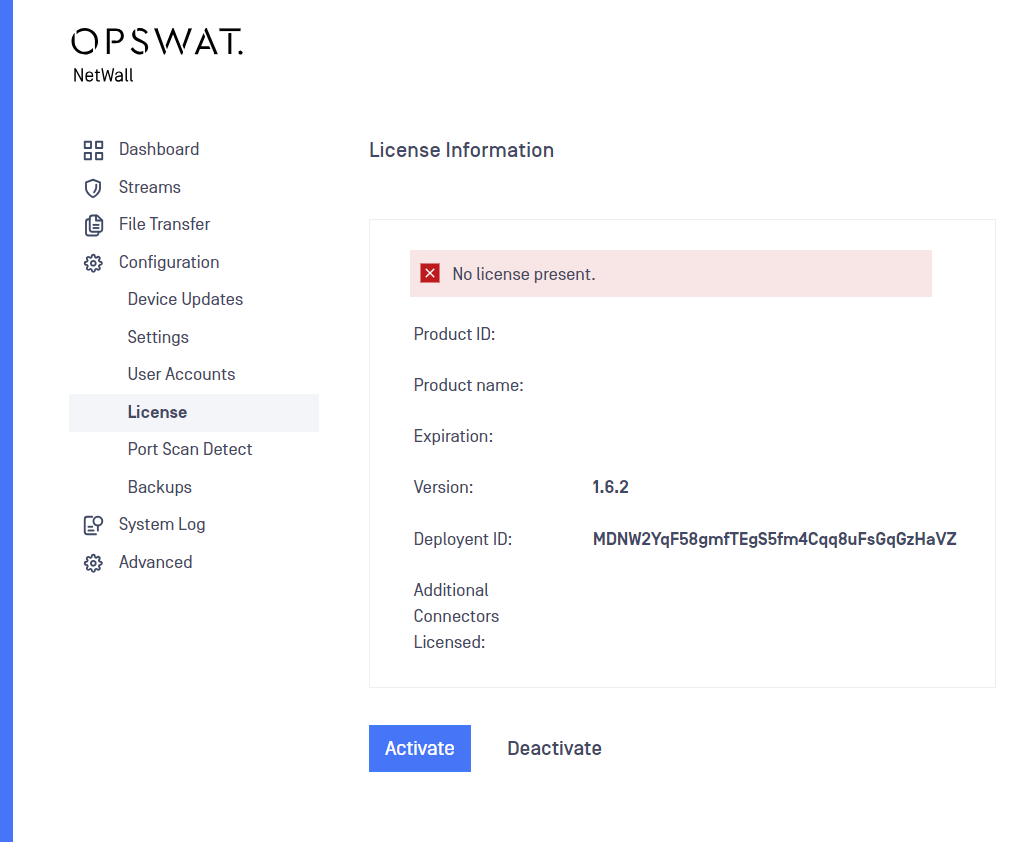
First, locate the Deployment ID. The ID can be found in Configuration -> License. The Deployment ID needs to be copied as you will need it to obtain a valid license file.
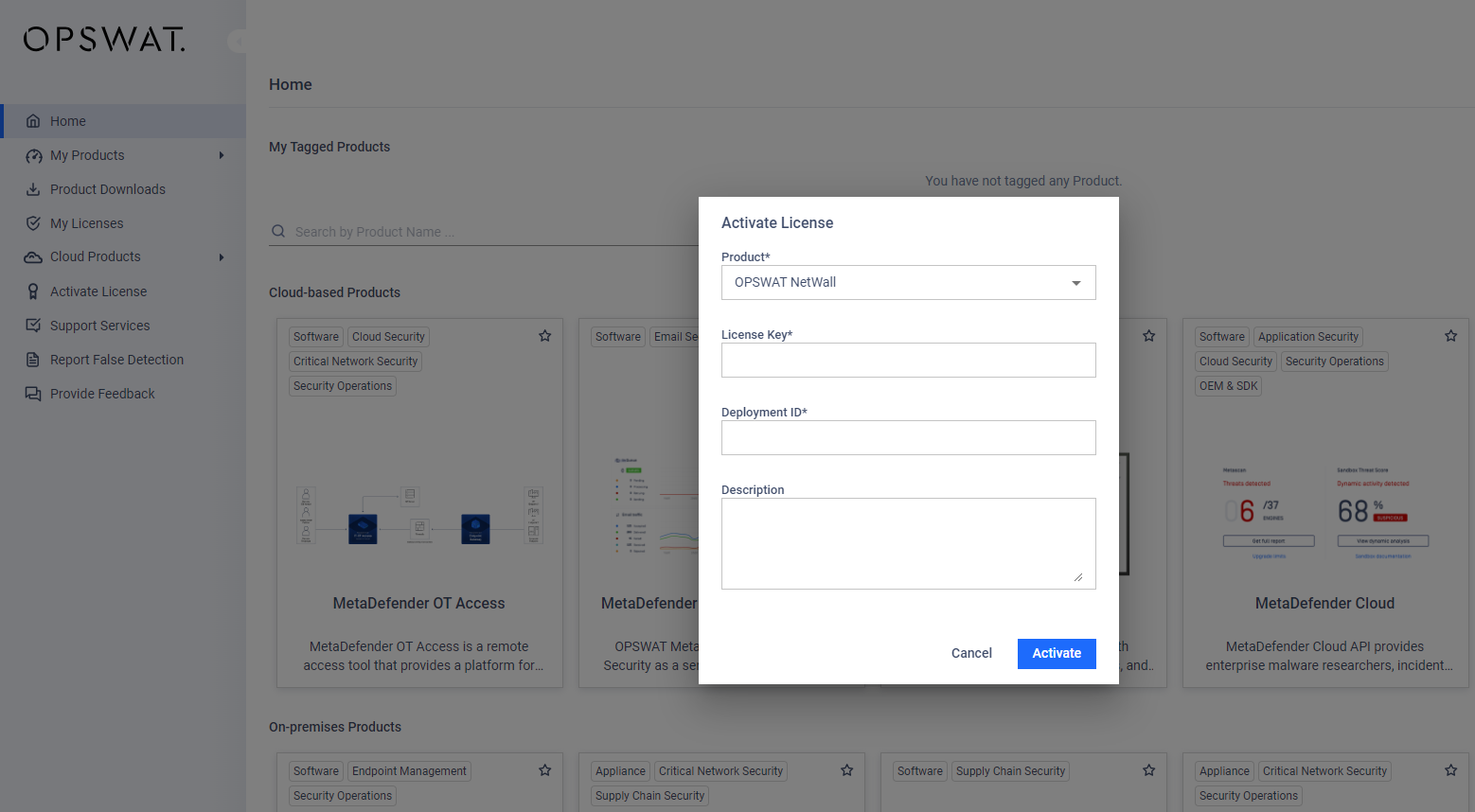
Next, browse to my.opswat.com and login with your user/password. Once logged in, click on License Activation and fill in the following fields:
Package: Select MetaDefender NetWall from the dropdown.
License Key: Insert the License Key provided by your OPSWAT sales representative.
Deployment ID: Paste the Deployment ID you've copied in the previous step
Optional Description: Description for the license key can be included.
Once filled in, click on Request Unlock Key button and then click on Download Unlock Key to obtain the license file.
Once you have the Unlock Key file, come back to the Diode X UI to activate the key. Go to Configuration -> License and click on Activate.
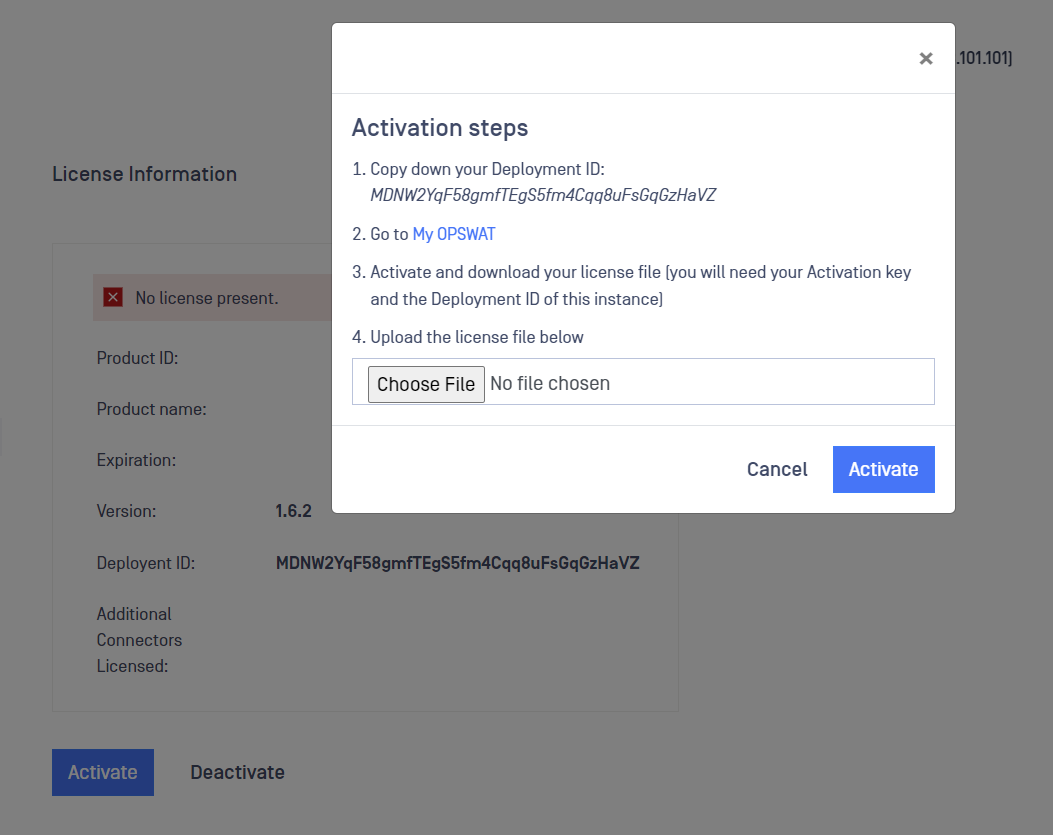
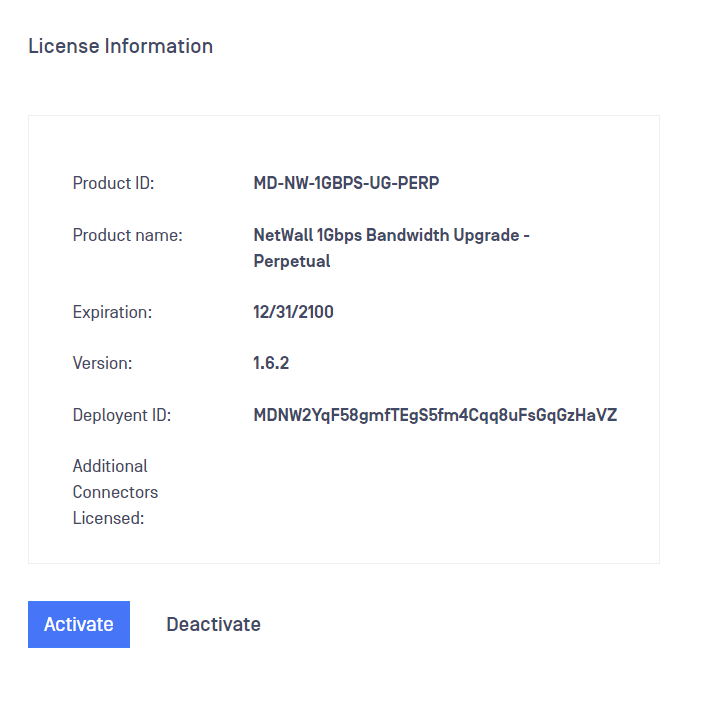
Click on Select File and browse to the Activation Key we have stored in the previous step. Then click on Activate. Once Active, you will be able to see new information in the fields Product ID, Product Name and Expiration.
Deactivating MetaDefender Diode X
Deactivation needs to be done in two steps:
Diode X can be deactivated from the User Interface.
The deployment needs to be deactivated from the Activation Key (This is done by OPSWAT Support Team)
If you need to fully deactivate the Diode X please contact OPSWAT Support Team to help assist in deactivating.