
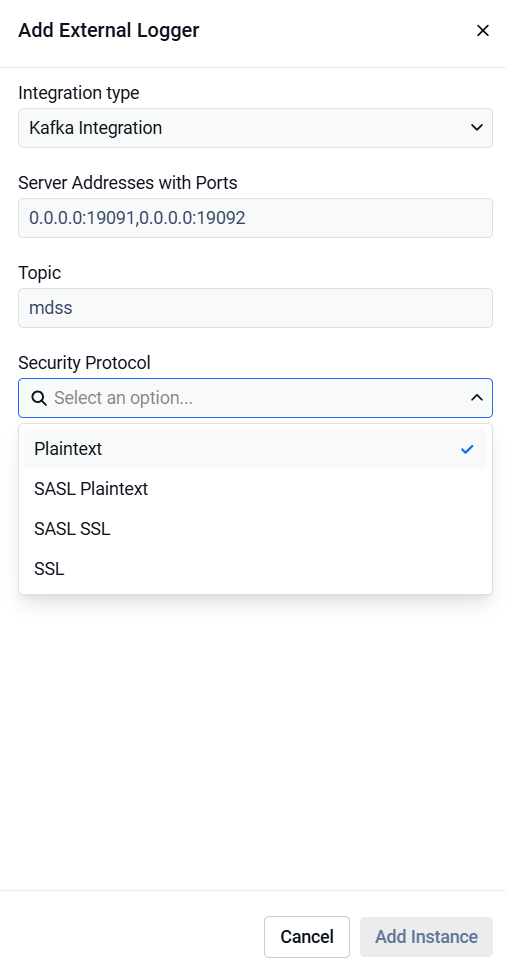
For adding a new Kafka external logger configuration, you will need to enter the following details on the Add External Logger window:
Integration type: Select Kafka Integration
Server addresses with ports - Ipv4, Ipv6 and Host Name formats are supported with the port specified for each of them (multiple addresses can be separated with a comma)
Topic: The Kafka topic where the logs will be sent
Security Protocol: Select the desired protocol from Plaintext, SASL Plaintext, SASL SSL or SSL
For SASL Plaintext and SASL SSL security protocols, the following fields are also required:
SASL mechanism: Select the desired mechanism from Plain, SCRAM SHA 256 and SCRAM SHA 512
SASL username: The SASL username
SASL password: The SASL password
Kafka message format:
The log messages sent are sent as JSON, and contain information such as the timestamp, log type, level and the log message.
Logging non-audit MDSS messages to Kafka:
For logging other log messages produced by MDSS the appsettings.json can be modified to include a configuration to write to Kafka such as:
For "securityProtocol" values can be Plaintext, SaslSsl, SaslPlaintext or Ssl. For using SASL, the "saslMechanism" can be specified with values such as Plain, ScramSha512 or ScramSha256. For example, to use SASL with a Plain mechanism with username and password, the following values can be added to the Args key in the appsettings Kafka configuration.