
Info
In order to send email notifications, make sure that an SMTP server is available. Please see SMTP for more details.
To enable notifications follow these steps:
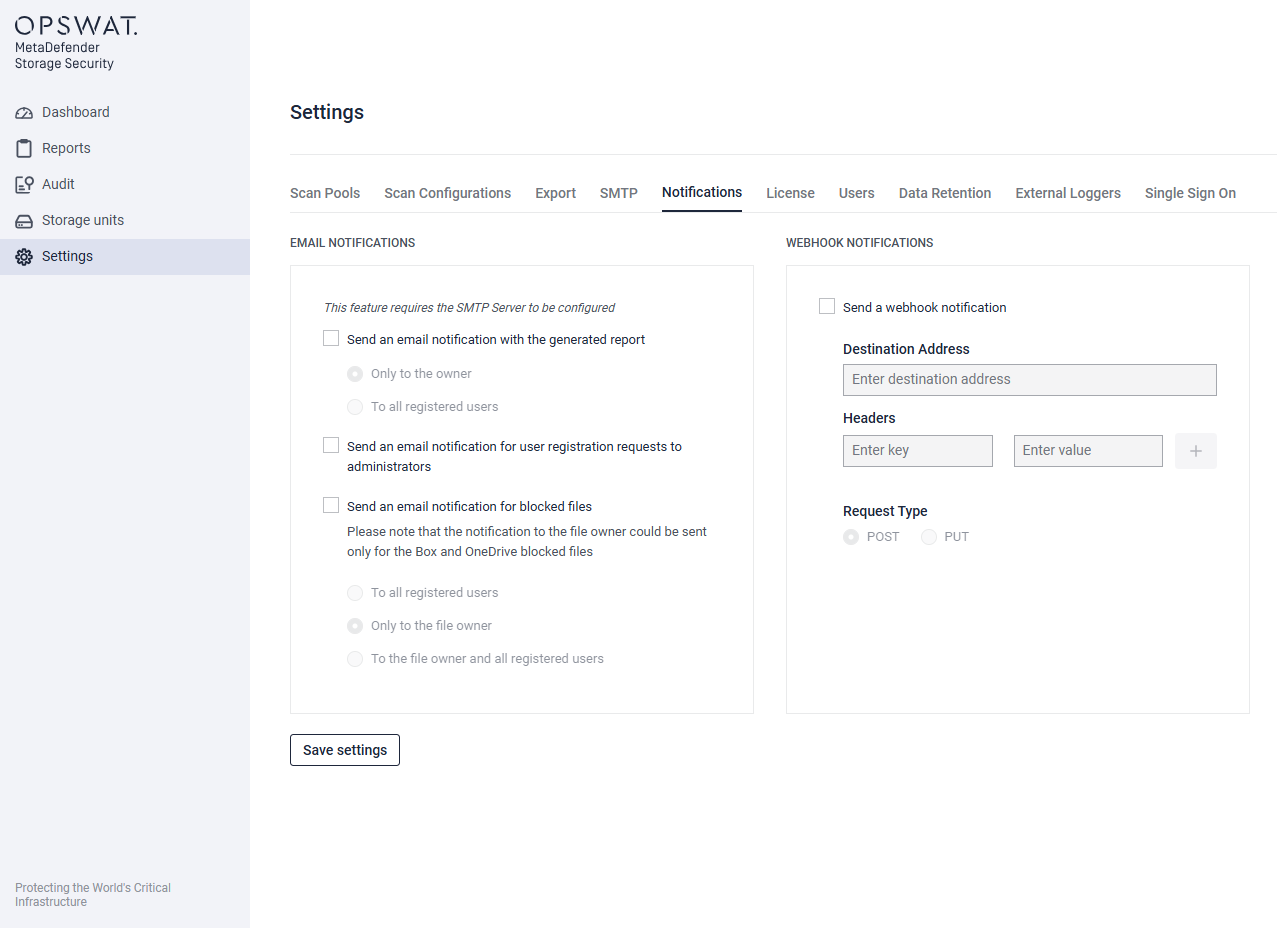
Navigate to Settings -> Notifications
Choose the event for which you wish to receive notifications. There are two types of notifications, each having different possible configurations:
Email notifications, which can be sent:
When a report is generated. Please see Email reports.
When a user registration request is pending an administrator approval
When a file is blocked while processing a storage. Please see Blocked file notifications.
Webhook notifications, which can be sent:
When a scan is completed. Please see Scan completed notifications
Was this page helpful?
Configuration and Management