
This deployment takes the basic setup a step further by separating the core services (database, cache, and message broker) from the main MDSS instance. This gives you more control and improves performance, but adds complexity.
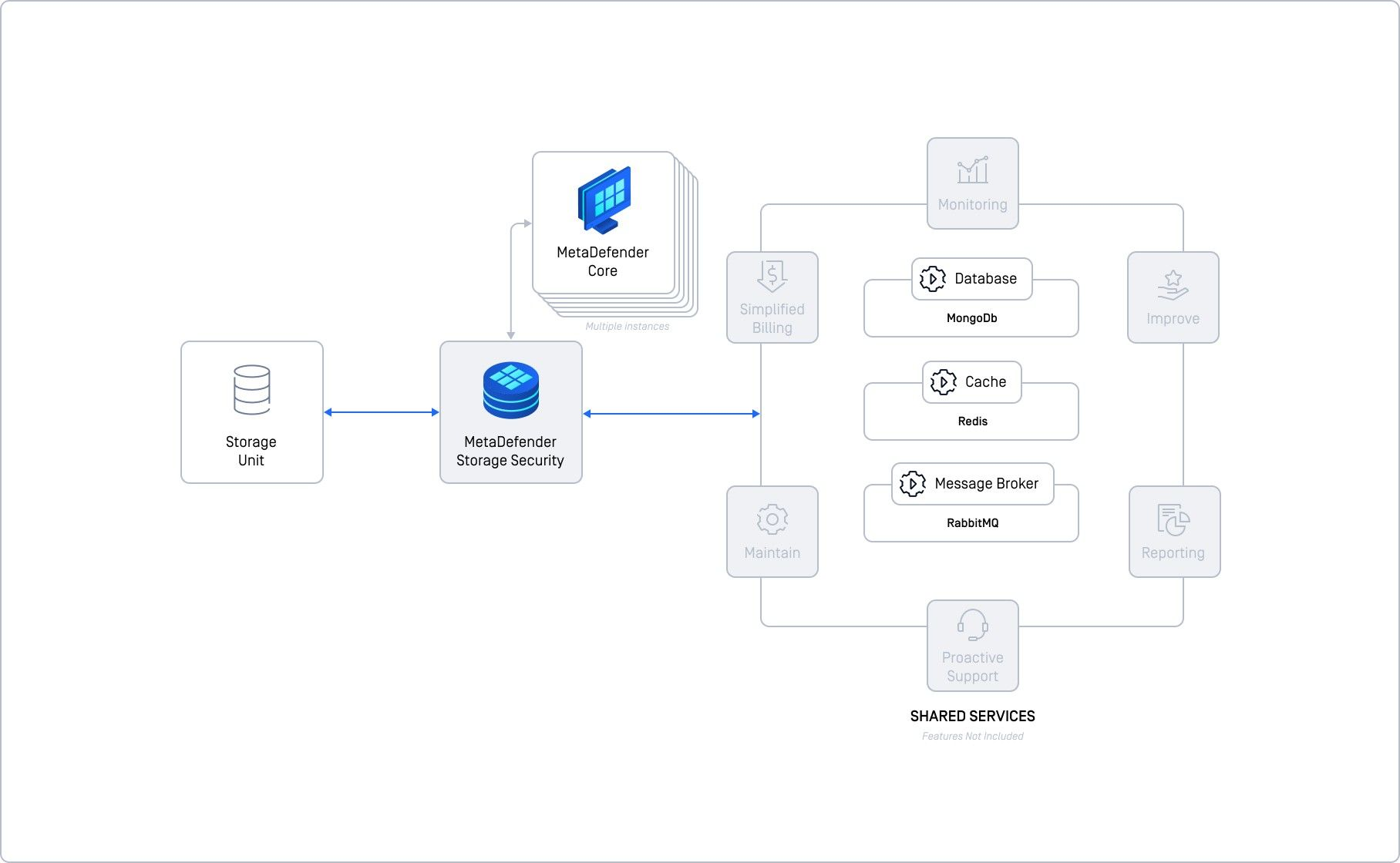
Instead of running everything on one machine, you're now running the database, memory cache, and communication hub on separate machines. This gives you more control and better performance, but you're also responsible for setting everything up and keeping it running smoothly.
Who is it for?
Small to Medium Workloads as it can handle up to 20,000 files per hour with proper resources.
Organizations with IT Expertise as it requires in-house expertise to manage the infrastructure.
Key Components & Their Roles
MongoDB (Database) stores data.
Redis (Cache) speeds up data access.
RabbitMQ (Message Broker) manages communication between components.
Key Points
each shared service runs on its own server/VM.
you are responsible for installing, configuring, and maintaining these services.
Requires more technical knowledge and effort.
Can handle larger workloads compared to a single instance.
You can scale individual services, but it's not as seamless as a fully cloud-native setup.
Important Considerations
You need to configure replication for high availability.
Make sure sufficient resources are allocated to each shared service.
Running all shared services on a single VM defeats the purpose of this setup and impacts performance.
While better than a single instance, it's still possible to have single points of failure if not configured correctly.