
For SIEM integration such as Splunk, on MetaDefender Storage Security side, enable syslog to send to Splunk syslog server via specific protocol (TCP/UDP) and port. Then on that syslog server, configure to listen all incoming messages over the protocol and port.
In order to add an external logger configuration:
- Navigate to Settings -> External Loggers
- Click on Add New Server button
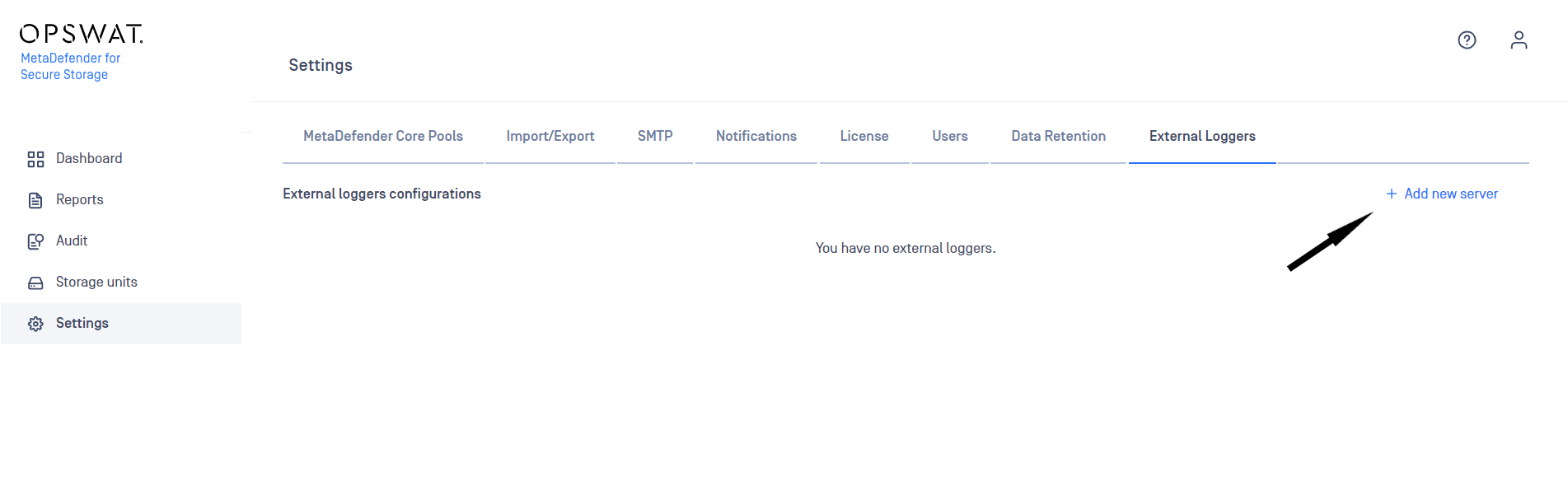
Integrate a Syslog (UDP) external logger
In order to visualize MetaDefender Storage Security audit logs in a centralized dashboard, integration with a Syslog (UDP) server is possible.
Currently we support Syslog (UDP) using the RFC5424 Output format as external logger configuration.
For adding a new Syslog configuration, you will need to enter the following details on the Add External Logger Configuration window:
- Server address - Ipv4, Ipv6 and Host Name formats are supported
- Port
- Syslog Facility
- Output format - RFC5424 format is supported
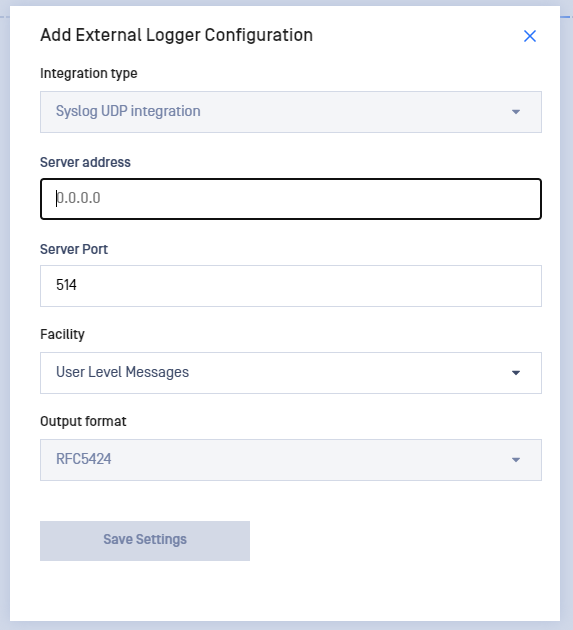
Up to 5 different external loggers configurations of each type are supported.
Syslog message format
We support format RFC5424. You can find more details about this format here.
xxxxxxxxxx<PRI>VERSION TIMESTAMP HOSTNAME APP-NAME PROCID MSGID STRUCTURED-DATA MSG| Prefix Field (click for more info) | Description |
|---|---|
| PRI | Priority value |
| VERSION | The version of the syslog protocol specification. |
| TIMESTAMP | A formalized timestamp |
| HOSTNAME | The machine that originally sent the syslog message |
| APP-NAME | The device or application that originated the message |
| PROCID | Process name or ID associated with a syslog system |
| MSGID | Type of the message |
| STRUCTURED-DATA | A mechanism to express information in an easily parseable and interpretable data format |
| MSG | Free-form message that provides information about the event |
<110>1 2024-03-26T12:27:58.276724+02:00 LP10-D8569 MetaDefenderStorageSecurity 36800 - [meta UserName="jdavis" UserId="e69e8c2d-4dcc-4489-8f40-0df84199de52" EventTimestamp="03/26/2024 10:27:58" Category="3" LogType="600"] John Davis (jdavis) logged in.