End-User Guide
v3.9.4
Search this version
End-User Guide
End-User Guide
Title
Message
Create new category
What is the title of your new category?
Edit page index title
What is the title of the page index?
Edit category
What is the new title of your category?
Edit link
What is the new title and URL of your link?
Viewing File Information
Copy Markdown
Open in ChatGPT
Open in Claude
To view detailed information about a file, simply click on the file row in the table.
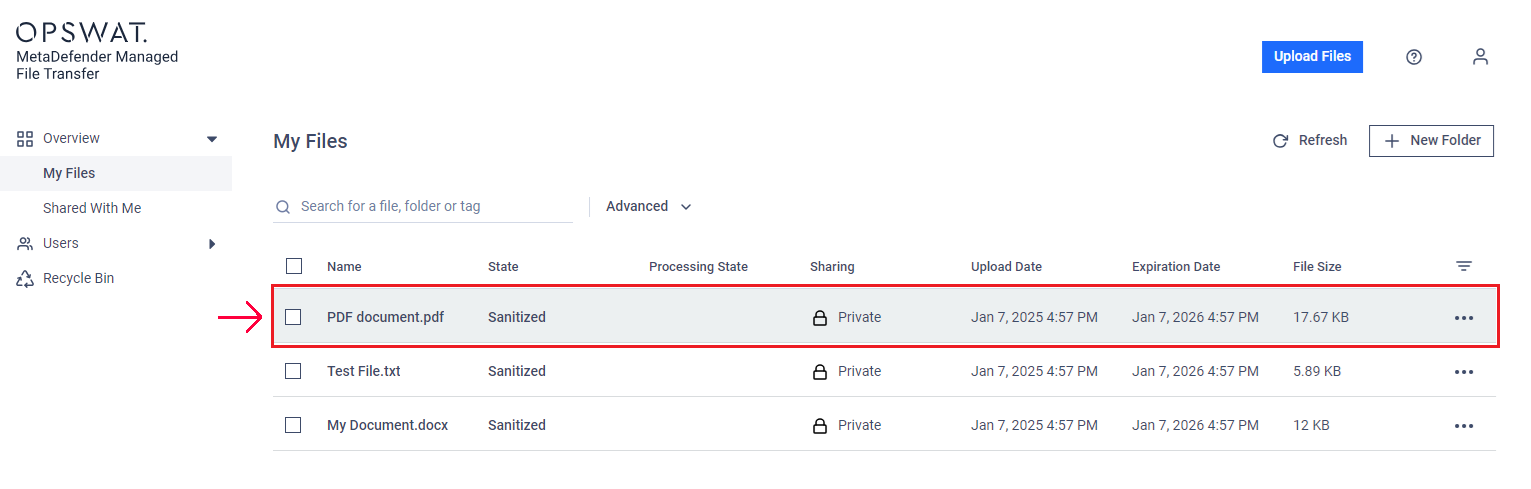
The "File Information" page will display scan results and technical details. You can also perform actions like "Rescan," "Download," or "Delete" from the menu in the top right corner.
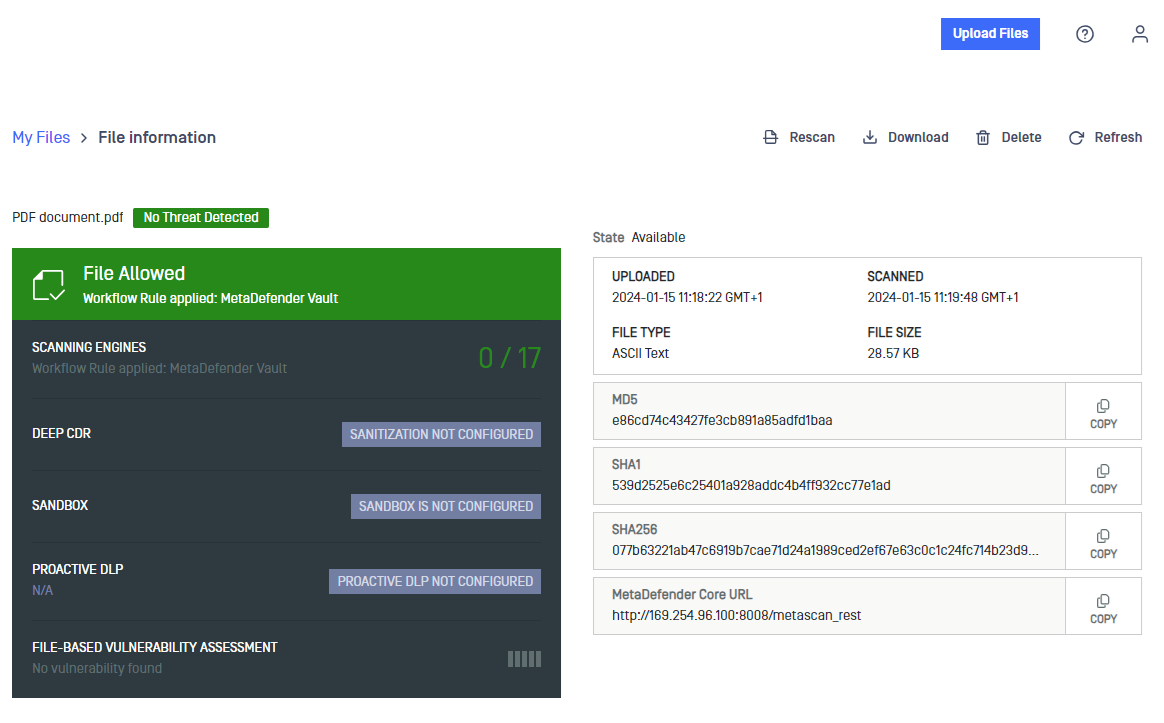
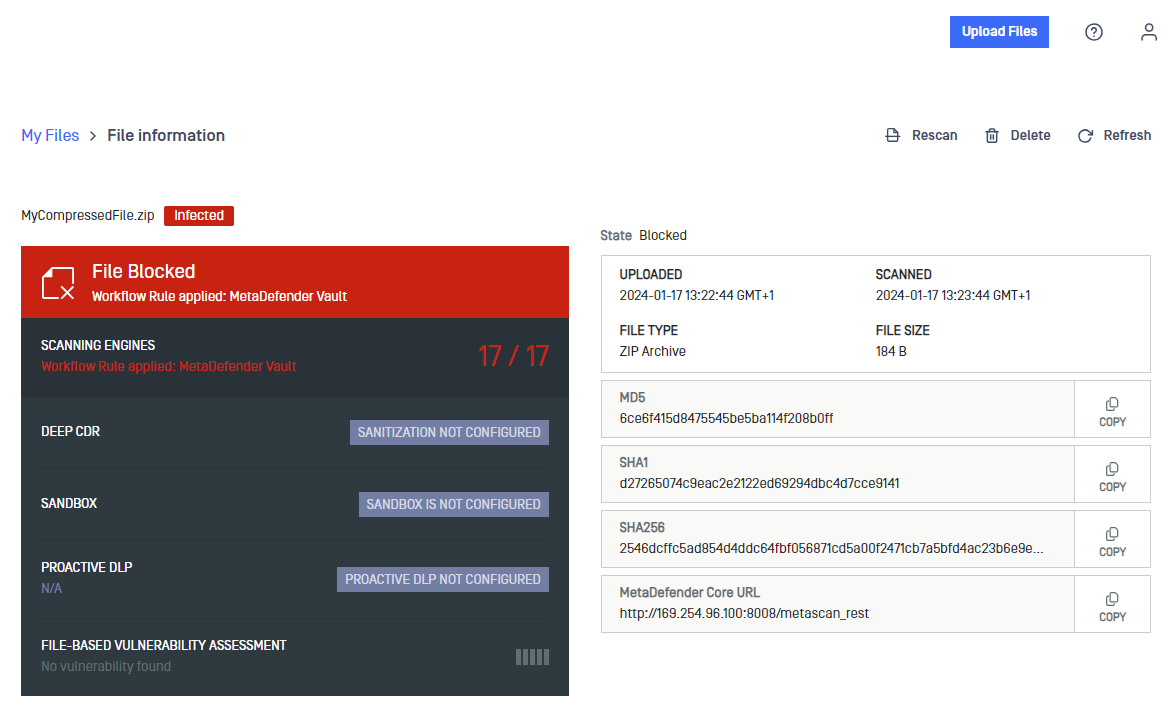
In the "SCAN REPORT" tab, you can see the detailed report from different scanning engines.
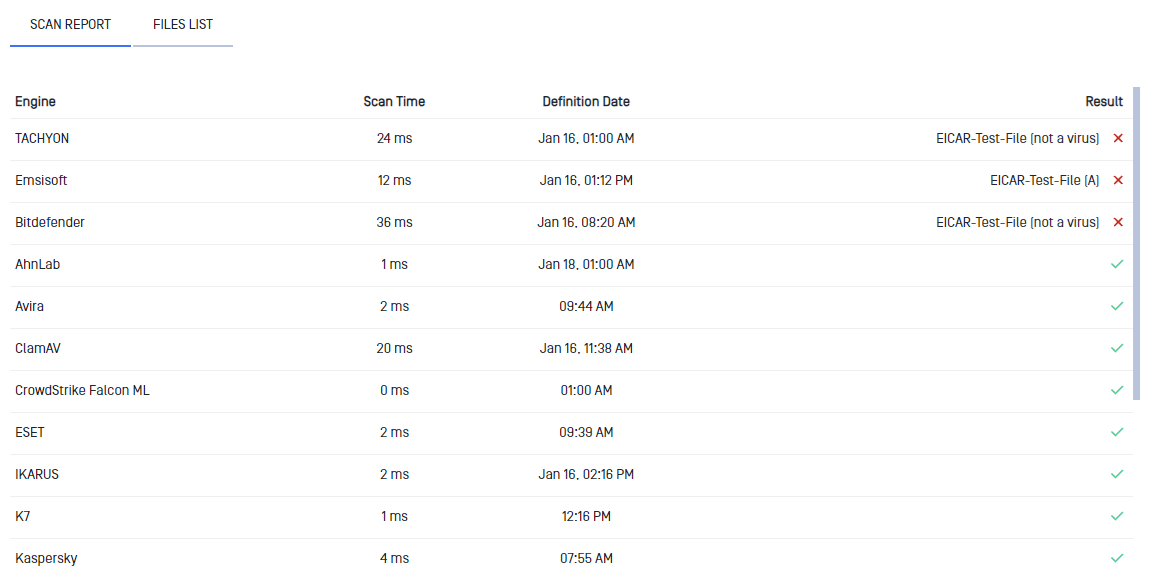
In the "FILES LIST" tab, you can identify any malicious files included in the file.

Type to search, ESC to discard
Last updated on
Was this page helpful?
Next to read:
Scanning and Rescanning FilesDiscard Changes
Do you want to discard your current changes and overwrite with the template?
Archive Synced Block
Message
Create new Template
What is this template's title?
Delete Template
Message
