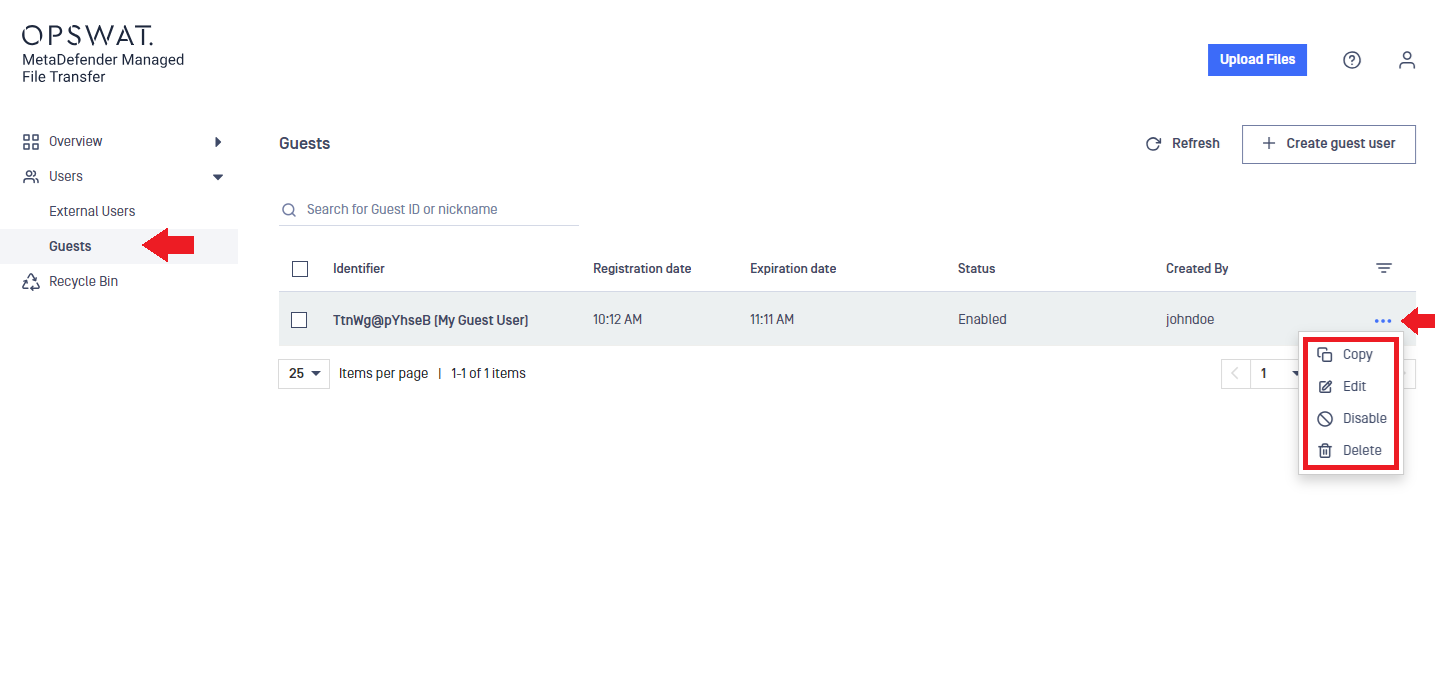
If MetaDefender MFT is configured to allow guest account creation, you can create temporary guest accounts with limited permissions and lifetime.
Other users can share files with guests, but guests can only upload files to their own or their account creator's storage.
Creating Guest Users
Go to the "Users" menu and select "Guests."
In the "Create new guest user" window, set the following:
Expiration time: the date and time the account will expire (may be disabled depending on settings)
ID length: the length of the randomly generated ID used for login
Nickname: A friendly name for the guest user
Email (optional): The guest user's email for notifications
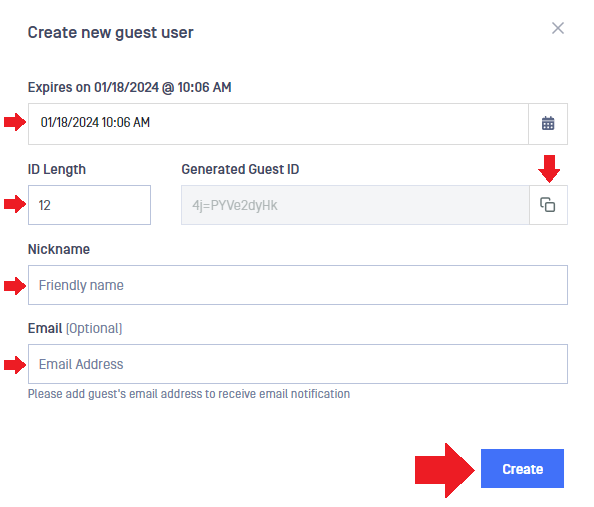
If no email is entered, click the "copy" icon next to the "Generated Guest ID" to save it for later.
Click "Create" to finish creating a guest account.
If an email address is provided during guest user creation, the user will receive a welcome message with a link to MetaDefender MFT and the ID for signing in.
An email address can be shared among multiple guest accounts.
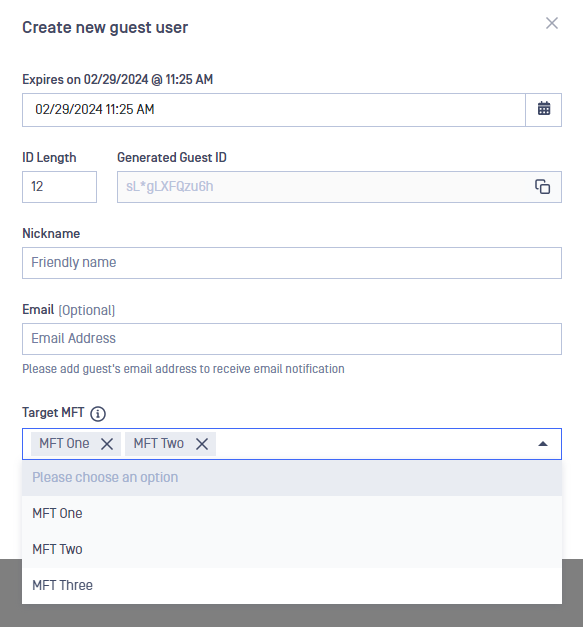
Multi-MFT
If Multi-MFT is enabled, multiple target MFTs can be selected, allowing the guest to be invited to and synchronize files across these MFTs.
Managing Guest Users
To manage guest users, go to the "Users" menu and select "Guests."
The three-dot menu offers the following options:
Copy: Copies the guest user ID to the clipboard
Edit: Allows you edit the expiration date (may be disabled depending on settings), generate new ID, change the nickname, or change the email address
Disable/Enable: Disables the account to prevent login, or enables it again
Delete: Deletes the guest account if it is no longer needed