Configuration
v3.8.0
Search this version
Configuration
Configuration
Title
Message
Create new category
What is the title of your new category?
Edit page index title
What is the title of the page index?
Edit category
What is the new title of your category?
Edit link
What is the new title and URL of your link?
Information Regarding Certificates
Copy Markdown
Open in ChatGPT
Open in Claude
Using a Certificate Signed by a Certificate Authority
Follow the CA instructions to install your certificate on your server.
Once a valid certificate is installed, export it in PKCS12 format and convert it to PEM format using a tool like "openssl."
Instructions for Exporting an Existing Certificate
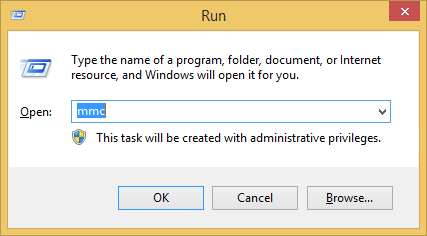
- Open "mmc" in "Windows Run."

- Select "File" → "Add or Remove Snap-ins."
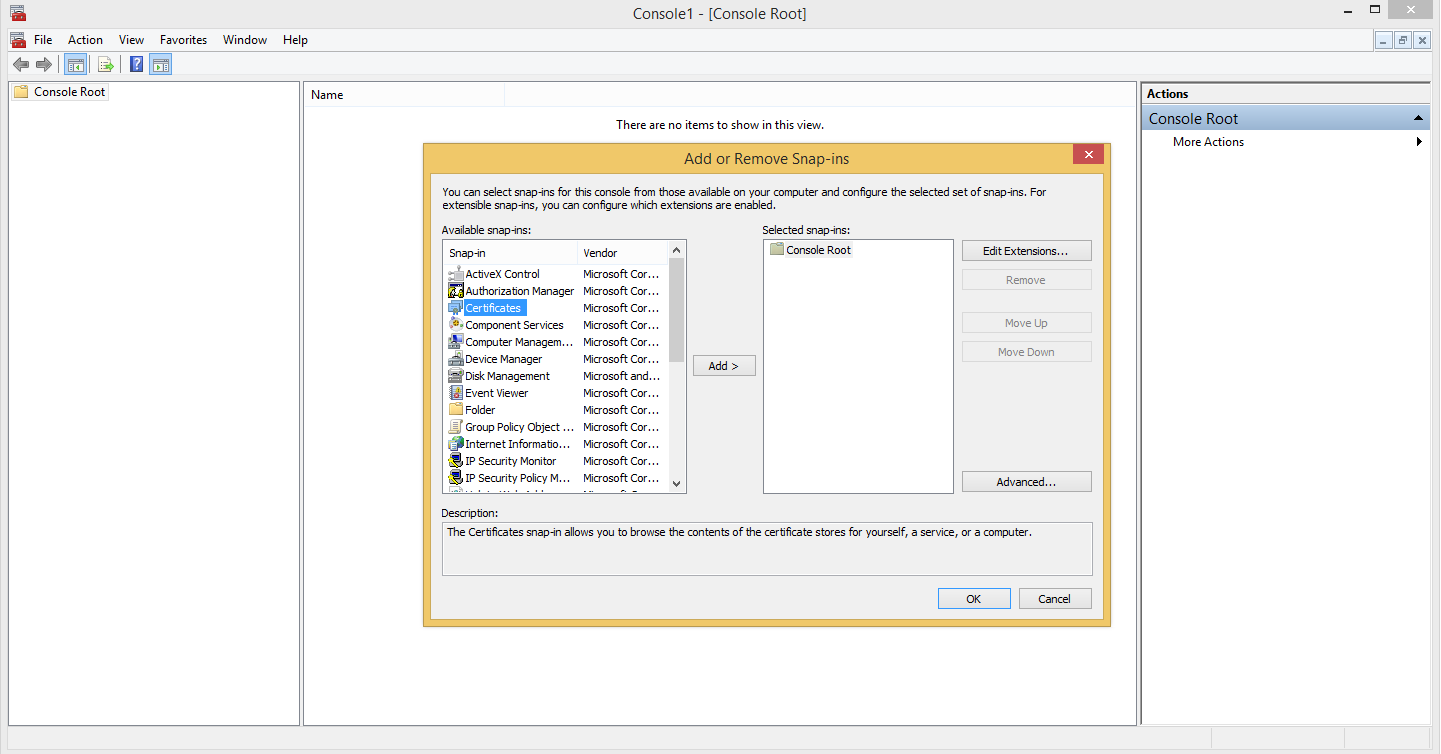
- Add certificates → choose "Computer Account" → click "Next" → click "Finish" → click "OK."
- Navigate to the folder where the certificate is installed.
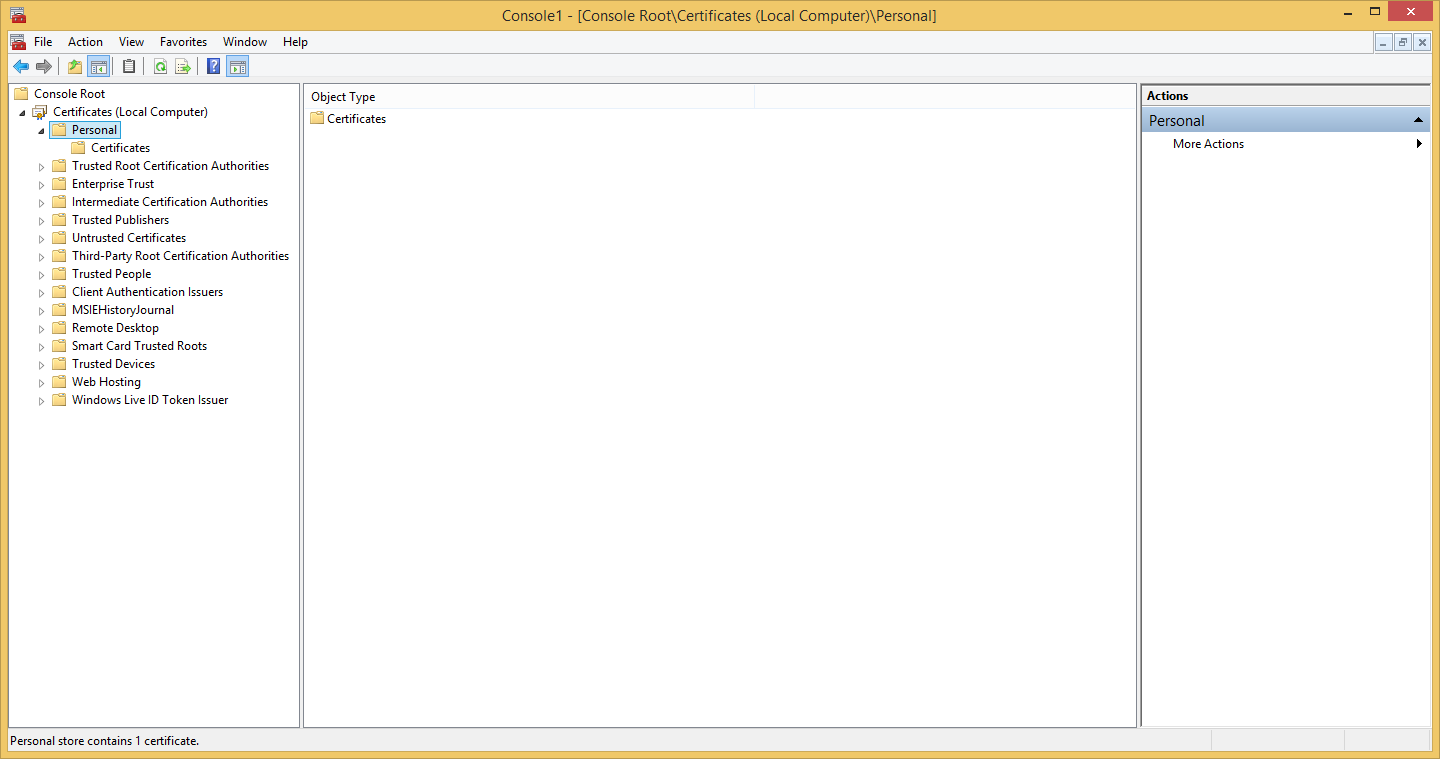
- Right click the certificate and select "All Tasks" → "Export" to launch the "Certificate Export Wizard."
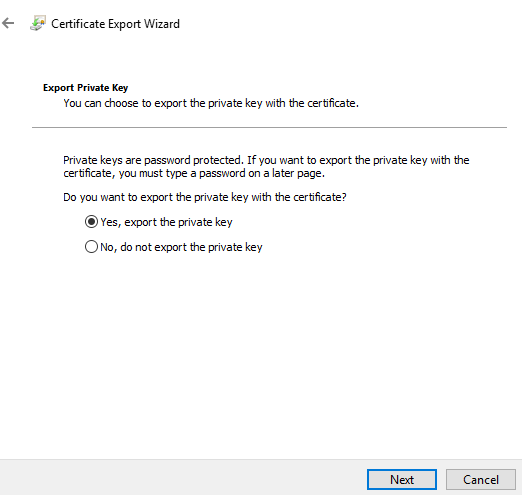
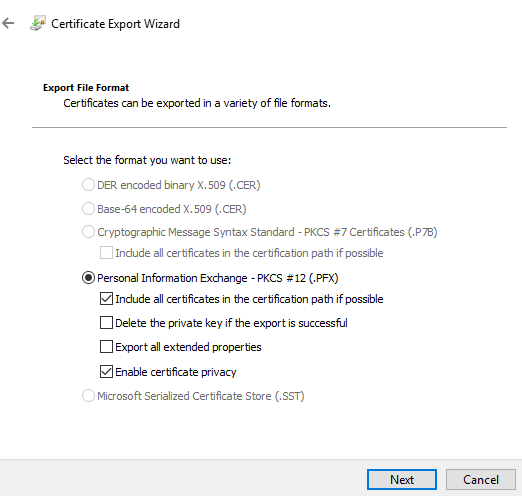
- Choose to export the private key with the certificate.
**
**
- Save the certificate and private key in the PKCS12 (.PFX) format.
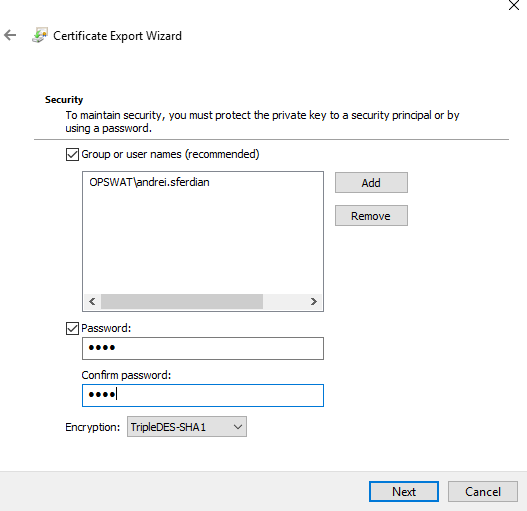
- Protect the private key to a security principal or by using a password.
- Enter a certificate name then click "Next" and "Finish."
Converting a PKCS12 Certificate to PEM
- (Optional) Install the openssl command line utility.
- Open a command prompt and type the following command, replacing the certificate names and password:
openssl pkcs12 -in testcert.pfx -out testcert.pemEnter Import Password:Enter PEM pass phrase:Verifying - Enter PEM pass phrase:Import Password is the password used to encrypt the PKCS12 private key. The PEM passphrase is the password used to encrypt the key in PEM format.
Save it as plain text for configuring TLS/SSL. If no passphrase was used then the "-nodes" argument must also be passed.
openssl pkcs12 -in testcert.pfx -out testcert.pem -nodes
Enter Import Password:
Generating a Self-Signed Certificate with openssl
- Open a command prompt and type the following command, replacing the inputs with valid local paths:
openssl req -x509 -newkey rsa:4096 -keyout key.pem -out cert.pem -days 365Generating a RSA private key......................................................................................................++++.........................................................................................................................................++++writing new private key to 'key.pem'Enter PEM pass phrase:Verifying - Enter PEM pass phrase:-----You are about to be asked to enter information that will be incorporatedinto your certificate request.What you are about to enter is what is called a Distinguished Name or a DN.There are quite a few fields but you can leave some blankFor some fields there will be a default value,If you enter '.', the field will be left blank.-----Country Name (2 letter code) [XX]:State or Province Name (full name) []:Locality Name (eg, city) [Default City]:Organization Name (eg, company) [Default Company Ltd]:Organizational Unit Name (eg, section) []:Common Name (eg, your name or your server's hostname) []:Email Address []:Note: The entries starting from "Country Name" may be ignored.
Type to search, ESC to discard
Last updated on
Was this page helpful?
Next to read:
EncryptionDiscard Changes
Do you want to discard your current changes and overwrite with the template?
Archive Synced Block
Message
Create new Template
What is this template's title?
Delete Template
Message