
Hosts reachable through SFTP can be integrated with MetaDefender Managed File Transfer in order to utilize them in various use cases. For example: Introduction to File Transfer Automation
To manage integration instances go to Settings → Integrations → SFTP.
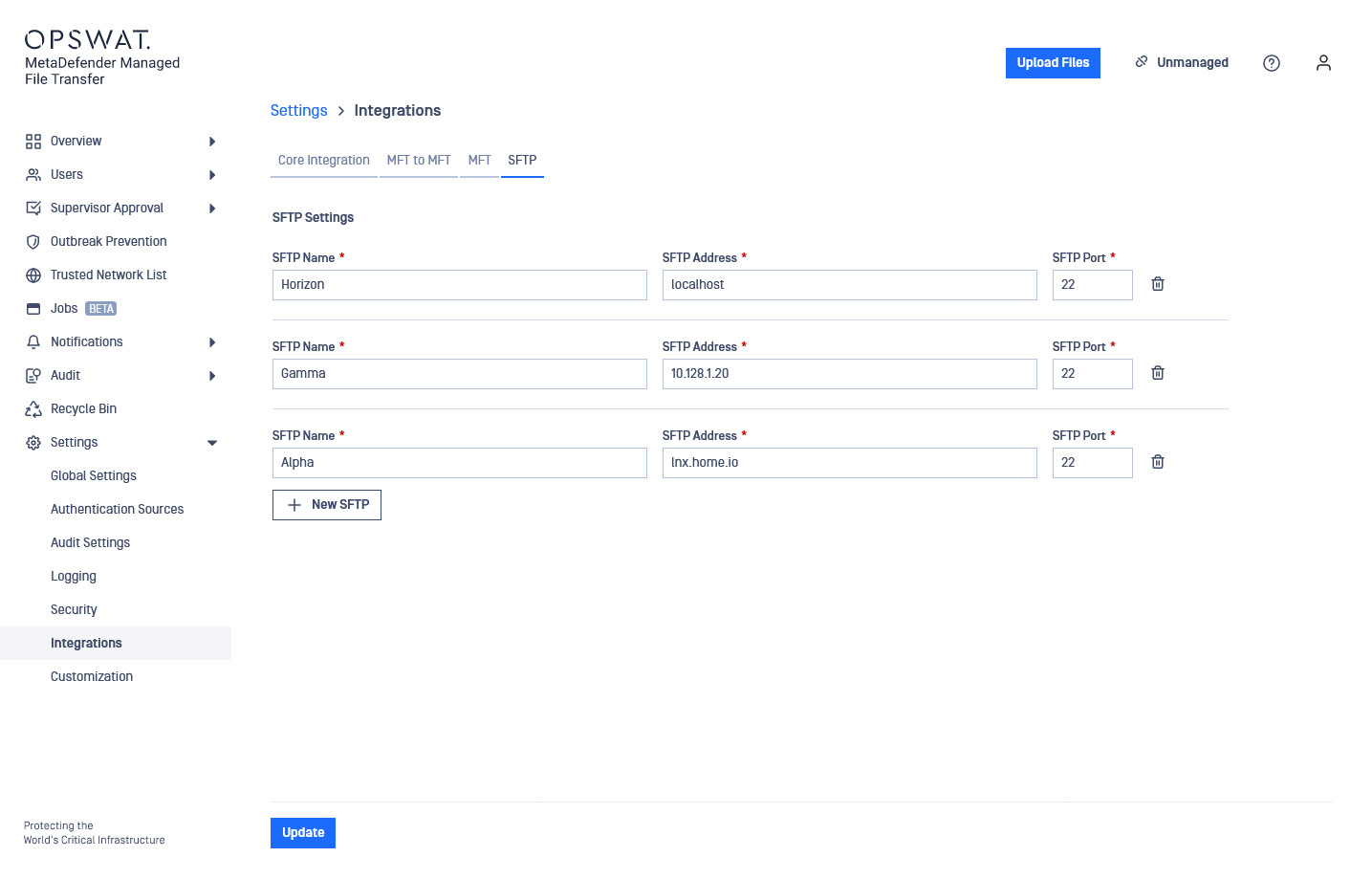
SFTP integrations are globally shared which means every user who has permissions to see them are seeing the same set of integrations.
Configuration
The information to provide for an SFTP integration are the following:
SFTP Name: Display name that can be anything. Will be used when selecting the integration instance.
SFTP Address: The IP address or FQDN of the host.
SFTP Port: The port on the host to connect to using SFTP.
Test Connection
Users can test connection to a configured integration. This test will check if the configured port is accessible on the configured address.
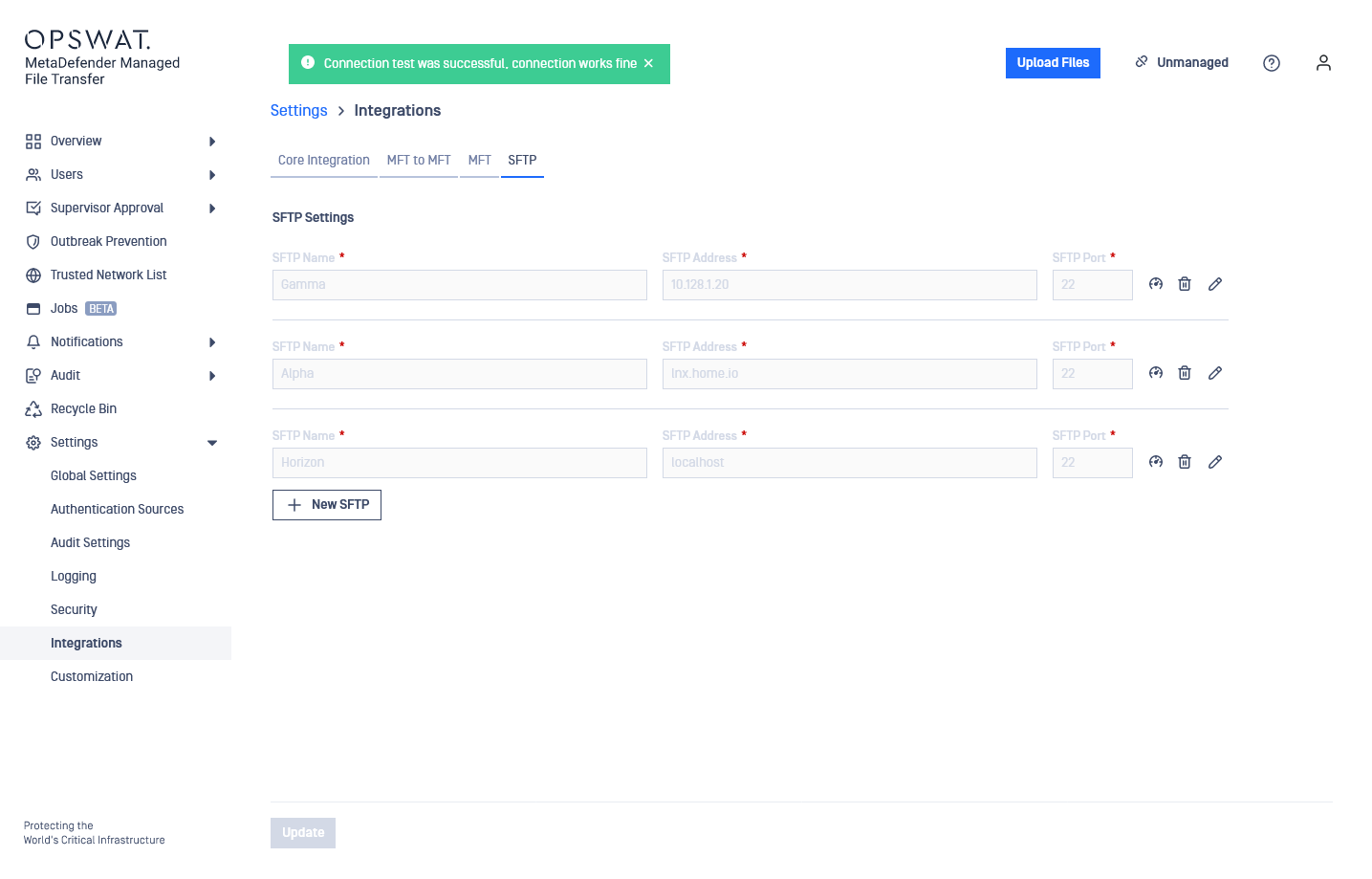
For security reasons the Test Connection functionality checks only address and port reachability.