
Persistent Popup in /silent Mode on Windows Server
Users may encounter a persistent popup even when utilizing the /silent mode on a Windows Server machine. This issue is closely tied to Windows User Account Control (UAC). Resolving this may involve adjusting the severity level from the displayed window.
Resolution
While in /silent mode, if a popup persists, it may be related to Windows UAC.
Manually tweak the UAC severity level to address the popup. Adjust the UAC settings as needed for the specific severity level from the displayed window.
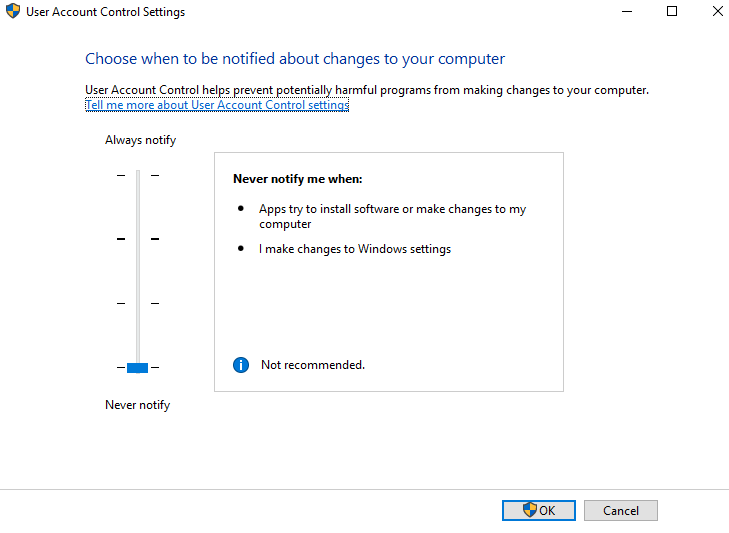
This solution ensures that the popup issue is resolved, allowing for smoother execution in /silent mode on Windows Server machines.
Was this page helpful?
Troubleshooting