Configuration
v3.7.1
Search this version
Configuration
Configuration
Title
Message
Create new category
What is the title of your new category?
Edit page index title
What is the title of the page index?
Edit category
What is the new title of your category?
Edit link
What is the new title and URL of your link?
User Mapping
Copy Markdown
Open in ChatGPT
Open in Claude
This feature allows to map different users across multiple MFT systems to share and synchronize files between them.
Create user mappings
To access the User Mapping feature on the User Management page, click the three dots at the right end of the user's row and select User Mapping from the dropdown menu.
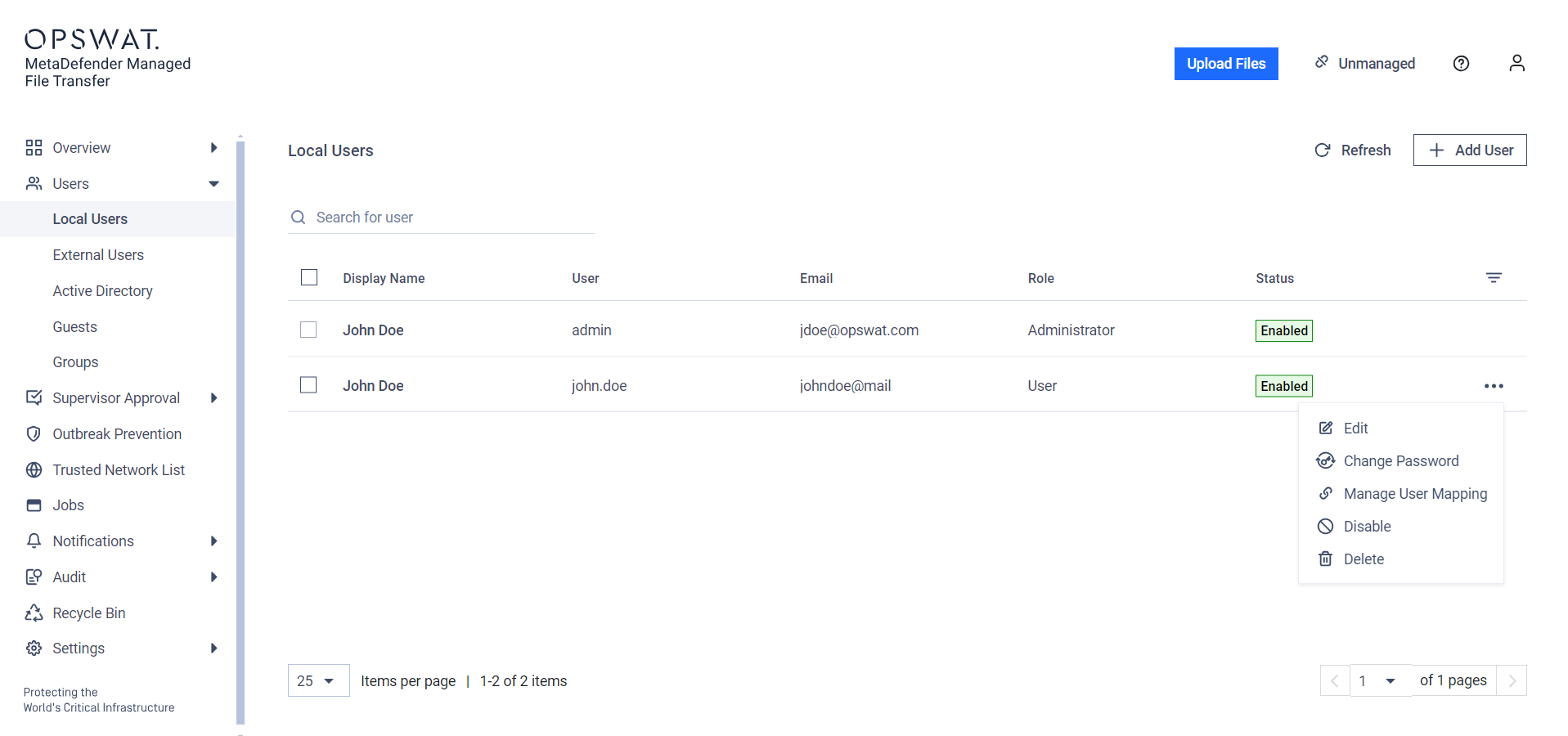
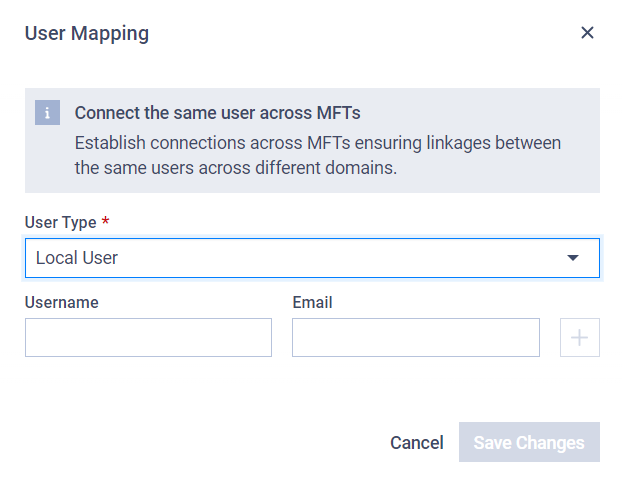
In the modal, you can add multiple users to map to the current user. First, select the type of user you want to map, then fill in the specific fields to identify the user.
Type to search, ESC to discard
Last updated on
Was this page helpful?
Next to read:
Pull MFTDiscard Changes
Do you want to discard your current changes and overwrite with the template?
Archive Synced Block
Message
Create new Template
What is this template's title?
Delete Template
Message
