If MD MFT is configured to enable guest creation, you can create guest accounts.
Guest accounts are temporary accounts that have limited permissions and lifetime. Other users can share files with guests, but guest users can only upload files to themselves or to the owner that created their guest account.
Create guest users
To create a guest account, follow the steps below:
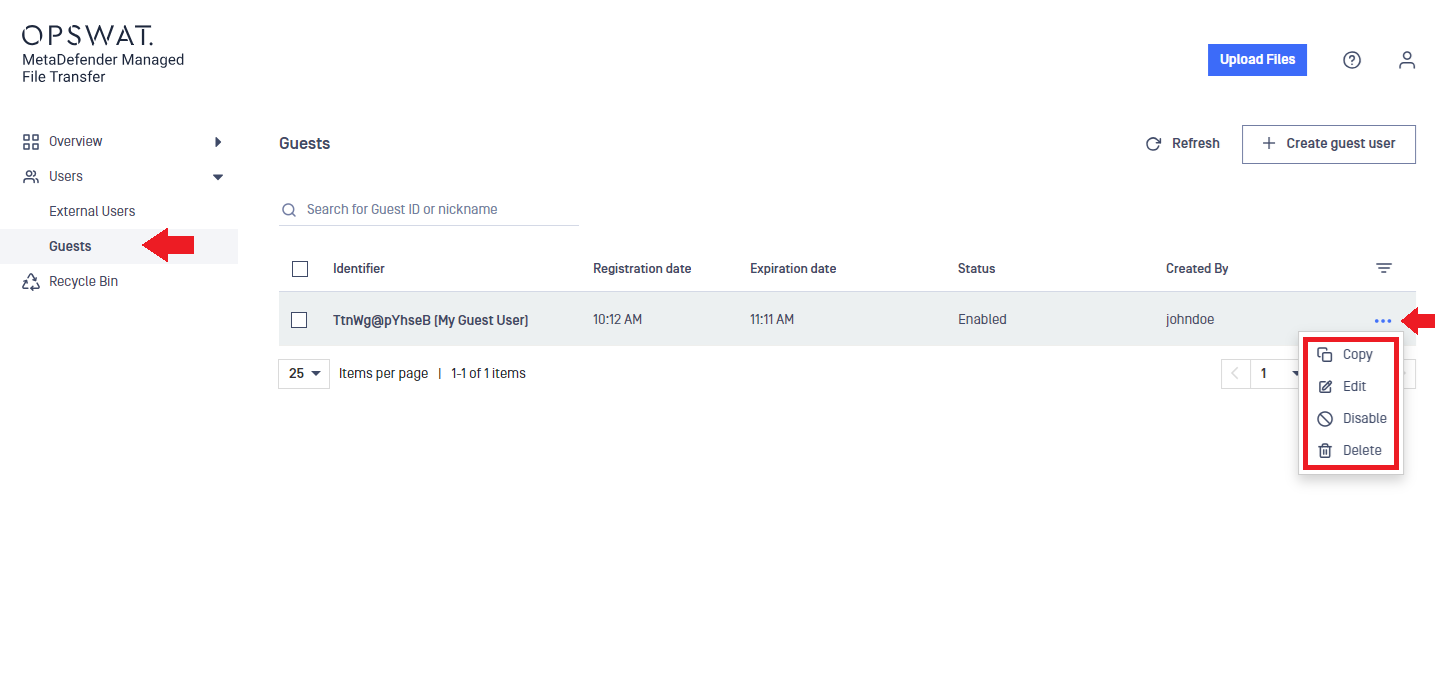
Go to the Users menu and select Guests.
In the Create new guest user window, set the following:
Expiration time: the date and time until the account will be valid. This option might be disabled, depending on the system settings.
ID length: the length of the randomly generated ID that is used to log in to the created guest account.
Nickname: A friendly name for the guest user.
Email (optional): The guest user's email address to receive email notifications.
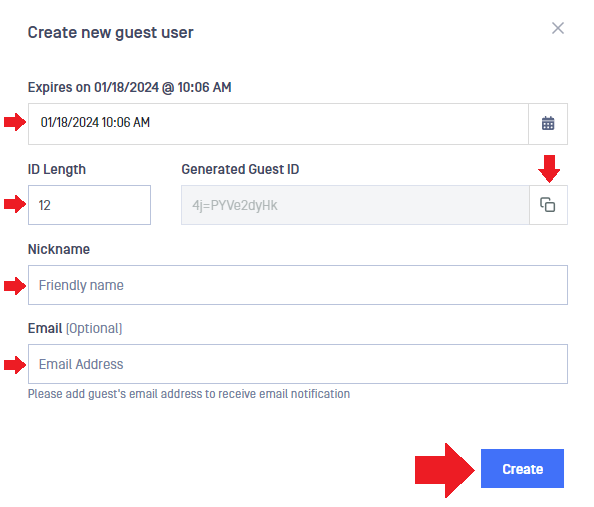
If an email address is not entered, click on the copy icon next to the Generated Guest ID to have it in the clipboard for later use.
To finish guest account creation, click on Create.
If an email address has been provided during the guest user creation, the user will receive a welcome message with a link to MD MFT and with the ID that can be used to sign in.
An email address can be shared among multiple guest user accounts.
Manage guest users
To manage your guest users, go to the Users menu and select Guests.
Using the three-dots menu, you can access the following:
Copy: It copies the guest user ID into the clipboard.
Edit: You can edit the expiration date (it might be disabled, depending on the system settings), generate new ID, change nickname, and change email address.
Disable / Enable: You can disable the account to prevent the guest user from logging in, but you can enable it later.
Delete: You can delete the guest account if it is not used anymore.