Applies to
MetaDefender Managed File Transfer™ version 3.11.0 or later
Upgrade or Uninstallation
Symptoms
For stability reasons the installer tries to prevent installation from progressing until the services are completely started or stopped, but in some cases they start up slower or become stuck.
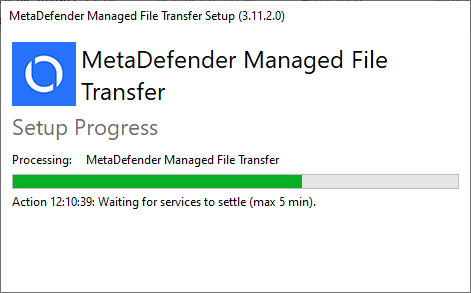
The installation waits for services to settle and leave starting or stopping state
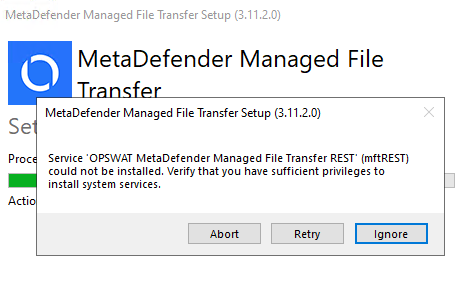
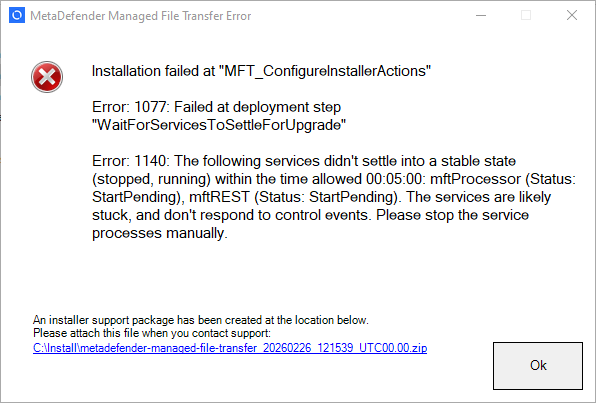
The wait times times out with an installation failure.
Resolving by addressing known problems
When database server is on the same host machine as MetaDefender Managed File Transfer™ and the installer was started shortly after machine startup, the delayed start of the database service might delay the MetaDefender Managed File Transfer™ services as well. This is expected to finish before the timeout period is reached.
Ensure database service is running and is reachable for MetaDefender Managed File Transfer™ services
Resolving the stuck services
If the known problems didn't help, the services can be forced to be stopped and let the installer continue.
While the installer is waiting do the following
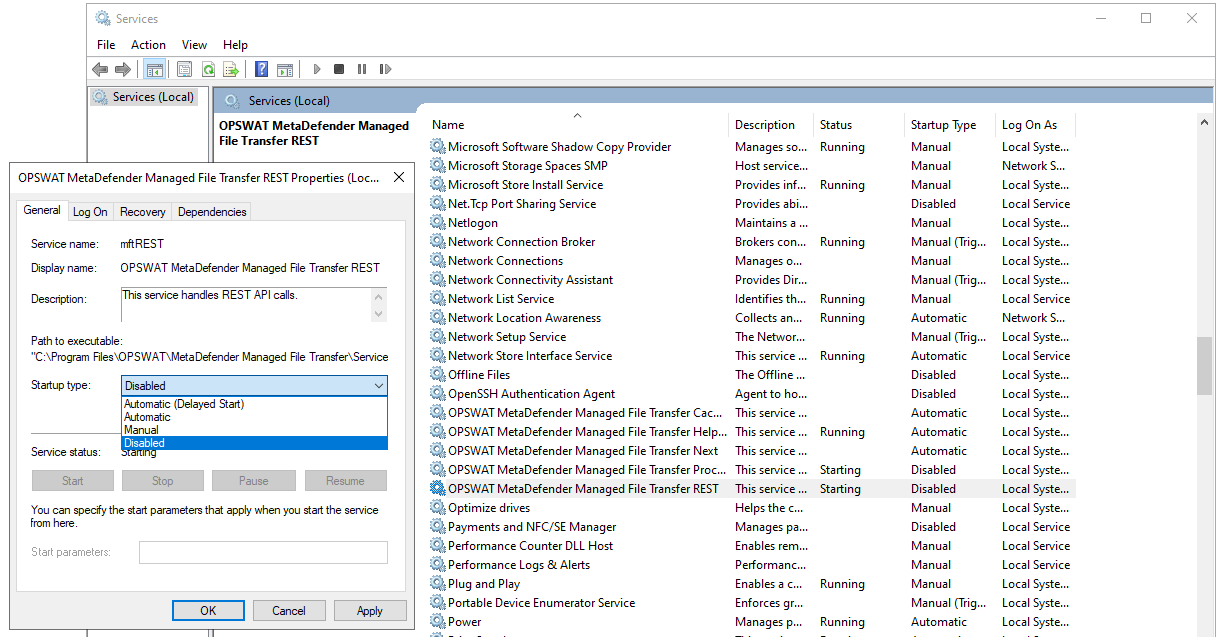
Disable all the MetaDefender Managed File Transfer™ services that are in a starting or stopping state. Setting it to Manual is not enough.
Close the service manager window. This sometimes interferes with service removal.
Kill allMetaDefender Managed File Transfer™ processes (opswat.vault.<servicename>.service.exe)
The installer will detect the service change and continue
During an upgrade, the services will be reinstalled with the services active again.