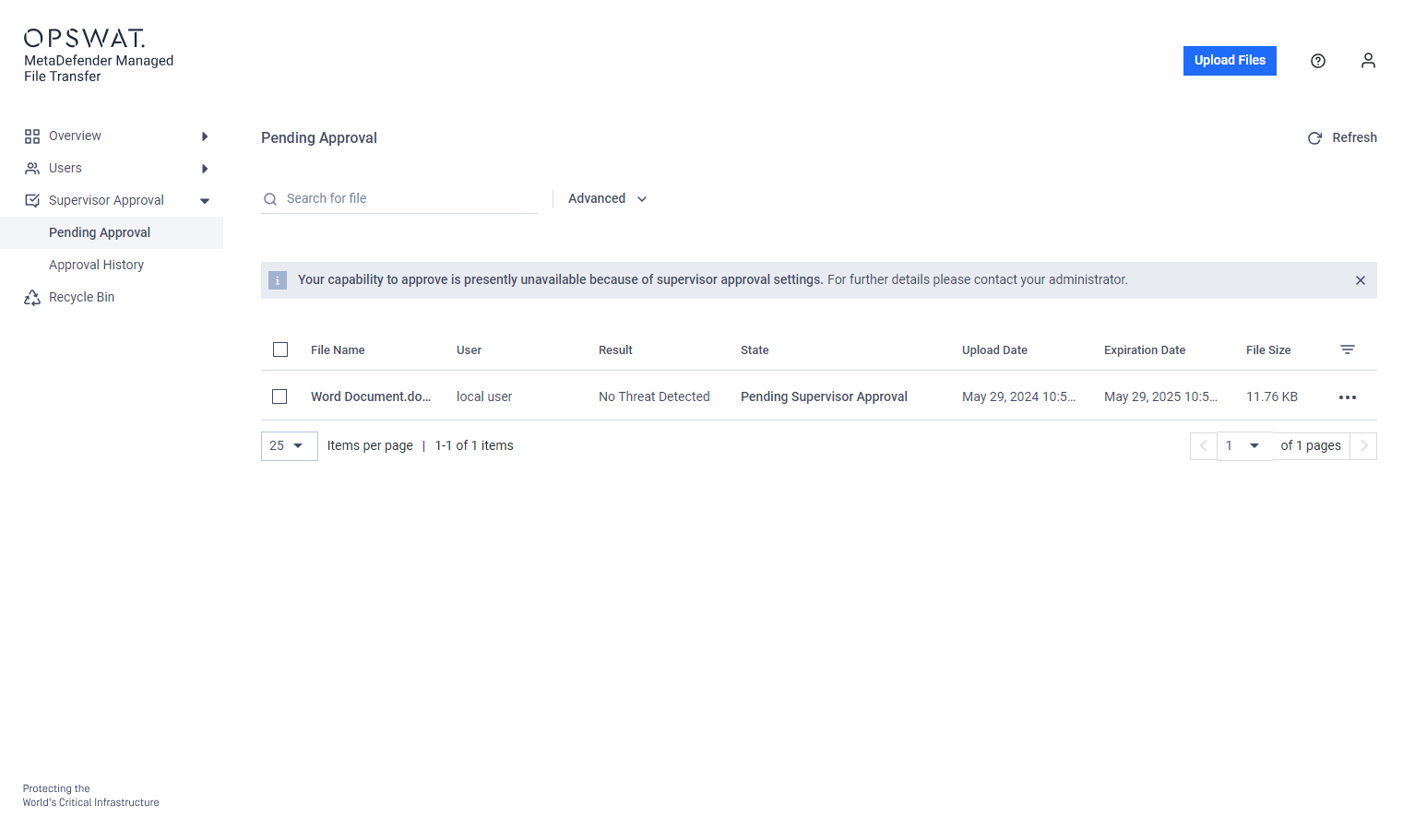
Supervisor Mode
Supervisor Mode | Description | Notes |
|---|---|---|
OU | Organizational Unit mode: Supervisors are assigned per Active Directory. They can approve or deny files uploaded by users in the assigned OU and its child OUs. | Users can be promoted to supervisors dynamically using an attribute-based AD filter. See the "Configure Supervisors" section for setup instructions. |
Group | Group mode: Supervisors are assigned per Active Directory group. They can approve or deny files uploaded by users in their group. | Supervisors do not act as supervisors for sub-groups; separate supervisor assignments are required. Attribute-based filters are not supported in Group mode. |
Supervisor Stage Approval Process
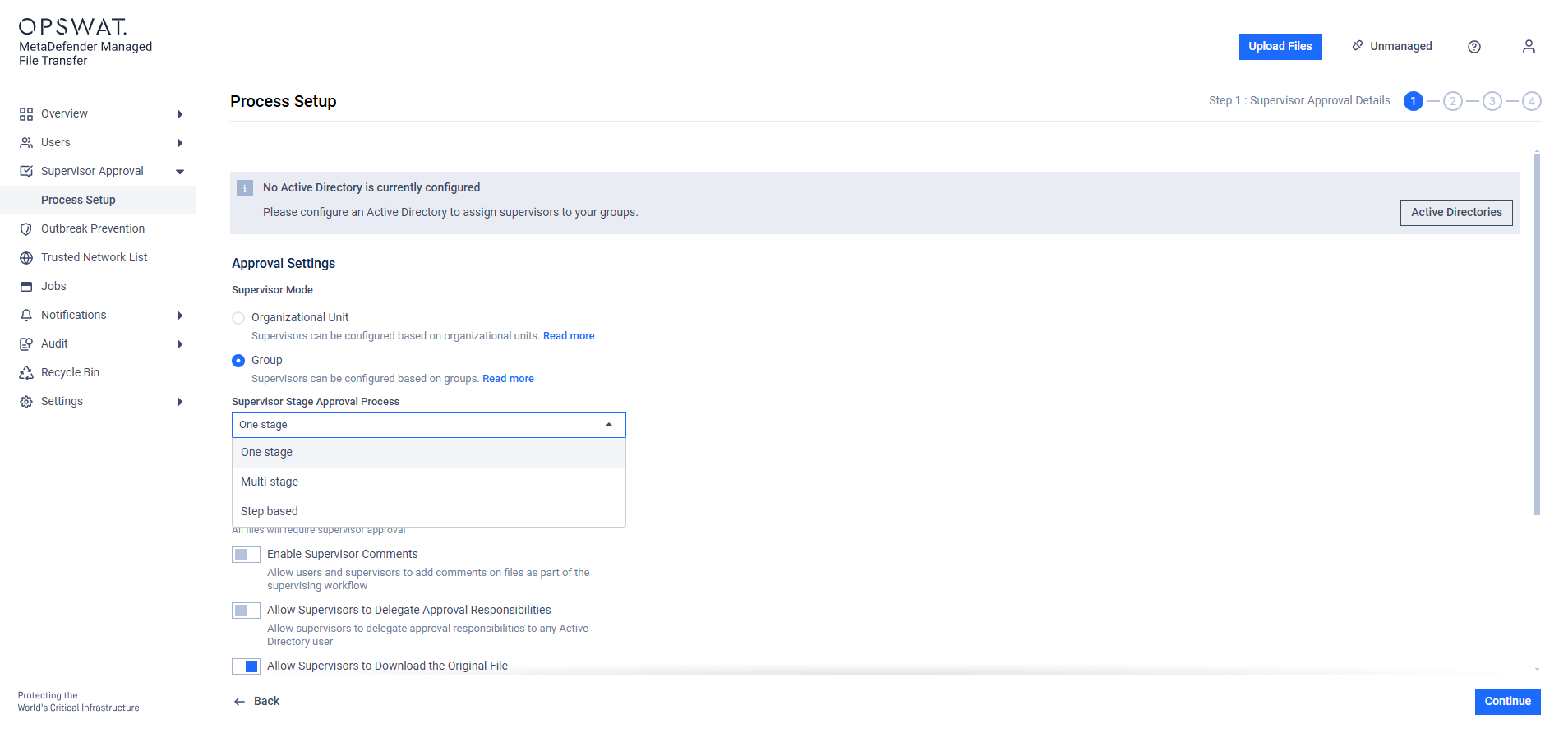
You can configure the supervisor approval process in one of three ways: One-stage, Multi-stage, or Step-based. Each method defines how many supervisor approvals are required before a file becomes available.
Stage | Description | Notes |
|---|---|---|
One-stage | Requires at least one approval from a supervisor to approve or deny access to a file. | Each OU or group must have at least one supervisor or container-based supervisor assigned. |
Multi-stage | Requires a predefined number of approvals (N) before the file is available. If any supervisor denies the file, it remains unavailable. | Requires a predefined number of approvals (N) before the file is available. If any supervisor denies the file, it remains unavailable. The system enforces supervisor count: each OU or group must have at least N supervisors to support N-stage approval. Ensure you assign enough supervisors to match the number of required stages. |
Step-based | Defines a sequence of approval steps (levels). At each step, a designated supervisor or group approves the file before passing it to the next step. The process must proceed in order, from level 1 to level N (where N is the total number of steps). | The system requires at least one supervisor per step for each container (OU/group) to enable step-based approval. |
Switching between one-stage, multi-stage and step-based configurations or altering the number of stages will reset the current approval process. Any in-progress approvals will be cleared, and all existing votes will be erased. Files that have already been approved or denied are not affected.
Changes take effect only after the new approval process is activated.
Step-Based Supervisor Approval Process
In step-based approval, files must be approved sequentially from the first level of supervisors to the final level (N). Unlike multi-stage approval, where supervisors can approve in any order, step-based approval requires supervisors at different levels to act in a defined sequence.
If a file is revoked by a supervisor at level X, the approval process halts until the same supervisor approves it again. After that, the process continues through all remaining levels until final approval is reached.
In Group mode, the required number of supervisors can be adjusted per group. If N is the default number of supervisors, individual groups can be configured to require fewer (or exactly N) supervisors via the group configuration modal.
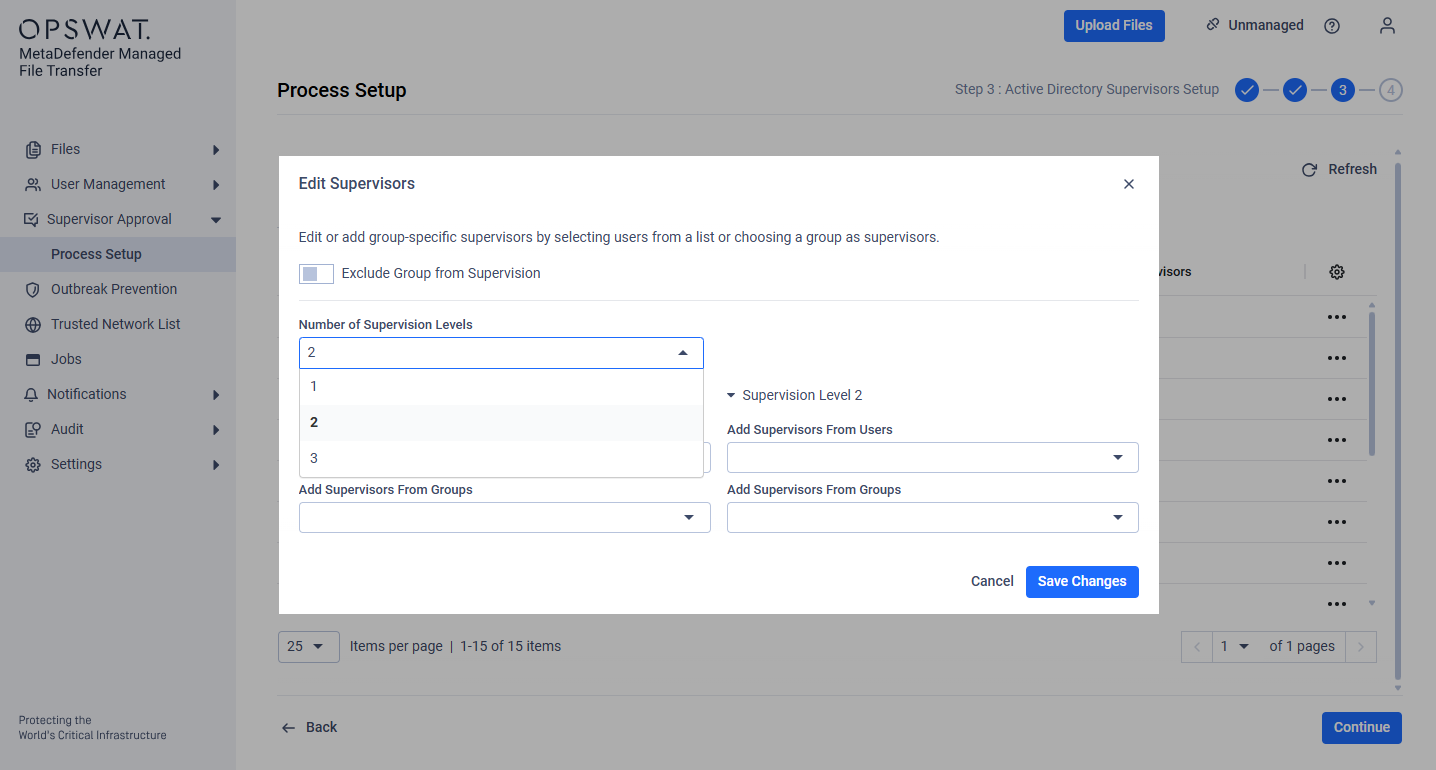
During file upload, pending approval notifications are sent level by level.
Comment notifications entered at each level are only visible to the corresponding supervisor.
Excluding Users from the Supervisor Flow
Administrators can exclude specific users from the supervisor approval flow. Files uploaded by excluded users become immediately available without requiring supervisor approval.
Administrators can exclude users during the user creation process.
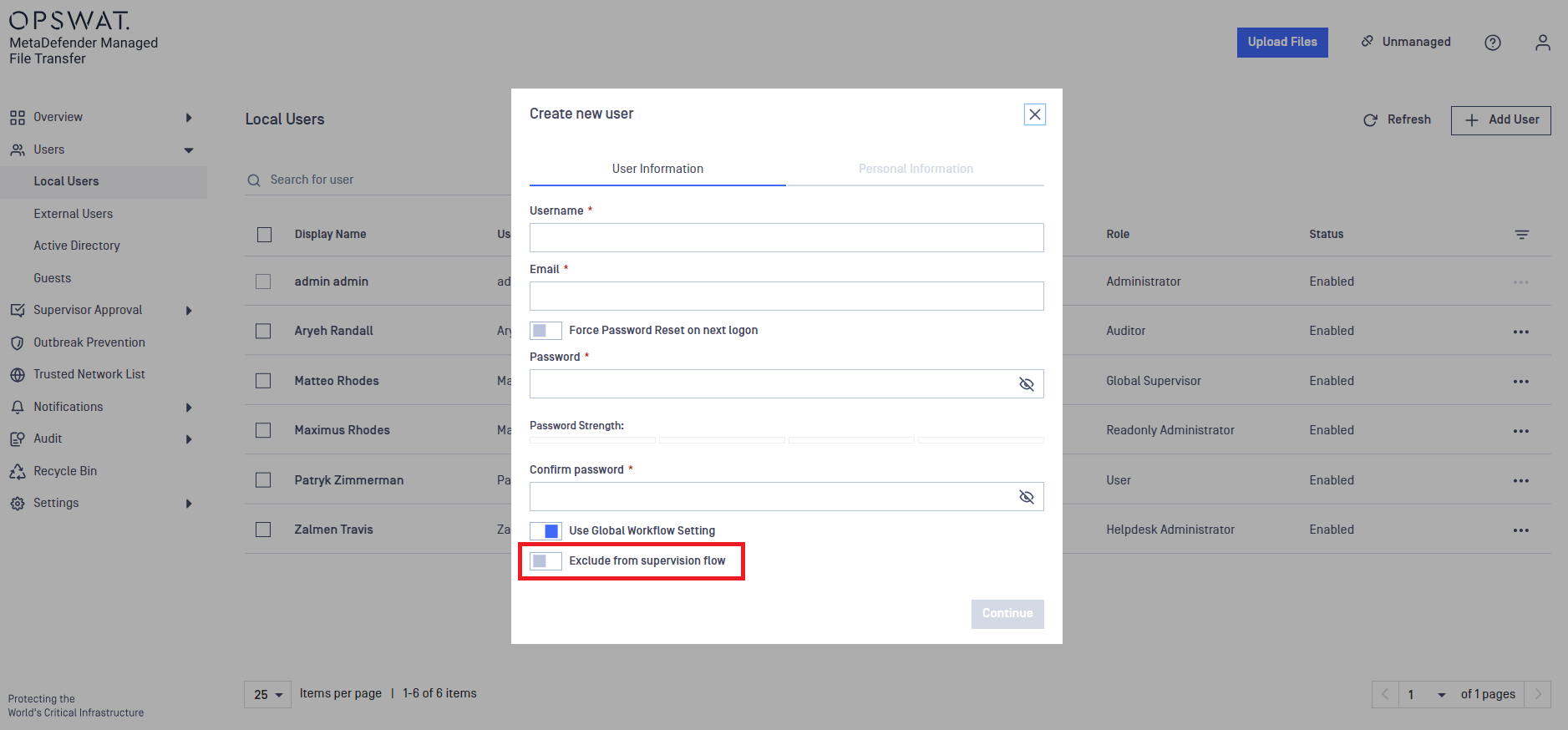
Existing local, SSO, and Active Directory users can also be excluded from the supervisor approval flow.
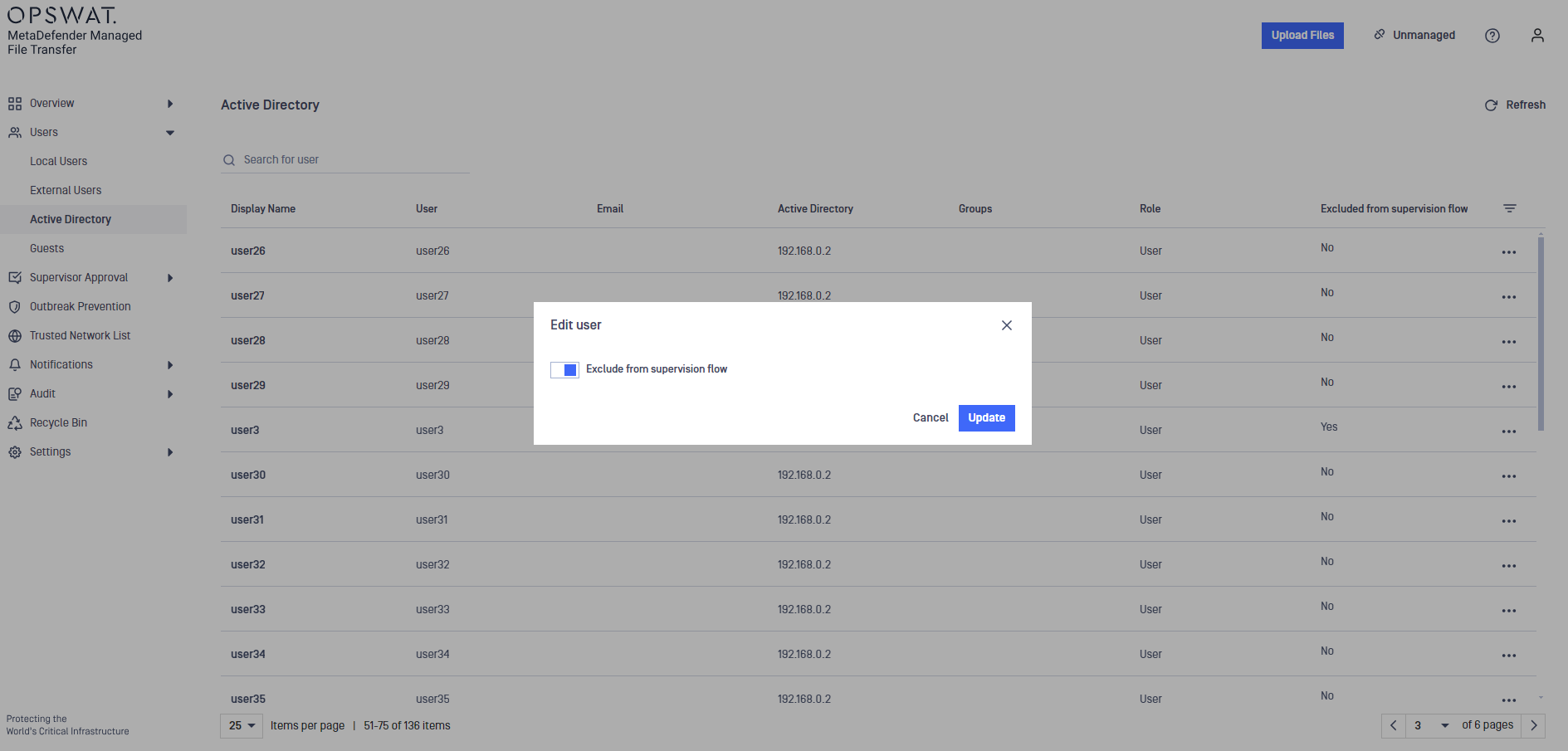
Skip Supervisor Approval
Skip approval | Description | Notes |
|---|---|---|
Never | Every file requires approval or denial. | This is the default option. |
When sanitized | Sanitized files are automatically approved. | This only applies to file types processed through Deep CDR configured in MetaDefender Core. |
After time span | Files are automatically approved after a specified duration if no action is taken. |
Enabling Supervisor Comments
This feature allows supervisors to base their decisions on user-provided comments during file upload.
Users can include a message explaining the reason for the upload
Supervisors can review the message and file, then approve or revoke accordingly
Supervisors may also leave comments explaining their decisions
Supervisor Delegate
Supervisors can temporarily delegate their approval responsibilities to another Active Directory (AD) user. The delegated user will have the same supervision rights as the original supervisor for the specified duration. Only one delegate can be assigned at a time.
Delegations are automatically revoked if the approval process configuration is changed.
Supervisor Download
This feature allows supervisors to download both the original uploaded file and the processed version. The default setting is Enabled. If disabled, supervisors can only download the processed version.
Supervision Between Groups/Organizational Units
This feature allows supervisors to oversee users across different groups or organizational units (OUs). Users from other containers can be selected as supervisors, applicable to both list and filter selection methods.
Supervisors can be selected from any AD group or OU, using list or filter selection methods. Configuration occurs during Step 3 of the process setup.
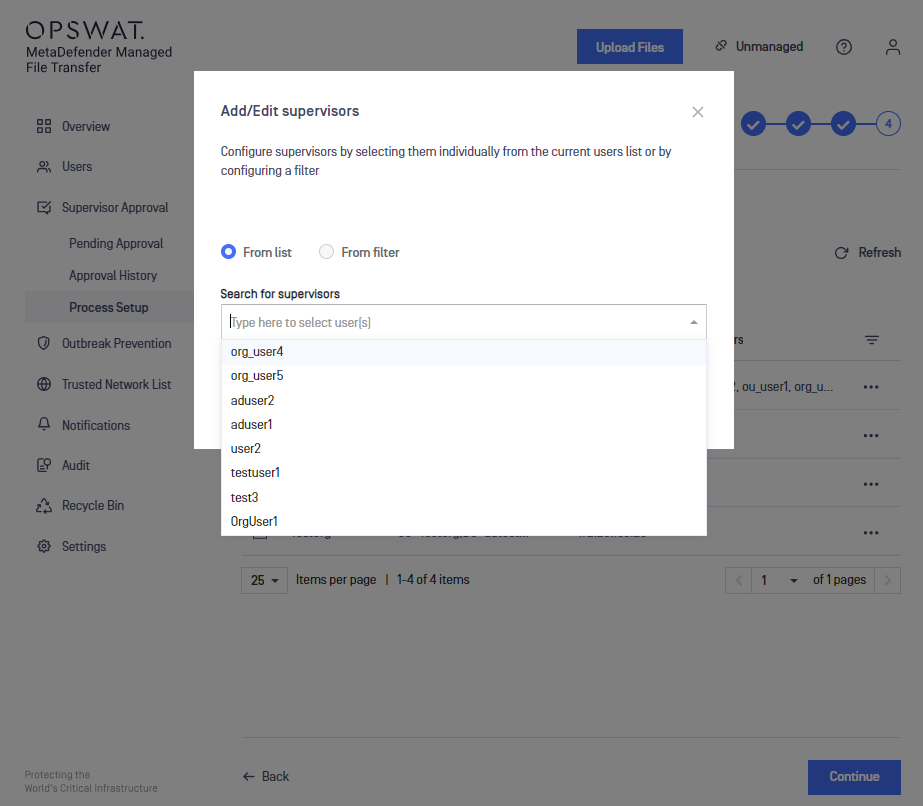
AD groups can be excluded from the supervisor approval flow. Files uploaded by users in excluded groups will not be subject to supervision.
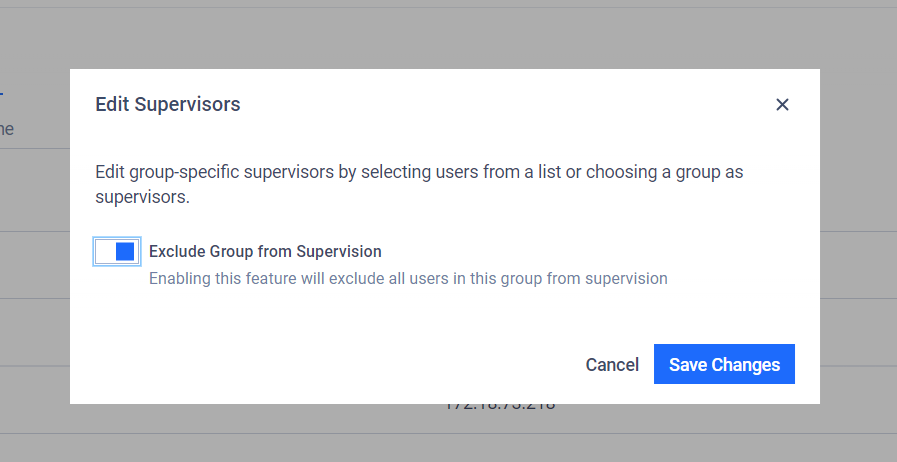
Disabling Supervision Between Groups/Organizational Units
A confirmation warning will appear before disabling.
Activating a new approval configuration with this feature disabled will:
Reset all approval votes
Remove existing supervisors
Require reassignment of supervisors
Enable Group Supervision only for Group Supervisors
When enabled, only Group Supervisors can oversee group file uploads. Default Supervisors will not participate in group supervision unless no Group Supervisor is assigned.
The setting is only applicable in Group Supervision mode.
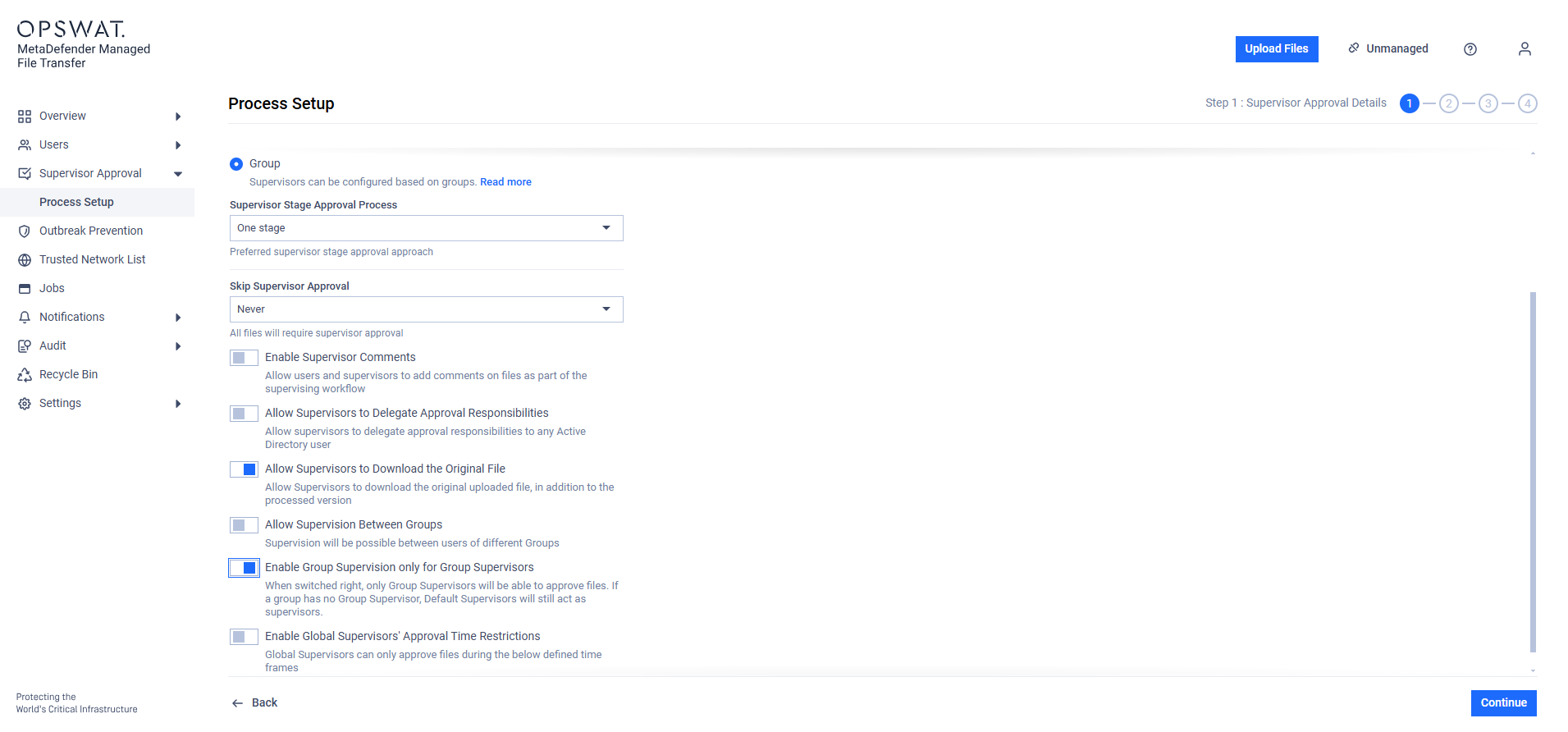
Global Supervisors' Approval Time Restrictions
This feature restricts when Global Supervisors can approve files.
You can configure specific time ranges and days of the week when approvals are allowed. All time settings follow the product_name server's time zone.
If a Global Supervisor attempts to approve a file outside the configured time window, a warning message will be displayed on the Pending Approval and Approval History pages.