
UI
With some high resolution touch screens, click events from a mouse are not registered if the Scale and Layout display setting is set to greater than 100%. Workaround is to hold the right mouse button to ensure the left button click is respected
Physical Input Devices
Customers have reported some localization issues with older versions of Windows 10 and physical input devices (e.g. keyboard, mouse, etc...). If you experience these issues, please try updating the system to see if it resolves the issue. If the issue persists, please contact Customer Support.
Joining a Hardware Kiosk to a domain
In some cases, joining a Kiosk to a domain will fail. The Netlogon service fails to start with error: "Windows could not start the Netlogon service on Local Computer. Error 1058...". Verify if any recent network settings have been modified. Restart the system to ensure network setting changes have been correctly applied and the Netlogon service can start as expected.
Core Hardware Requirements Warning on Kiosk Mobile
On Kiosk Mobile hardware, MetaDefender Core (the scanning engine Kiosk uses) may display a warning that the system's hardware does not meet the minimum requirements. This typically appears after activating the Core license, and is often triggered by having a large number of anti-malware engine packages installed, which increases the hardware resources Core needs.
This warning reflects Core's own minimum system requirements check and is expected behavior when a device's hardware or engine configuration falls below Core's recommended specifications — it does not indicate a problem with Kiosk itself, and it cannot be suppressed.
If you see this warning:
Compare your device's hardware against MetaDefender Core's recommended system configuration.
Consider reducing the number of installed engine packages if your deployment doesn't require all of them, which lowers Core's resource requirements.
A small indicator may also remain visible in the Core console's notification area after the warning first appears — this is expected and does not indicate an ongoing or worsening issue.
Generate Support Package
A support package contains essential information about the operating system and the MetaDefender Kiosk application, which OPSWAT support requires to troubleshoot any issues that arise.
Content of the support package
The support package contains the following elements:
configuration files
log files
system information
directory and files information
registry key configuration
Creating the package
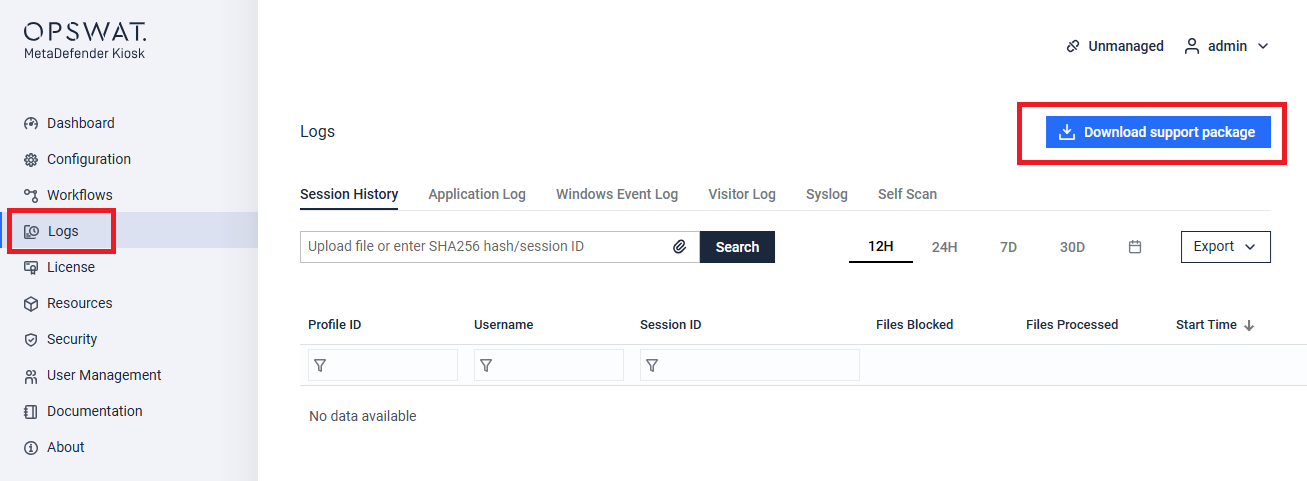
From Kiosk Console, navigate to Logs section. Click on Download support package. The support package will be named MetaDefender___Kiosk_Debug.zip.
Alternatively, we can collect these information via command line tool. Run cmd.exe with administrator permissions, run the following command line:
"C:\Program Files (x86)\OPSWAT\Metadefender Kiosk\Client\omdDebugTool.exe" ALL
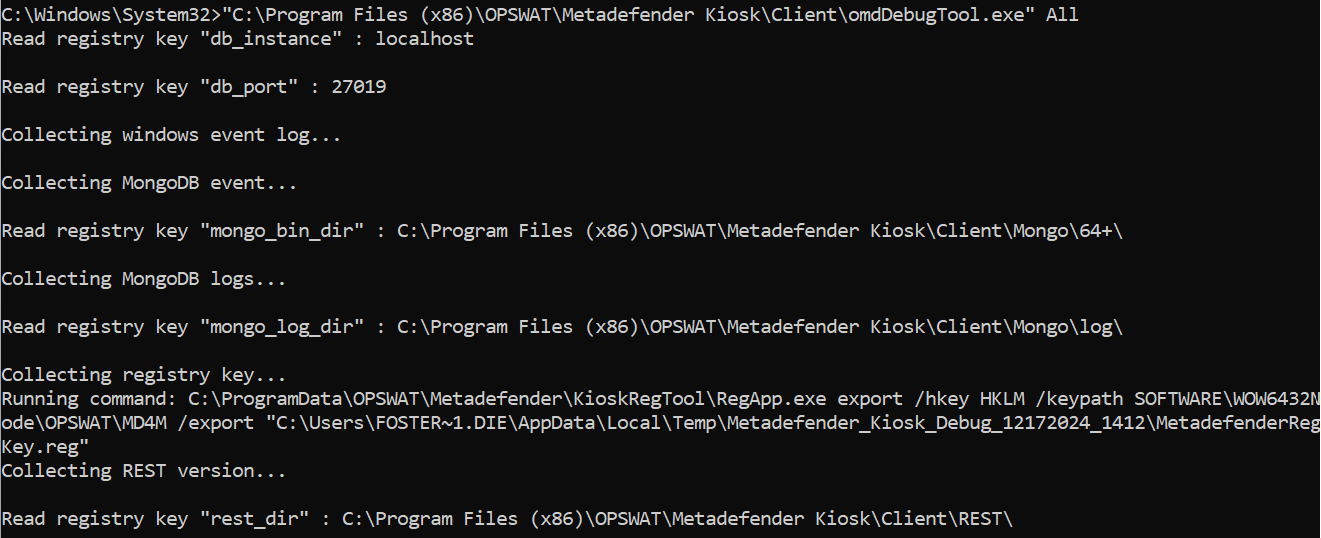
The logs will be collected and stored under "C:\Users<username>\AppData\Local\Temp"