
MetaDefender Kiosk 4.7.7 | |
|---|---|
11 July 2025 (Kiosk 4.7.7.3922) | |
New Features | |
Kiosk Hardened Image - Auto-deploy Kiosk Out-of-Box Experience for the initial setup | Kiosk now support initial configuration files to automate the Out-of-Box Experience (OOBE) enable faster deployment at large scale. |
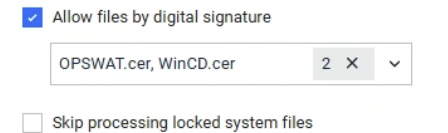
Allow trusted files by digital signature | Kiosk now allows administrators to configure trusted files based on their digital signatures. This feature enables more precise control by allowing only files signed with specified certificates.
|
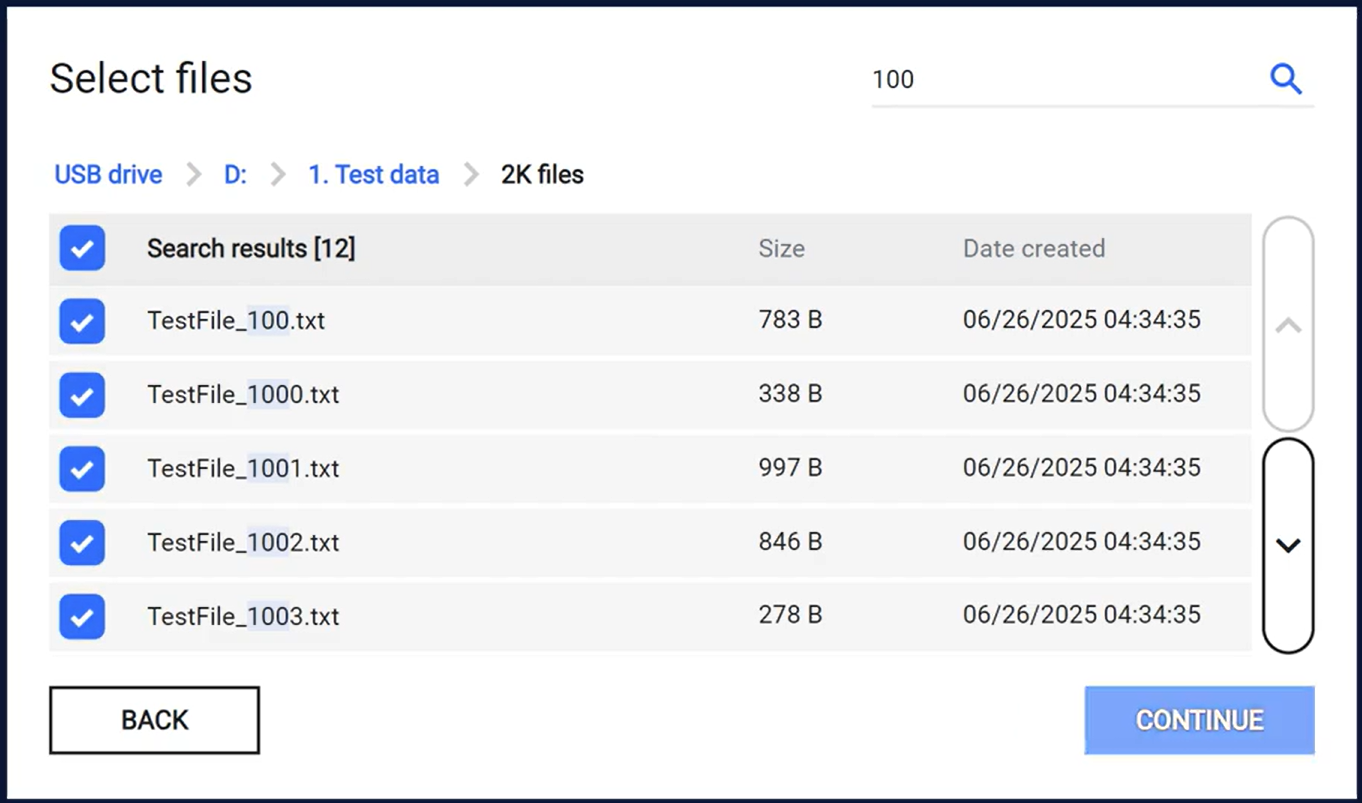
File search for scanning | Kiosk now allows users to search for specific files to scan, making file selection faster and more convenient.
|
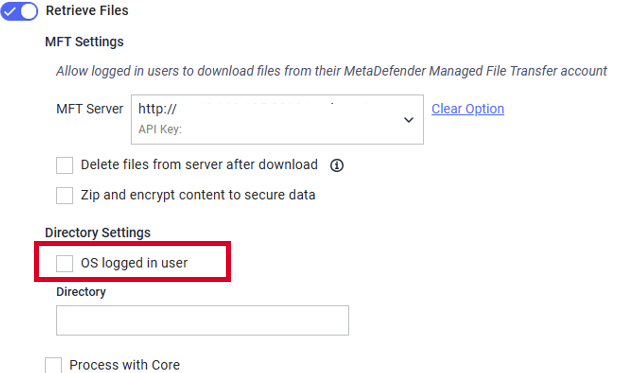
Fallback to logged-in Windows user when retrieve files from shared directories | Kiosk now supports a fallback mechanism that attempts to access shared directories using the currently logged-in Windows user when the provided Active Directory (AD) credentials fail. This enhancement improves file retrieval reliability in environments where AD access may be restricted or inconsistent.
|
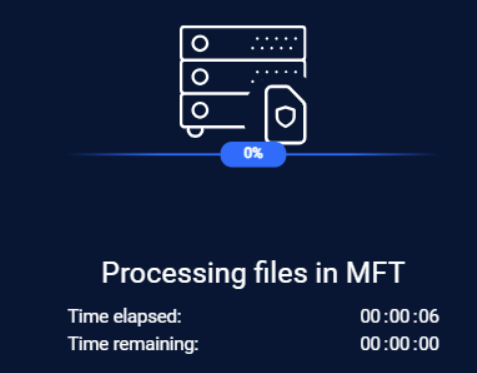
Option to wait for MFT scan completion | Kiosk introduces a new option that allows it to wait until all uploaded files are successfully scanned by MFT before closing the session. At the end of the session, Kiosk will also display the MFT scan result of each file.
|
Enhancements | |
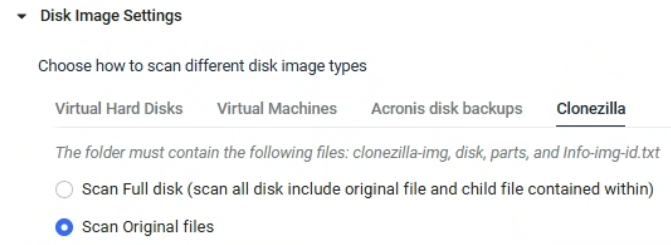
Supports scanning Clonezilla images | Kiosk now supports scanning Clonezilla images
|
Improved permission error messages during file copy | Kiosk now provides clearer messages when file copy fails due to permission issues at the destination. This enhancement helps streamline troubleshooting. |
Enhanced security with encrypted certificates in Kiosk database | Certificates and private keys used for secure connections (HTTPS) and manifest signing are now encrypted and securely stored in the Kiosk database. This enhancement strengthens security by eliminating local certificate exposure and preventing unauthorized access. |
Support applying configurations to multiple Kiosk versions in Central Management 10 | Kiosks instances are now capable of apply settings across mixed versions in Central Mangement 10. Kiosks with older versions skip unknown settings and retain deprecated settings to ensure consistent behavior and compatibility. Note: This feature requires Central Management 10, which is not yet released. |
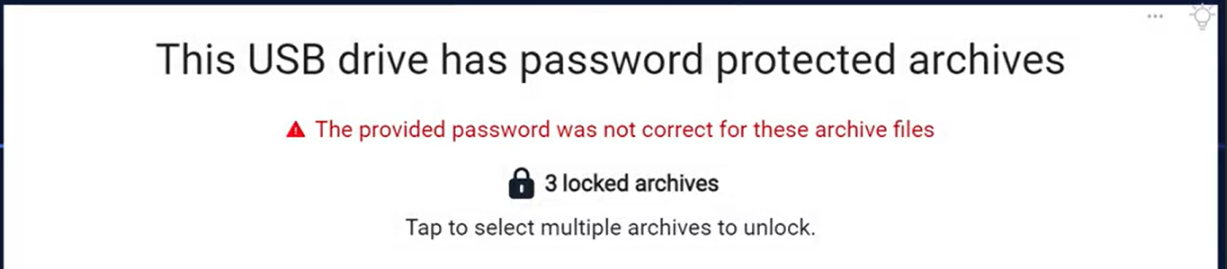
Improved error message for incorrect password in encrypted files | When users enter an incorrect password for encrypted files, the error message is now clearer to avoid confusion and help users understand the issue.
|
Removed ‘Finding files’ screen | The ‘Finding files’ screen has been removed to simplify the file scan process. |
Enhanced display for mixed English and Hebrew text lines | Improved text rendering for lines containing both English and Hebrew |
Show Time remaining for specific workflow | A new option has been added to allow displaying the estimated remaining time while processing files |
Option to show or hide remaining time per workflow | A new option allows Kiosk to show or hide the estimated remaining time for each workflow while processing files, enhancing user visibility and experience. |
Improved file listing for large USB devices with over 250 files | Improved the file listing experience for USB devices containing over 250 files. Users can now continuously scroll through the list for a smoother and intuitive experience. |
Improved session ID tracking for file Scans in Central Mangement 10 | Kiosk now includes the session ID with every file sent to Core, enabling better reporting in Central Management 10. This change ensures consistent tracking across all scanned files. |
Exclude Manifest files when transferring files to the MFT server | Kiosk no longer copies manifest files when transferring files to the MFT server. This change helps avoid confusion in cases where manifest file transfers fail, ensuring a clearer and more consistent file transfer experience. |
Supports domains containing hyphens “-” when integrating with Microsoft Entra ID (OIDC) | Kiosk now supports domains containing hyphens “-” when integrating with Microsoft Entra ID using the OpenID Connect (OIDC) protocol. |
Accurate file size display for files skipped due to size | When a file is skipped by MetaDefender Core due to its size, Kiosk now accurately displays the actual file size instead of showing 0 Bytes. This improvement provides clearer scan results. |
Reduced repetitive showing of “Access denied” when using with Load Balancer | When using Kiosk with the Load Balancer option, Kiosk no longer repeatedly show “Access denied” message from MetaDefender Core. This improvement helps minimize noise in the Kiosk logs |
Improve display of languages when being switched | Language switching on the Kiosk user interface and question screens has been enhanced to ensure accurately display the selected language. |
Language selection now managed via menu bar icon | The “Allow user to select languages” option has been removed. Language selection is now controlled through the customizable menu bar icon for a simpler configuration.
|
Bugs | |
Resolved issue with missing translation text when upgrading to Kiosk 4.7.6 | Kiosk resolved issues where some language translation texts could disappear when upgrading from older versions to Kiosk 4.7.6 |
Resolved self-scan did not triggered at the scheduled time | Kiosk resolved an issue where the Self-Scan feature did not automatically trigger at the scheduled time. |
Resolved high CPU and fan noise caused by CD/DVD drive | Kiosk resolved an issue where the CD/DVD drive could cause unusually high CPU usage, resulting in increased fan noise |
Known issues | |

MetaDefender KIOSK Documentation
The users can consult this web page or, alternatively, they can download the manual in pdf format from the link below:
MetaDefender KIOSK manual (SHA256: 404339BCE0F3E4C5EFA52F55903C8C617C0F9630D01E2020EC09EA6CDC1304C7).
OPSWAT MetaDefender AGD Documentation_v1.3 (SHA256: DA7AB11F8195F0E49A2D4ED36CA3C99510F77B5A1881DF937B14F5AFFC3A20C4).