
MetaDefender Kiosk requires MetaDefender Core for multi-scanning functionality.
Setting up MetaDefender Core with MetaDefender Kiosk consists of the following steps:
Detecting the MetaDefender Core server URL
If MetaDefender Core is installed on a remote machine from Kiosk, the server URL must be specified.
Access your MetaDefender Kiosk Management Console at
http(s)://<ip or dns>:8009. You can also access the Kiosk Management Console using Windows Start > OPSWAT > MetaDefender Kiosk Management Console.Click Configuration and enter your MetaDefender Core URL
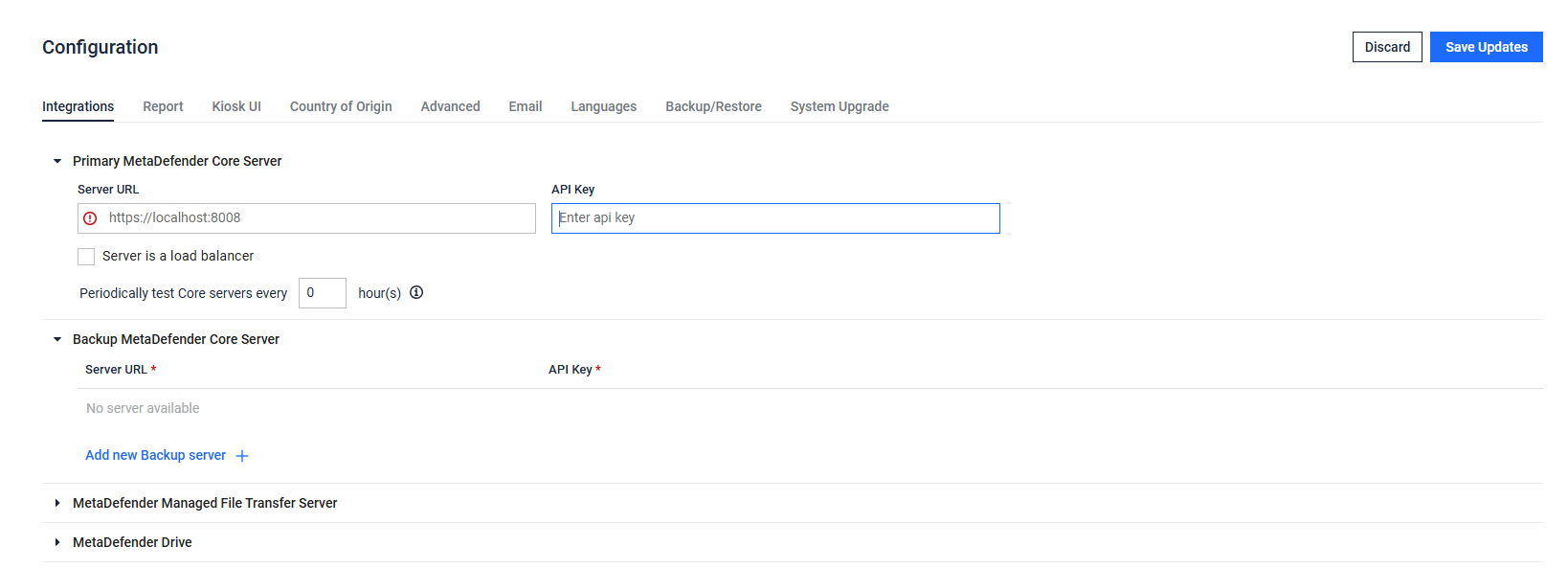
Additional backup servers can be added in case the primary server becomes inaccessible, its license expires, or other issues the primary server might encounter.
Authenticating the Core connection
You must authenticate your connection by obtaining an API key from the MetaDefender Core Management Console.
MetaDefender Kiosk requires the MetaDefender Core API key to be assigned an Administrator role
Access the MetaDefender Core Management Console
Select
User Management
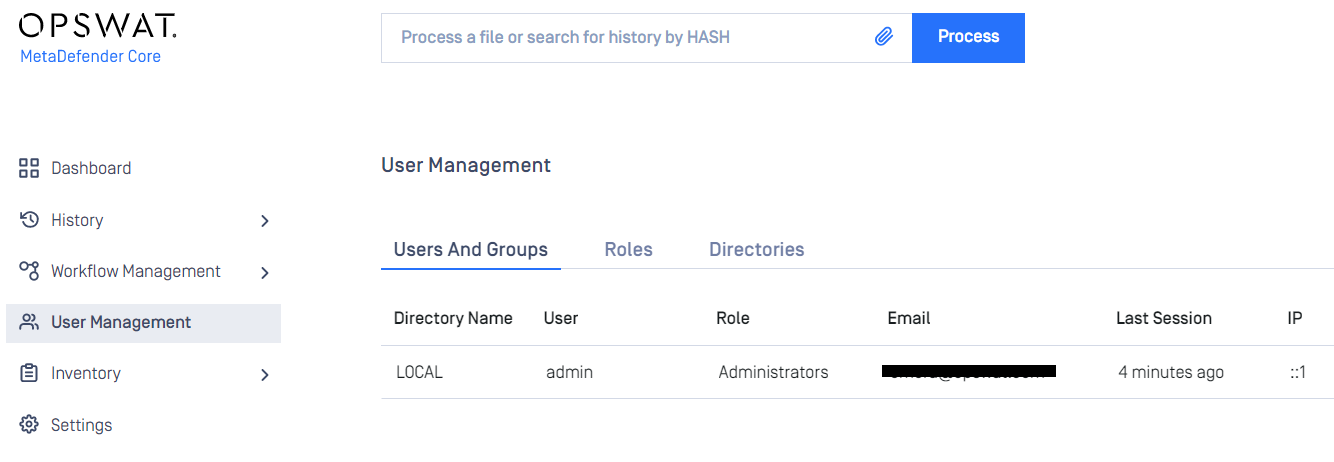
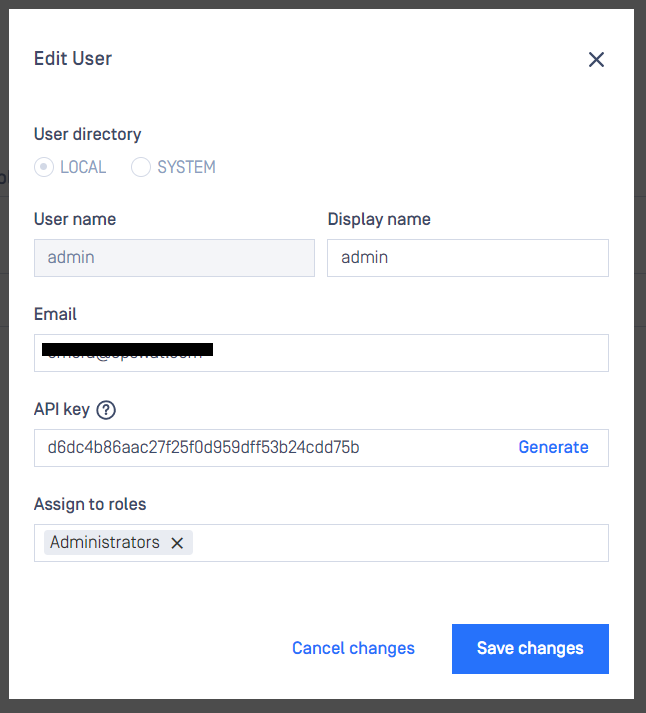
Click the desired user with an Administrator role and copy the contents of the
API keyfield. If an API key has not been previously generated click theGeneratelink and make sure to save changes.
Return to the MetaDefender Kiosk Management Console and click the
ConfigurationtabPaste your Core API key value in the
API Keyfield

Associating workflows in Kiosk to workflows in Core
Refer to Selecting a Server to Process Files