Installation
v4.5.8
Search this version
Installation
Installation
Title
Message
Create new category
What is the title of your new category?
Edit page index title
What is the title of the page index?
Edit category
What is the new title of your category?
Edit link
What is the new title and URL of your link?
Backing Up and Restoring the Configuration
Copy Markdown
Open in ChatGPT
Open in Claude
To backup or restore the MetaDefender Kiosk configuration, click Backup / Restore in the top-right corner of the Configuration page.
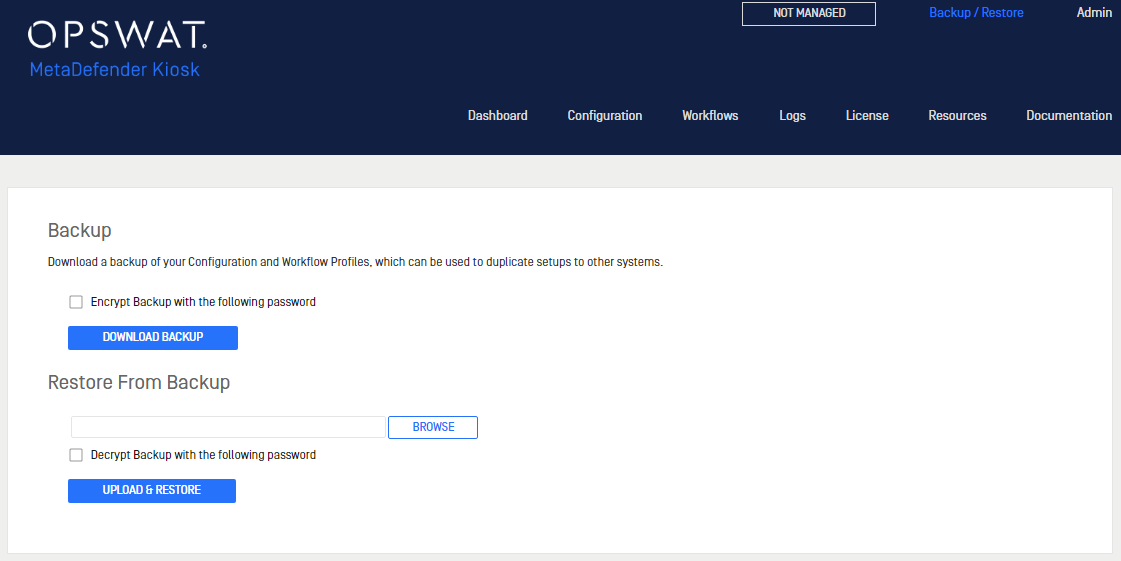
Downloading a configuration backup
Click Download Backup to download a file with all of the Kiosk configuration settings saved.
Restoring configuration settings
To restore settings on this or a different Kiosk system, upload the configuration settings file using the Browse button in the Restore From Backup section.
Type to search, ESC to discard
Last updated by Mora on Oct 18, 2022
Was this page helpful?
Next to read:
Upgrading from MetaDefender Kiosk 3.XDiscard Changes
Do you want to discard your current changes and overwrite with the template?
Archive Synced Block
Message
Create new Template
What is this template's title?
Delete Template
Message
