
Knowledge Base
v4.5.2
Search this version
Knowledge Base
Knowledge Base
Title
Message
Create new category
What is the title of your new category?
Edit page index title
What is the title of the page index?
Edit category
What is the new title of your category?
Edit link
What is the new title and URL of your link?
Why is MetaDefender Kiosk not recognizing floppy drives?
Copy Markdown
Open in ChatGPT
Open in Claude
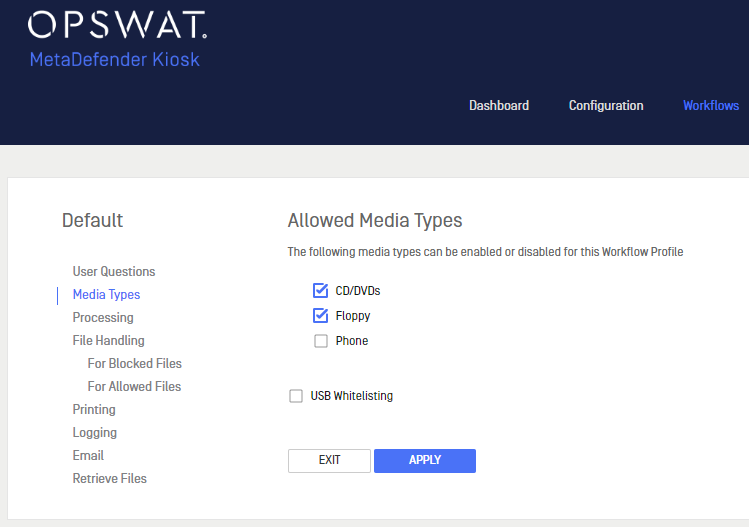
By default, MetaDefender Kiosk has floppy drive access disabled. You can enable this option in the MetaDefender Kiosk Management Console by navigating to Workflows > Media Types and selecting the Floppy checkbox. Then click Apply.
Last updated on Aug 6, 2024
Was this page helpful?
Next to read:
How To Deploy Kiosk Hardened Imagenull
Discard Changes
Do you want to discard your current changes and overwrite with the template?
Archive Synced Block
Message
Create new Template
What is this template's title?
Delete Template
Message