
Object Management
The Object Management page allows you to create and manage reusable network objects such as IP addresses, IP ranges, and networks. These objects can be referenced in firewall rules.
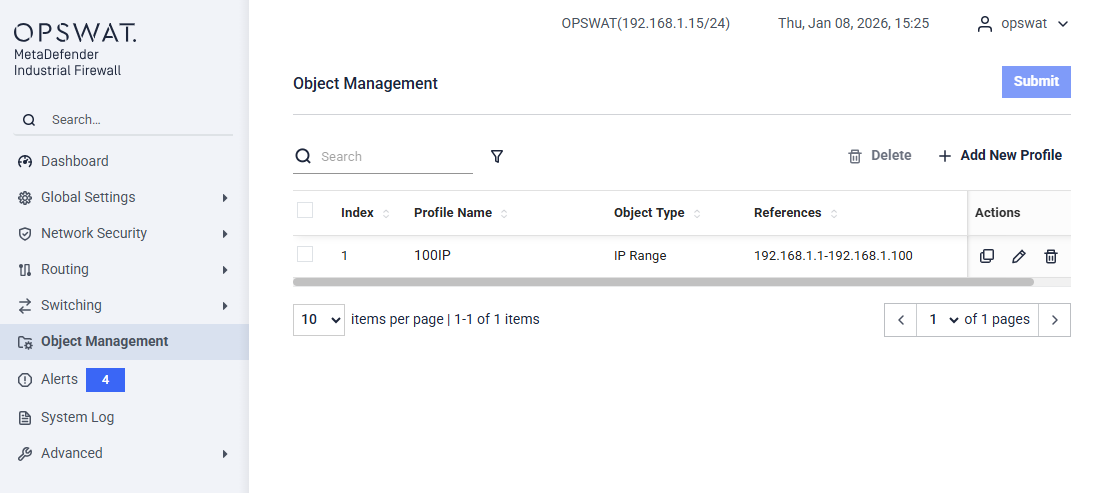
This page displays a list of configured objects with the following information:
- Index: Sequence number of the object
- Profile Name: User-defined name of the object
- Object Type: Type of object (e.g. IP Range, IP Address, Network)
- References: The IP address, range, or network defined by the object
- Actions: Edit, duplicate, or delete the object
Add New Profile
This dialog allows you to create a network object that can be reused across firewall rules.
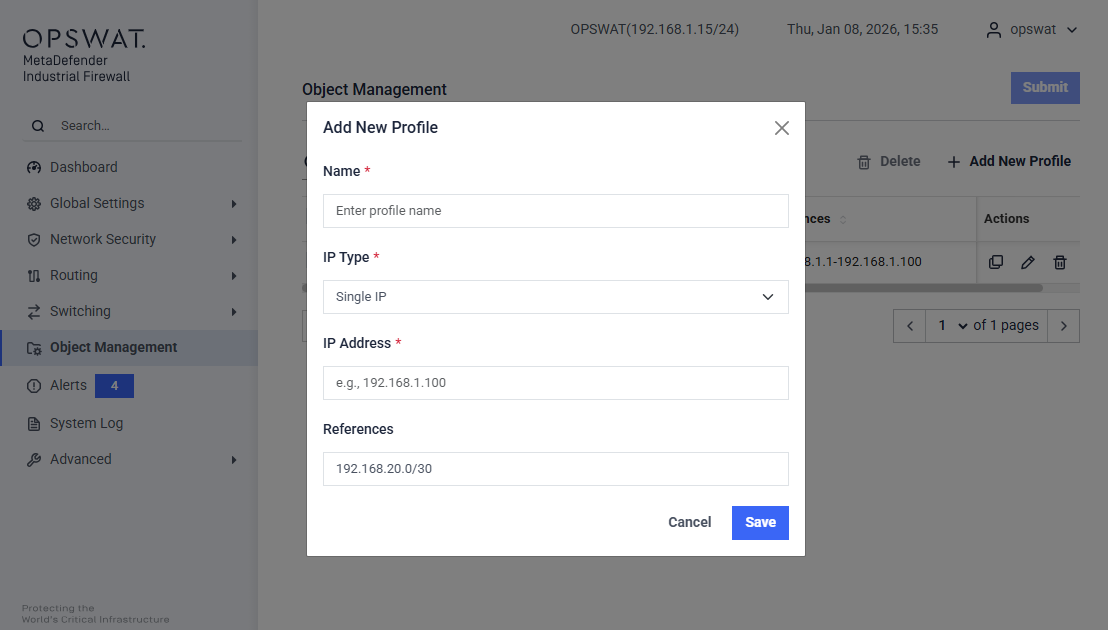
Name (Required): Enter a unique name to identify the object.
IP Type (Required): Select the type of IP object to create:
- Single IP – Defines a single host IP address. Example:
192.168.1.100 - IP Range – Defines a continuous range of IP addresses. Example:
192.168.1.1–192.168.1.100 - Subnet – Defines a network using CIDR notation. Example:
192.168.1.0/24
- Single IP – Defines a single host IP address. Example:
IP Address (Required): Enter the IP value based on the selected IP Type.
References: Displays the auto-generated reference value based on the selected IP Type and IP Address for Subnet type
Was this page helpful?