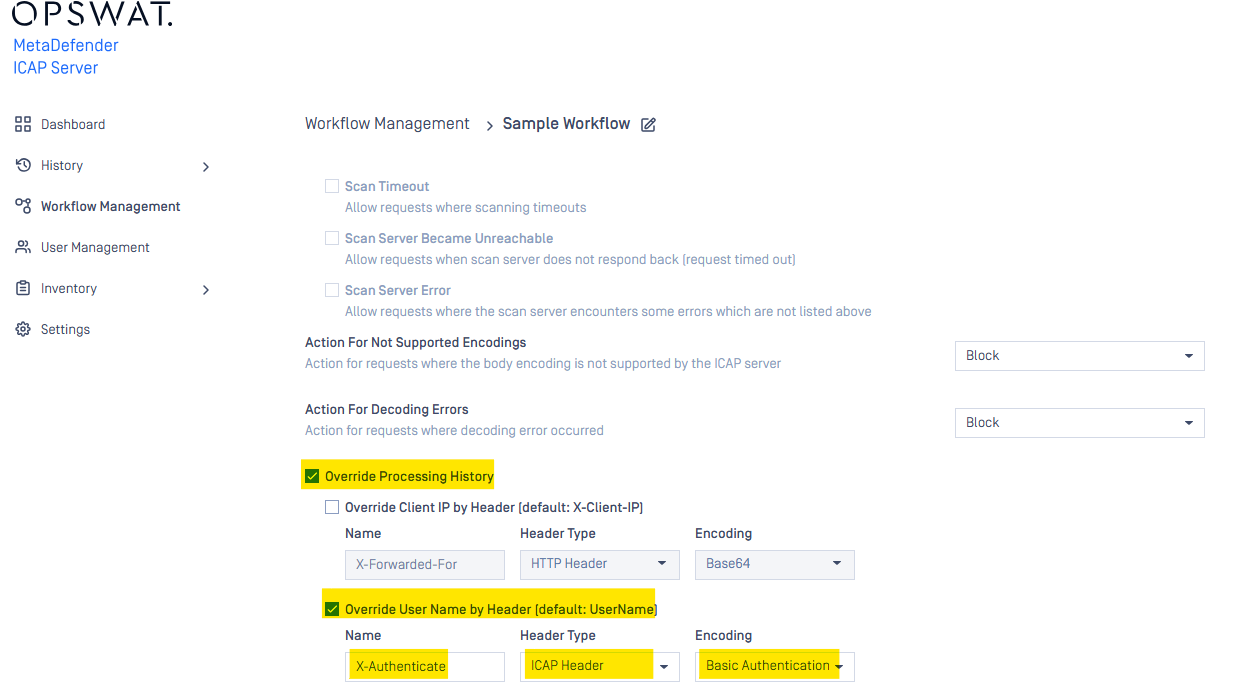
Since ICAP v5.8.0 the Client IP and Username column in processing history are allowed to override by selecting the header for overwritten
Client IP
By default, the Client IP will be get from value of header X-Client-Ip, by some reason the X-Client-IP can not be used then the Client IP can be configured to get from ICAP header or HTTP header in each workflow with 3 kind of encoding::
None
Base64
URL-encoded
to configure the overwritten, go to each workflow -> Advance Tab and select "Override Processing History"
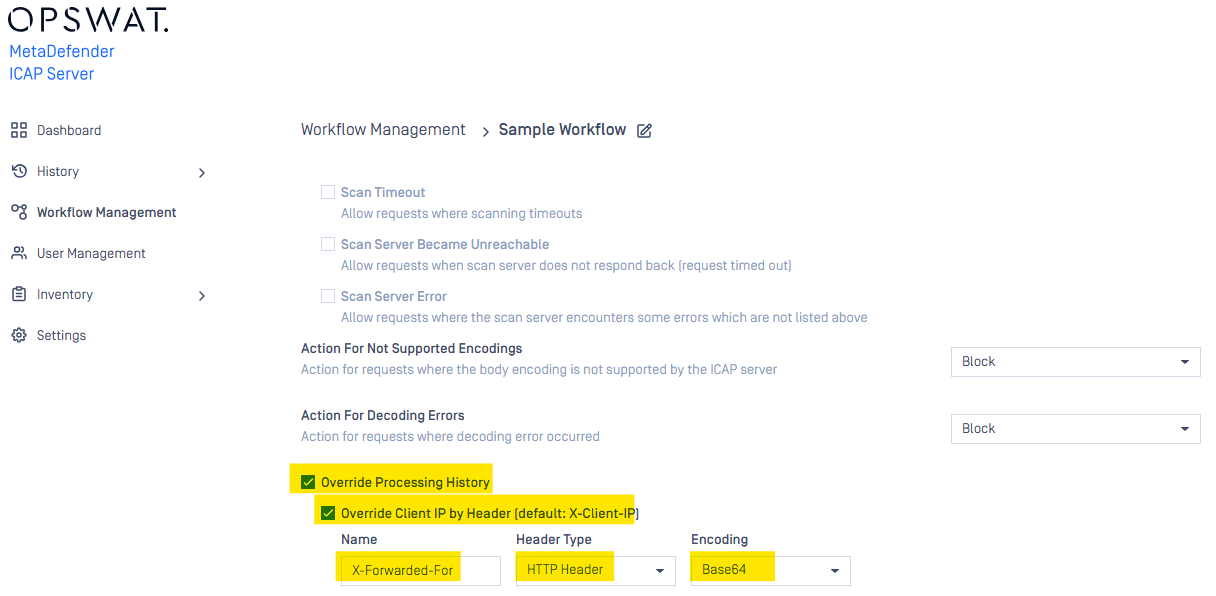
for example, below picture illustrate the override the X-Client-IP by value of X-Forwarded-For HTTP header
User name
Same as Client IP, the User Name can be overwritten by selected the from any HTTP and ICAP header with 4 kinds of encoding:
None
Base64
URL-encoded
Basic Authentication (supported since v5.9.0)