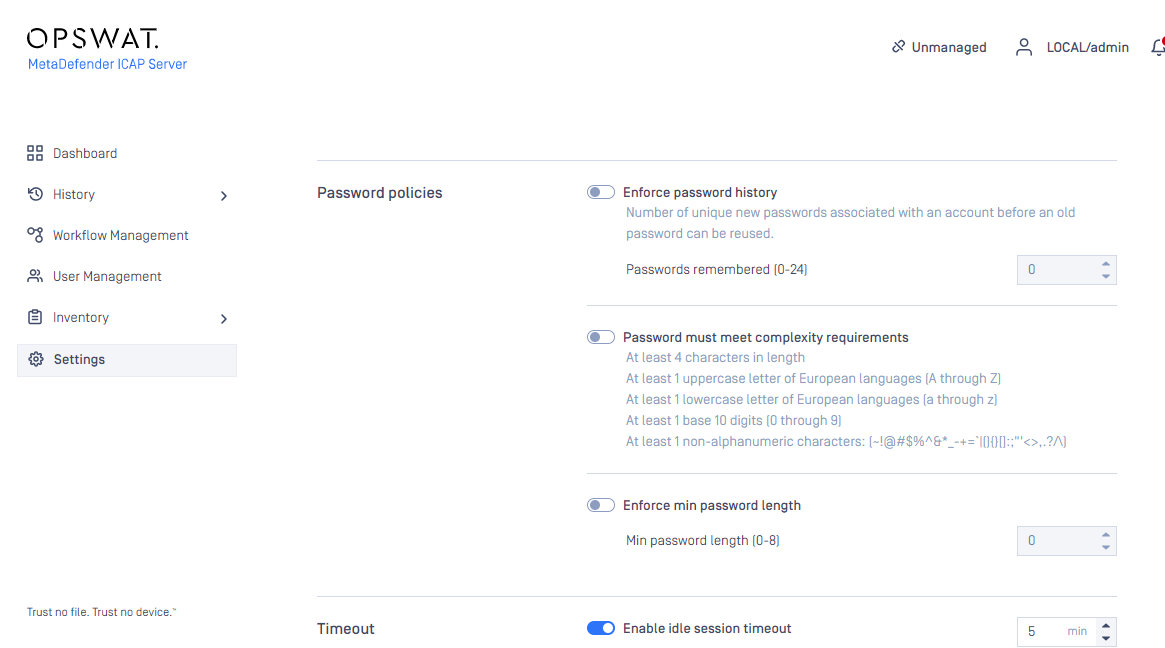
Local users' password can be enforced to meet requirements set by administrators or authorized users, which includes following constraints (Setting > Security > Password policies)
Enforce password history:
Determines the number of unique new passwords that must be associated with a user account before an old password can be reused
Range: [0-24]
Default: 0 (to disable enforcement)
Minimum password length:
The least number of characters that can make up a password for a user account
Range: [0-8]
Default: 0 (to disable enforcement)
Password must meet complexity requirements:
Determines whether passwords must meet a series of guidelines that are considered important for a strong password:
Must not contain username (in case-sensitive)
Must have at least 1 lowercase letter of European languages (a through z)
Must have at least 1 uppercase letter of European languages (A through Z)
Must have at least 1 base 10 digits (0 through 9)
Must have at least 1 non-alphanumeric characters (special characters)
Default: unchecked