
Configuration via Web-based manager
In your browser log into Jaguar's Web Administration
Go to the Configuration page
From the menu on the left, click on Others under the Protocol group
From the top menu, select ICAP
Make sure that Send Client Address checkbox is checked
Apply changes
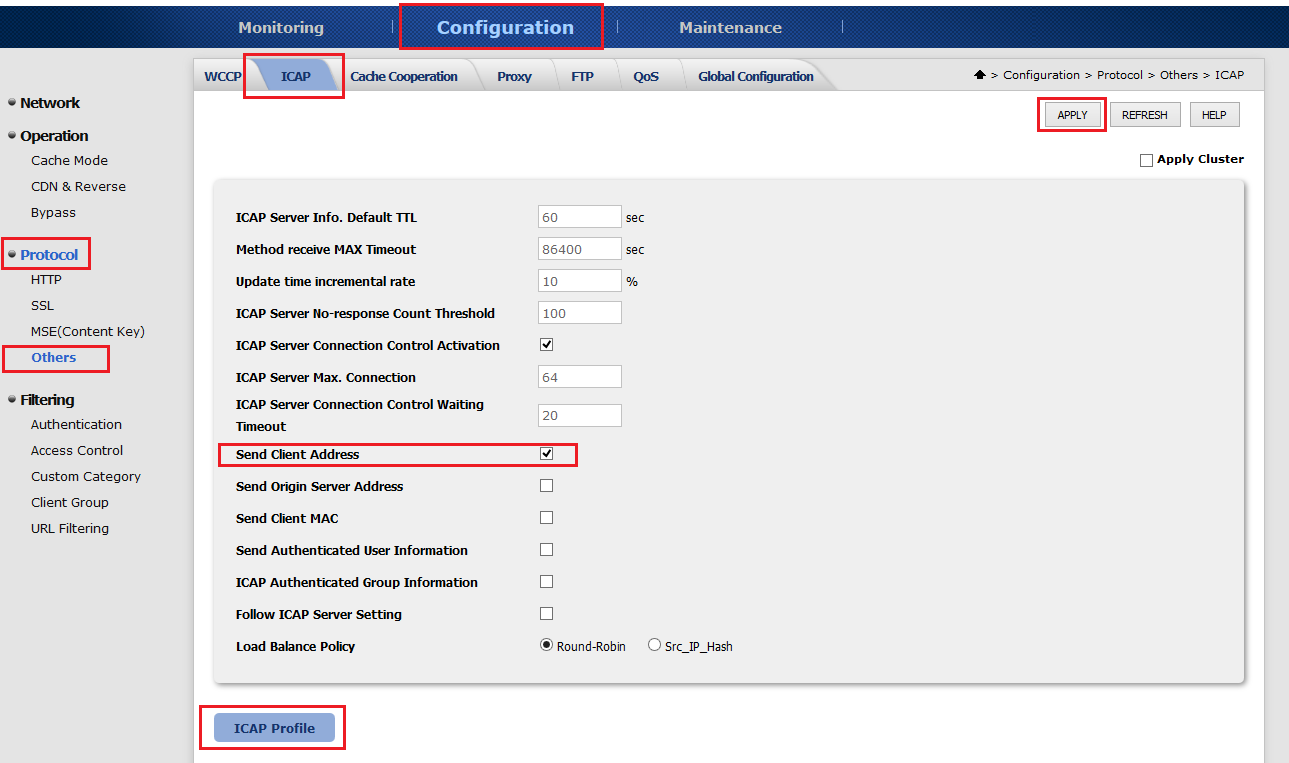
Click on the ICAP Profile button on the bottom of the page
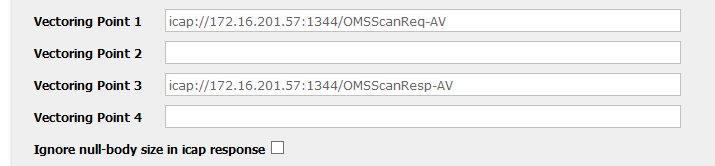
Add a new profile
Type in "icap://<IP>:<PORT>/OMSScanReq-AV" to Vectoring Point 1
Type in "icap://<IP>:<PORT>/OMSScanResp-AV " to Vectoring Point 3
Apply changes
Scanning HTTPS Content
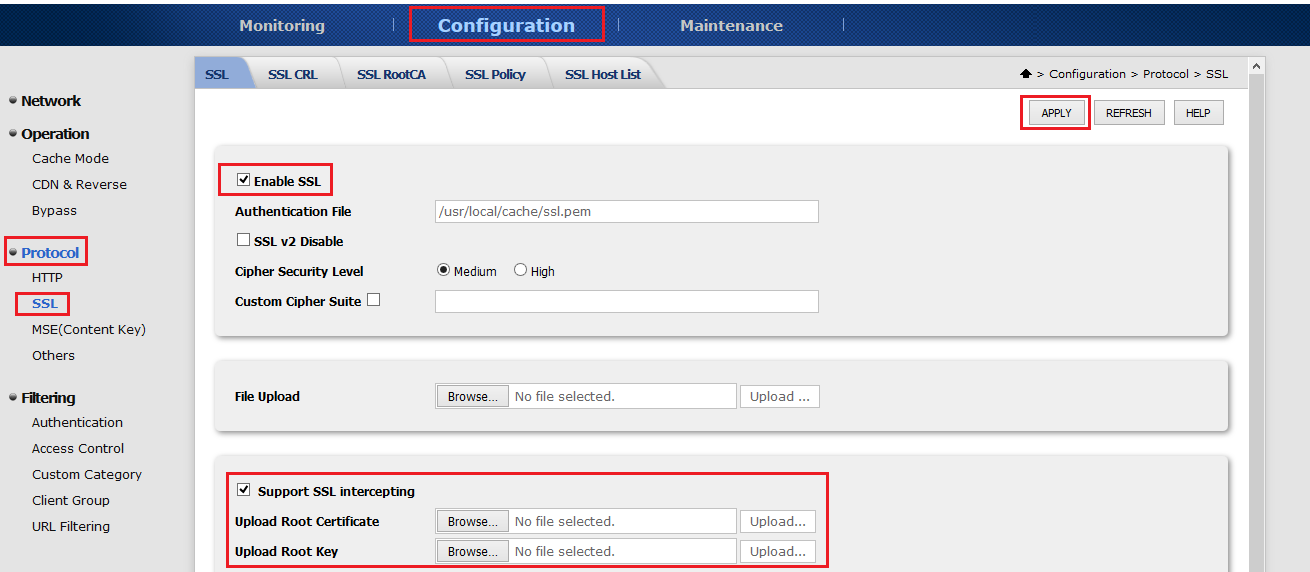
Go to the Configuration page
From the menu on the left, select SSL under the Protocol group
Check the Enable SSL checkbox
Check the Support SSL intercepting checkbox
Upload root certificate
Upload root key
Apply changes and restart the device
Was this page helpful?
Integrations