Connect the ICAP Client outside K8s to ICAP on K8s

  1. MetaDefender ICAP Server has already deploy to K8S environment by MetaDefender ICAP Server helm (refer to: Installing using Helm)

Option 1: using NGINX Ingress


Setup Metallb:

  1. Clone metallb

  2. update helm-bitnami/bitnami/metallb/values.yaml
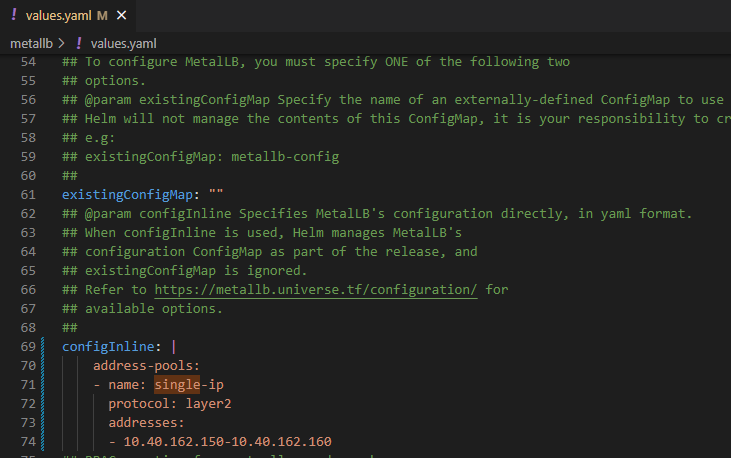

  1. install helm chart

helm install metallb .
  1. make sure metallb is running

kubectl get pods | grep metallb
default metallb-controller-5ffbcf4b7f-pnnj7 1/1 Running 0 10m
default metallb-speaker-25j59

Setup NGINX ingress:

  1. get ingress-nginx

git clone https://github.com/kubernetes/ingress-nginx.git
  1. append below to values.yml

# Need to update it because default Nginx Ingress doesn't support TCP protocol
tcp:
1344: "default/md-icapsrv:1344" #Exposing TCP service, <default> is the namespace install md-icapsrv
11344: "default/md-icapsrv:11344"
  1. Helm install Nginx-ingress

$ helm install ingress-nginx .
  1. Create file ingress.yml as below:

Info

the hostname can be changed and this is used as the domain to connect to MD ICAP Server

E.g:

host: md-icapsrv-ui.example.com

apiVersion: networking.k8s.io/v1
kind: Ingress
metadata:
name: icap-ingress
namespace: default
spec:
ingressClassName: nginx
rules:
- host: md-icapsrv-ui.example.com
http:
paths:
- backend:
service:
name: md-icapsrv
port:
number: 8048
path: /
pathType: Prefix
- backend:
service:
name: md-icapsrv
port:
number: 8048
path: /*
pathType: Prefix
- host: md-icapsrv.example.com
http:
paths:
- backend:
service:
  1. Create ingress resources on Kubernetes

kubectl apply -f ./ingress.yml
  1. Verify Metallb assign IP address external to Nginx-ingress

kubectl get ing -A
NAMESPACE NAME CLASS HOSTS ADDRESS PORTS AGE
default icap-ingress nginx md-icapsrv-ui.opswat.local,md-icapsrv.opswat.local,md-icapsrv-tls.opswat.local 10.40.162.150 80 18m
Info

The UI to connect to MD ICAP Server

  • ICAP: md-icapsrv.opswat.local:1344/OMSScanReq-AV

  • ICAPS: md-icapsrv-tls.opswat.local:11344/OMSScanResp-AV

E.g: for Squid integration

  • ICAP:

icap_service metascan_req reqmod_precache bypass=0 icap://1md-icapsrv.opswat.local:1344/OMSScanReq-AV

  • ICAPS:

icap_service metascan_resp respmod_precache bypass=0 icap://md-icapsrv.opswat.local:11344/OMSScanResp-AV

Option 2: Using NodePort

  1. Update field service_type from ClusterIP to NodePort in values.yaml of ICAP helm and save to file update_nodeport_values.yml
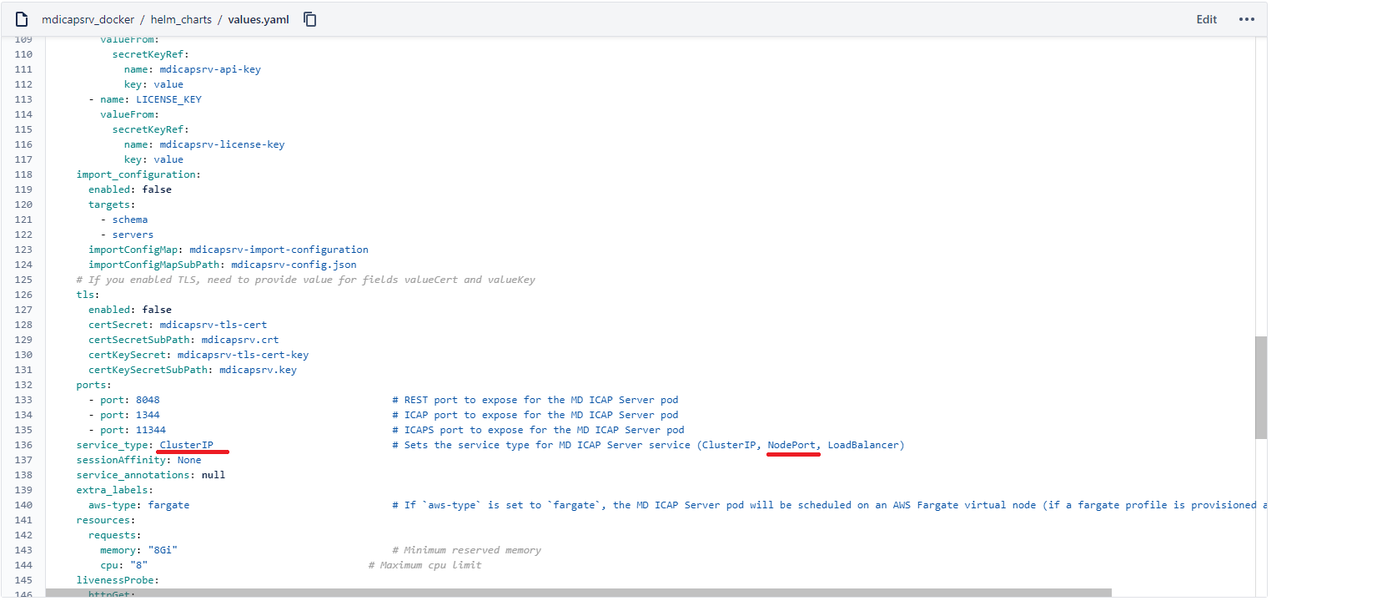

  1. Update config

helm install md-icapsrv -f update_nodeport_values.yml .
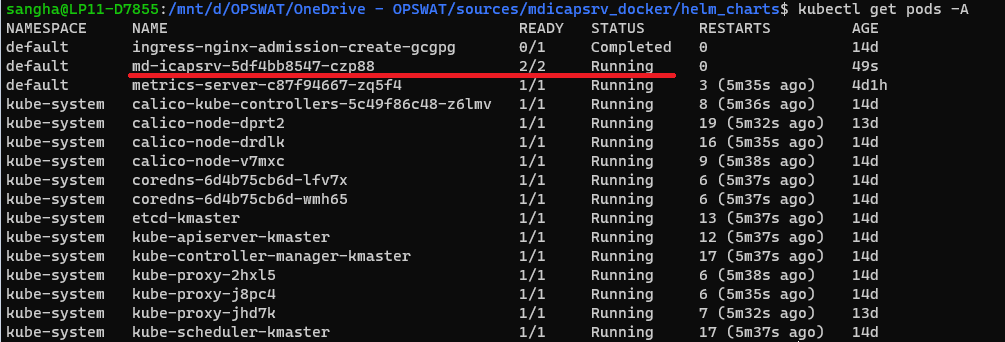
  1. make sure pod MetaDefender ICAP Server is running

kubectl get pods -A

For example: this case md-icapsrv-5df4bb8547-czp88 is running

  1. Get service port with CLI

kubectl get svc -A | grep md-icapsrv

For example: the service port mapping ressult:

  • 8048:31988/TCP

  • 1344:32233/TCP

  • 11344:32568/TCP


  1. Check the MetaDefender ICAP Server is running on the worker node
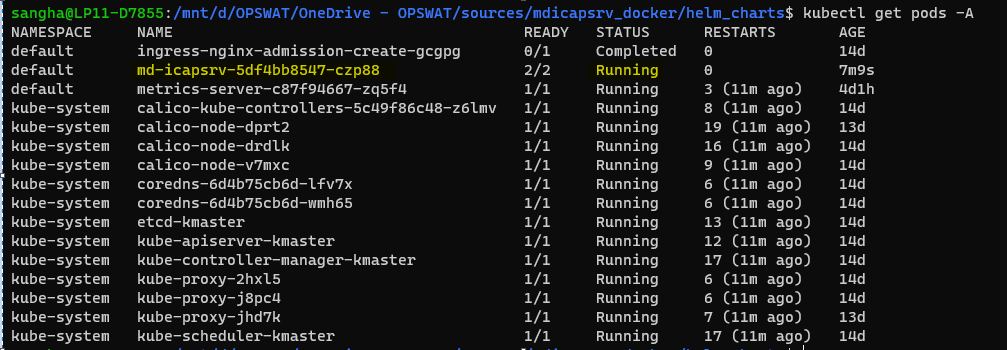
kubectl get pods -A

  1. Describe pod md-icapsrv-5df4bb8547-czp88 to get the IP address
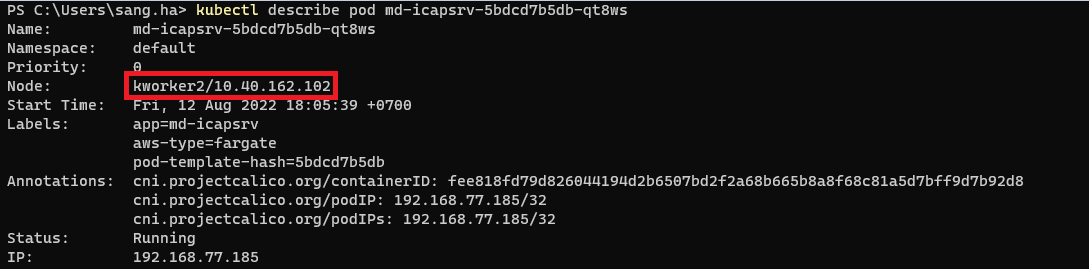
kubectl describe pod md-icapsrv-5df4bb8547-czp88

  1. ICAP Client will connect to MetaDefender ICAP Server via below IP and Port
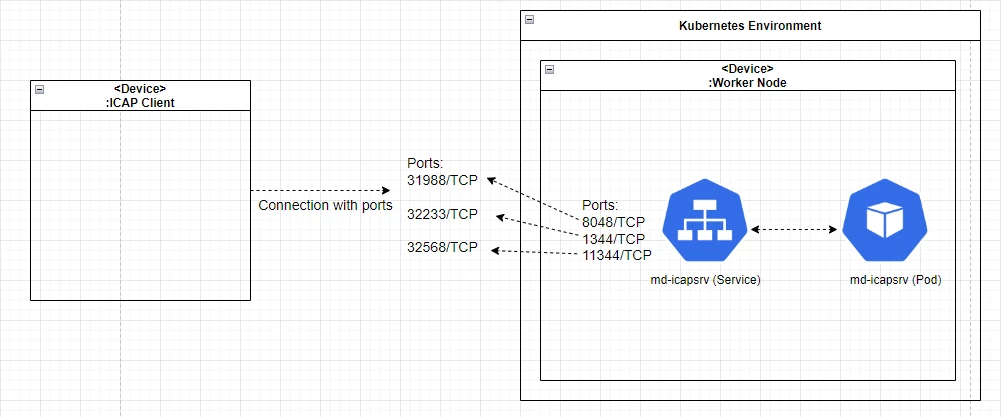
ICAP: 10.40.162.102:32233
ICAPS: 10.40.162.102:32568

E.g: for Squid integration
icap_service metascan_req reqmod_precache bypass=0 icap://10.40.162.102:32233/OMSScanReq-AV
icap_service metascan_resp respmod_precache bypass=0 icap://10.40.162.102:32568/OMSScanResp-AV
