
This document is used for MetaDefender ICAP Server since 5.2.0 and later
Preliminary notes
If the MetaDefender ICAP Server package dependencies are not installed on your system you may need to have a working Internet connection or you may have to provide the Installation media during the installation. Consult your Operating System documentation on how to use Installation media as a package repository.
For each case below start with the following steps:
Download mdicapsrv package from the OPSWAT Portal. Make sure that you download the applicable package for your distribution
Upload the installation package to your test computers
Install the product either using the wizard or the command line installation
In case of wanting to automate the deployment, check the information about ignition file in Deployment automation support.
1.Wizard Installation
The Install Wizard is only for the Windows installer (.msi file).
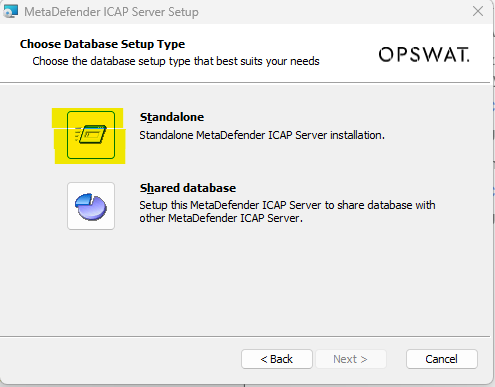
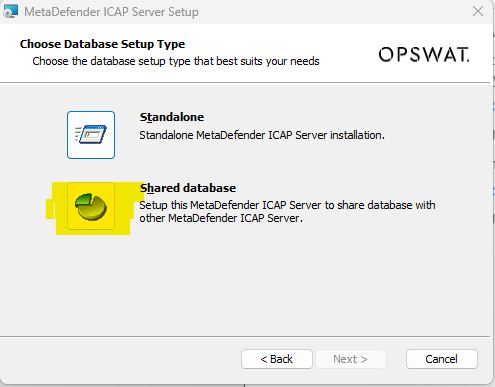
1.1.Select database option
+ Standalone mode
+ Shared database mode
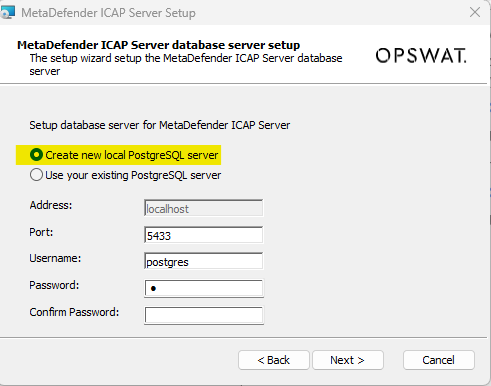
1.2.Setup database server
You can choose to create a native / built-in PostgreSQL server and setup the shared database on (then other MetaDefender ICAP Server instances will want to connect to that PostgreSQL server afterwards)
Or choose to connect to a pre-setup existing PostgreSQL server:
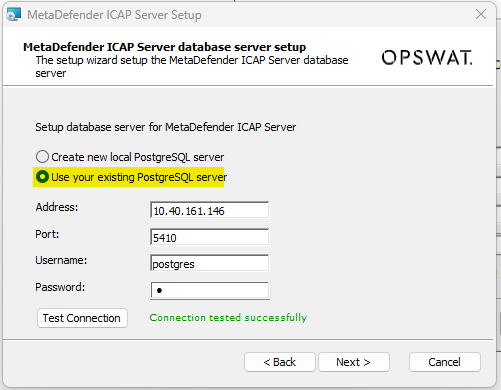
"Test Connection" button is required, to make sure the PostgreSQL is connected and authenticated successfully. Make sure to check and perform steps at Open Connection On PostgreSQL Server if you are unable to test the connection with remote PostgreSQL server.
MetaDefender ICAP Server will need to create and use dedicated PostgreSQL users for database setup, upgrade and its own operations. Those users requires certain privileges configured on PostgreSQL server, otherwise expecting failures to occur while installing and operating MetaDefender ICAP Server
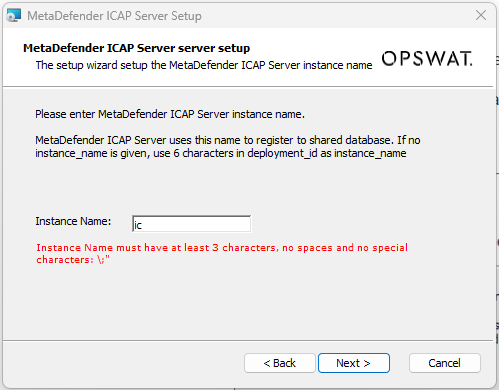
1.3.Create an unique instance name for that MetaDefender ICAP Server
Instance name must contain at least 3 characters and no white space, no special character like: "", ";" or "
Setup instance name only require for Shared database mode
- If you choose to leave it blank, which means it will use the default instance name with 6 characters extracted from that MetaDefender ICAP deployment ID.
2.Command Line Installation
Preliminary notes
If the MetaDefender ICAP Server package dependencies are not installed on your system you may need to have a working Internet connection or you may have to provide the Installation media during the installation. Consult your Operating System documentation on how to use Installation media as a package repository.
For each case below start with the following steps:
Download mdicapsrv package from the OPSWAT Portal. Make sure that you download the applicable package for your distribution
Upload the installation package to your test computers
Install the product with the provided command (<filename> is the MetaDefender ICAP Server package you downloaded from our portal)
Windows package [.msi]
On Windows systems it is possible to install the product by running the corresponding .msi file.
From command line interface it is also possible to install the product by executing
where the possible option keys and their default option values are the following:
Key | Default Value | Description |
|---|---|---|
RESTADDRESS | 0.0.0.0 | REST interface binding address |
RESTPORT | 8048 | REST interface binding port |
ICAPADDRESS | 0.0.0.0 | ICAP interface binding address |
ICAPPORT | 1344 | ICAP interface binding port |
For details on using msiexec please consult Windows installer documentation.
Initialization
Without Ignition file
When installing using the Wizard installation in Windows it will ask for the configuration needed to do the initialization. The ignition file is create by the Wizard.
With Ignition file
Windows can use ignition file to add PostgreSQL server information since MD ICAP Server 5.2.0 , refer to Deployment automation support page
Make sure to create the ignition file before you start the installation, if it doesn't exists before, the server will go ahead and install MetaDefender ICAP Server with default values. (more details about Ignition file at Deployment automation support)
** Windows: C:\OPSWAT\mdicapsrv.conf **