
Installing MetaDefender Endpoint directly
Log into your MetaDefender IT-OT Access Console.
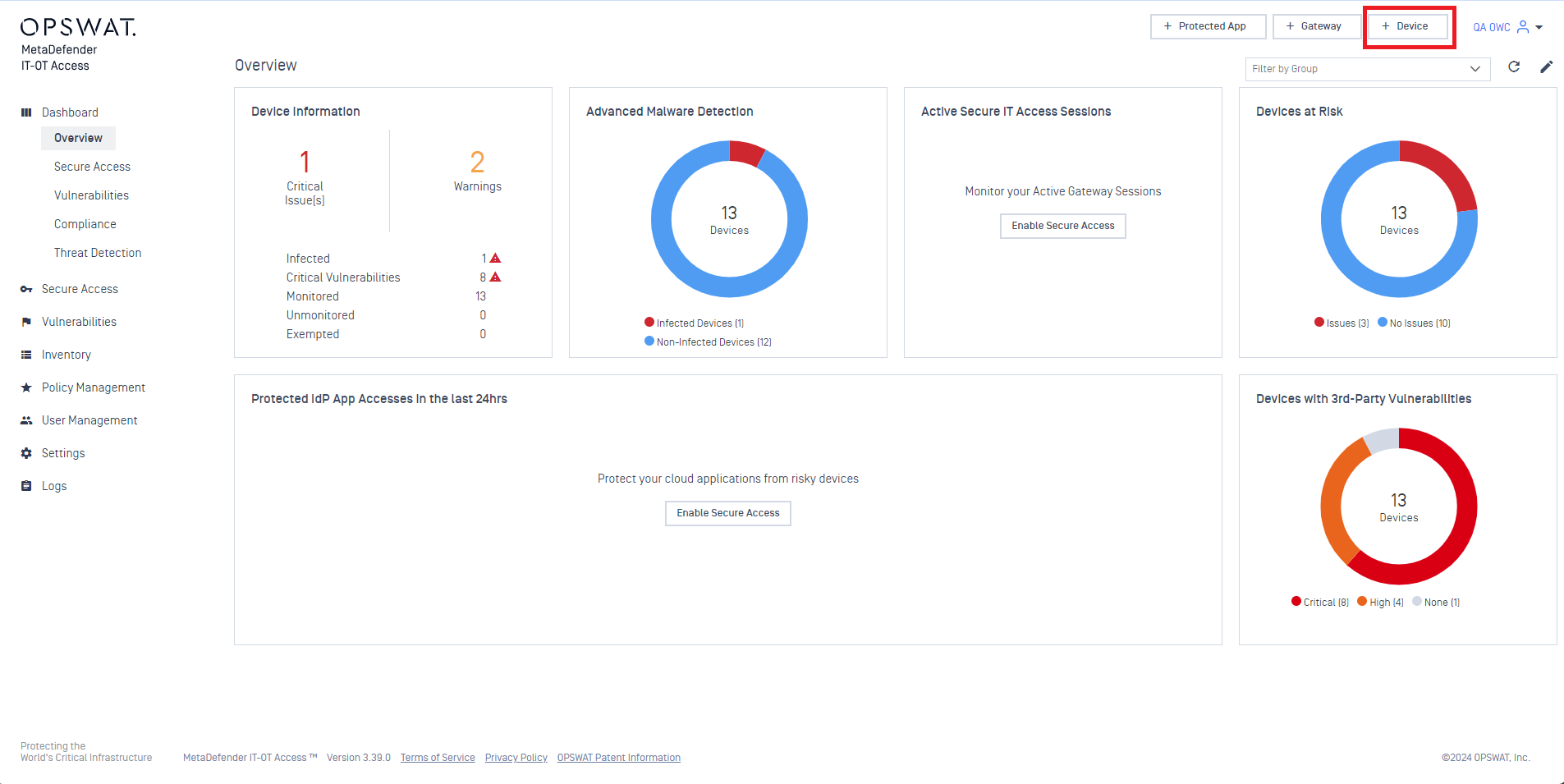
Click the +Device button, as illustrated in the screenshot below.
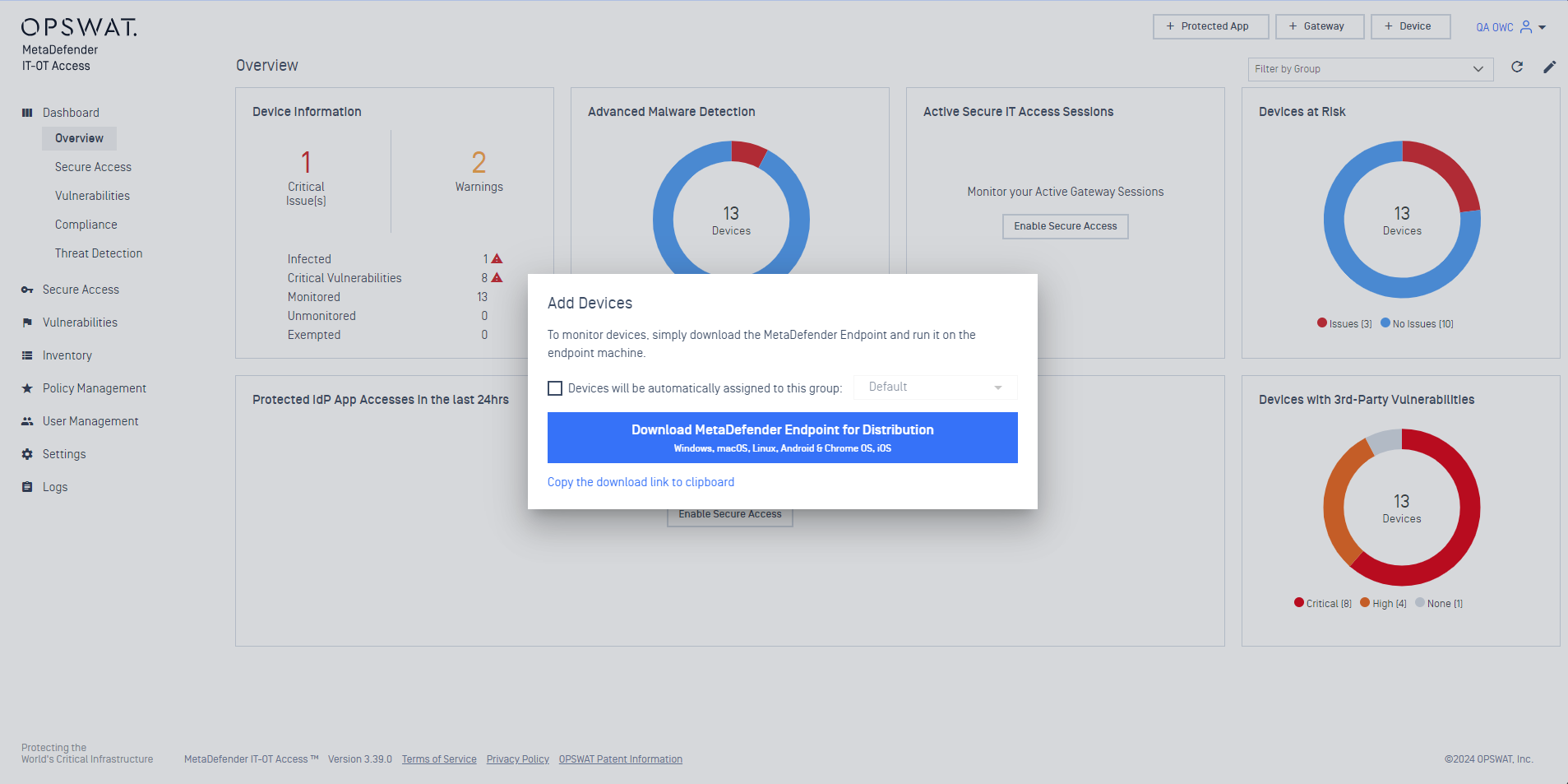
3. In the pop-up window, click the link to Download MetaDefender Endpoint For Distribution, as illustrated below.
This download link is shareable and can be distributed to your endpoint users with your instruction to download the installer and install the package themselves.
Pushing Client deployment via Active Directory
Identify and create a network share location, then copy the downloaded Client Package to that location, without changing the package filename.
Log into Active Directory’s Group Policy Management Console.
From the GPMC, create a GPO with appropriate scope, then link it to an OU.
Create your software installation for Computer Configuration and/or User Configuration, providing the full UNC path to the MetaDefender Endpoint package file.
Enable and deploy the policy via Active Directory. For further instructions, please Read This.
If you have reached the maximum number of devices that can be monitored on your account, please contact the OPSWAT Sales Team Here to purchase additional devices and expand your manageable network.
If you have followed the instructions above but are having difficulty Deploying Or Distributing MetaDefender Endpoint To Your Endpoint Devices, please open a Support Case with the OPSWAT team via phone, online chat or form, or feel free to ask the community on our OPSWAT Expert Forum.