
Endpoint Management
v2506
Search this version
Setup the Multi-scanning server on OPSWAT Central Management v7
AI Tools
Summarize Page
Copy Markdown
Open in ChatGPT
Open in Claude
Go to Settings -> Global Settings -> MetaDefender Integration
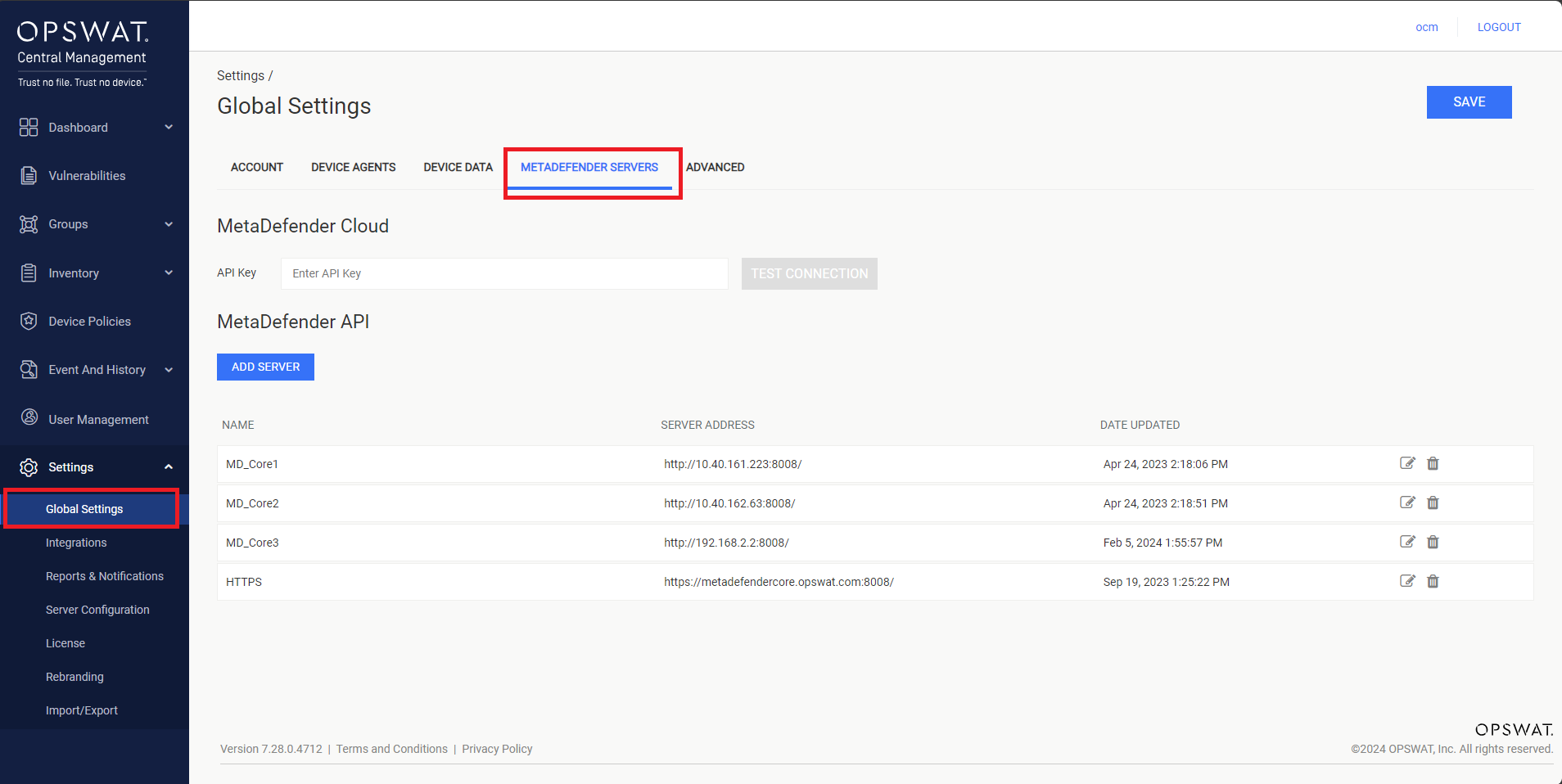
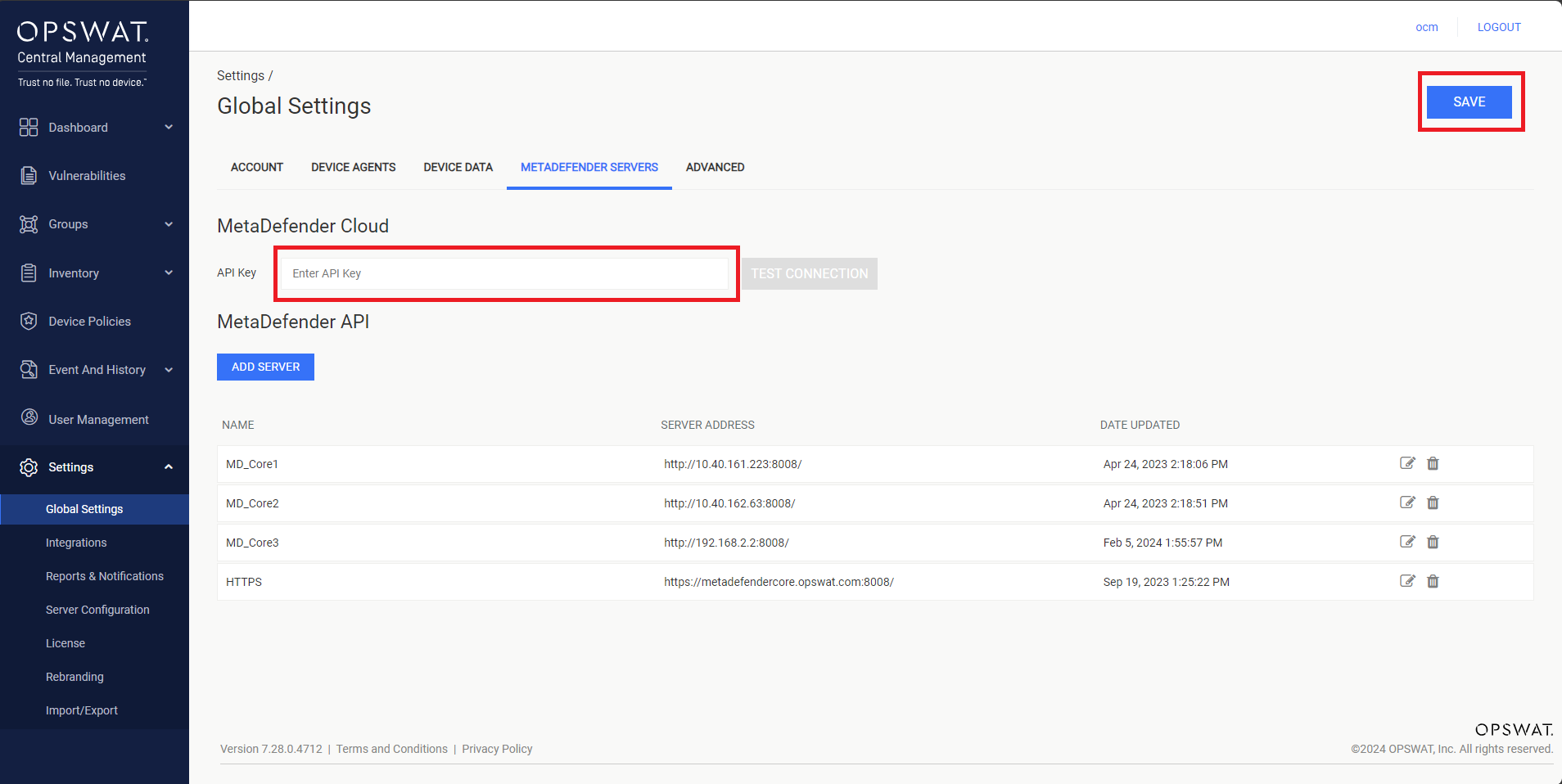
Setup MetaDefender Cloud
Enter API Key on the text box, then click SAVE button to apply the configuration, as illustrated in the screenshot below.
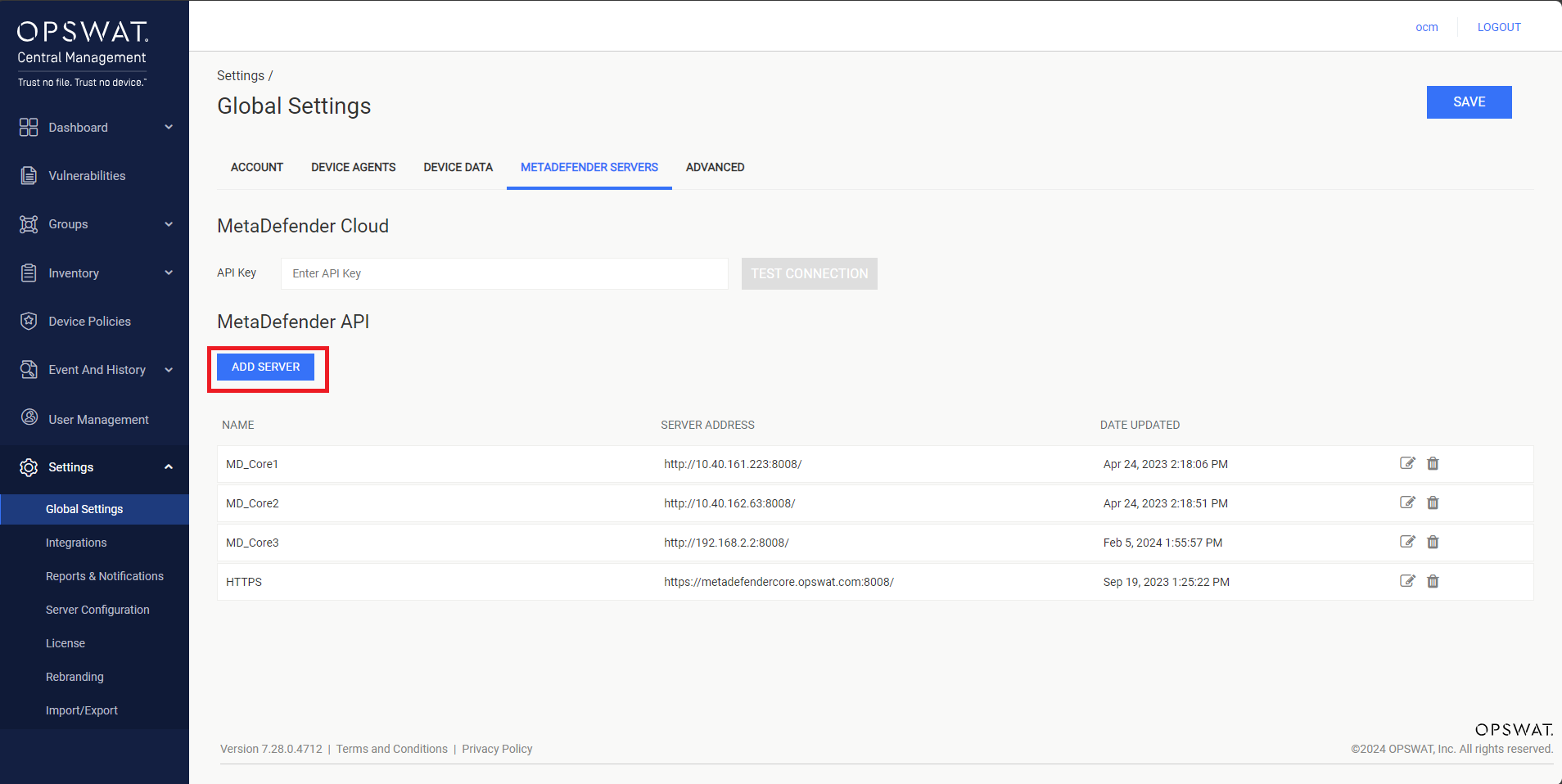
Setup MetaDefender Core
Click Add Server button, as illustrated in the screenshot below.
Enter the multi-scanning server information to the popup, as illustrated in the screenshot below.
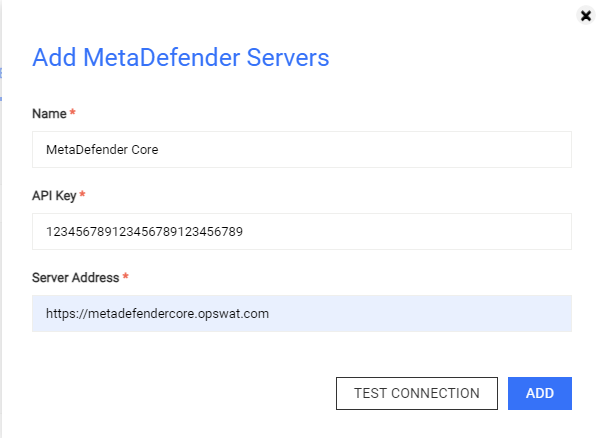
Then, you can click on the TEST CONNECTION button to verify the server connection before clicking on ADD button to finish the setup.
Last updated on
Was this page helpful?
Next to read:
How do I retrieve the MetaDefender logs?null
Discard Changes
Do you want to discard your current changes and overwrite with the template?
Archive Synced Block
Message
Create new Template
What is this template's title?
Delete Template
Message
Endpoint Management
Endpoint Management
OPSWAT Central Management
MetaDefender IT-OT Access - Endpoint Management
Page
Code Steps
Category
Label
Link
Separator
Title
Message
Page icon
No icon. This page keeps the plain index row.
orSVG or PNG, square, at least 32×32.
Create new category
What is the title of your new category?
Edit page index title
What is the title of the page index?
Edit category
What is the new title of your category?
Edit link
What is the new title and URL of your link?