
This article applies to all MetaDefender Endpoint releases deployed on Windows systems.
To help administrators prevent users from stopping the MetaDefender Endpoint service independently, OPSWAT has provided a setting to hide stop/restart Client service in the Windows Services manager (as illustrated below), which is configurable via the MetaDefender IT-OT Access Console.
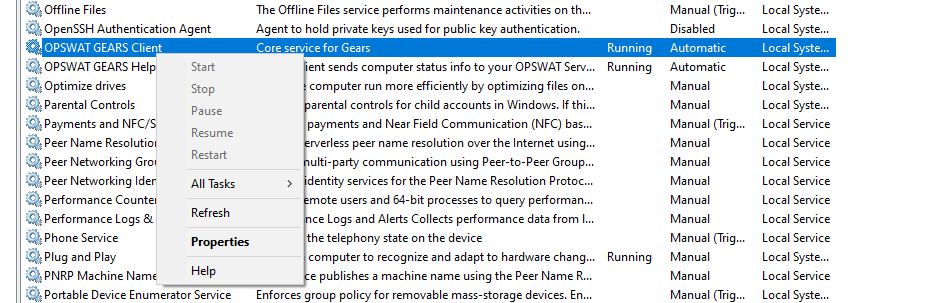
To enable this feature, follow the instructions below.
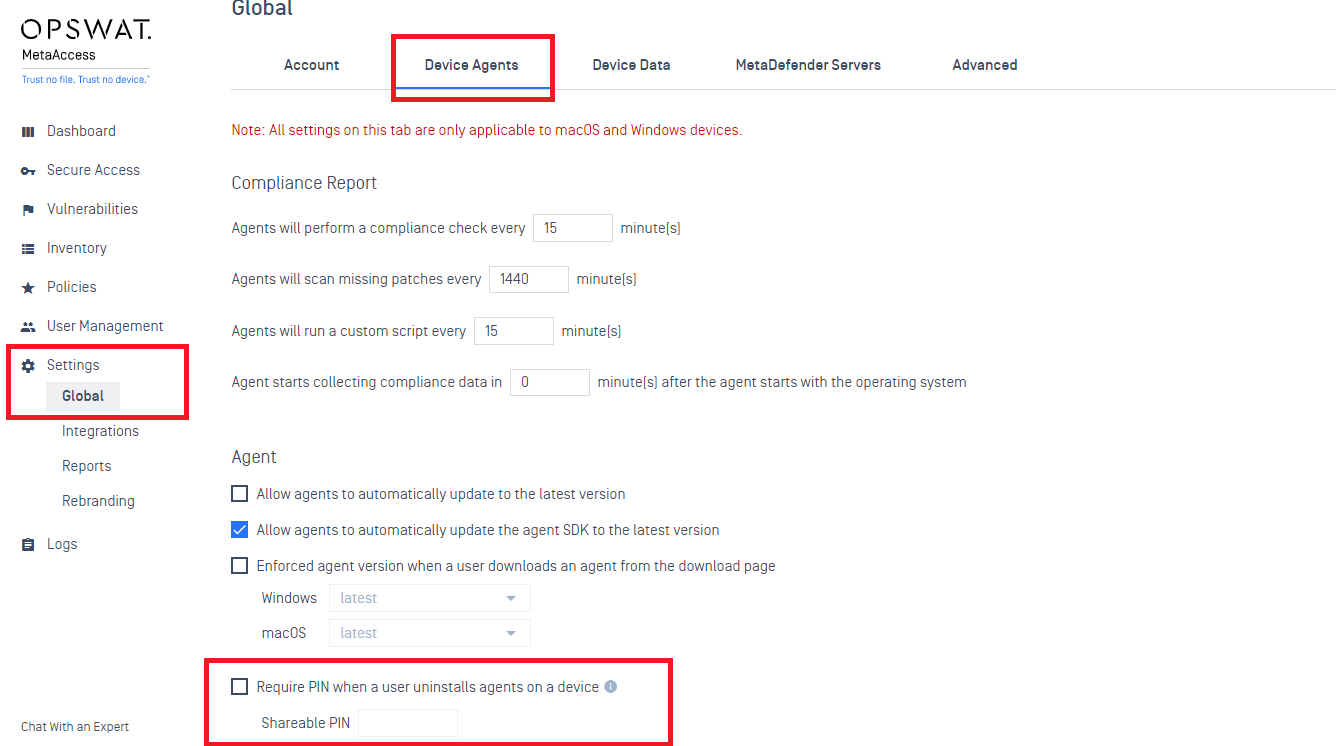
Log into the remote MetaDefender IT-OT Access Console, and navigate to Settings>Global>Device Agents.
Select the Require PIN when a user uninstalls agents on a device option.
Input your four-digit shareable PIN, then click Save to activate your settings, as illustrated in the screenshot below.
The hide stop/restart setting will be implemented by the MetaDefender Endpoint after a few minutes, without further action required.
To stop the client service while this setting is enabled, users will need to enter one of the following commands via Command Prompt or Terminal:
GearsAgentService.exe /stop /p <PIN code>
GearsAgentService.exe /stop, then input the PIN code as prompted.
Where possible return codes include:
0: Success
55: Invalid Parameters
If you have security concerns or issues around Preventing Users From Stopping The MetaDefender Endpoint Service, please open a Support Case with the OPSWAT team via phone, online chat or form, or feel free to ask the community on our OPSWAT Expert Forum.