
Step 1:
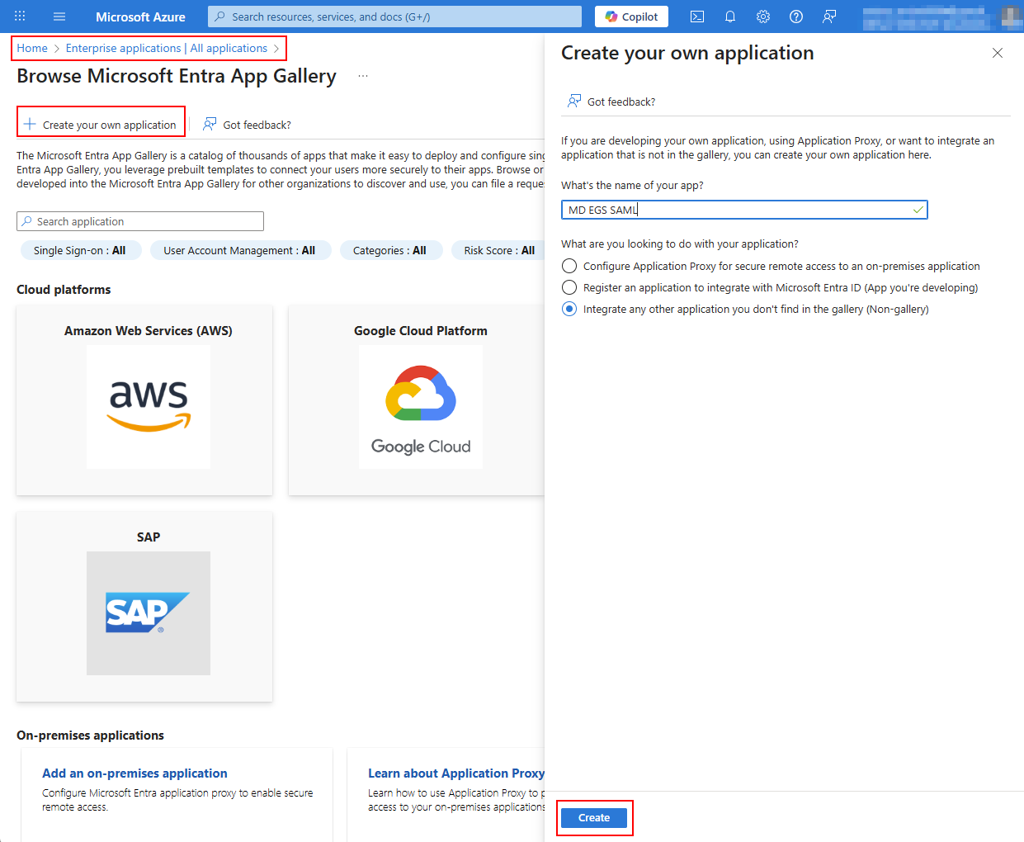
Create a new Enterprise Application on Microsoft Azure
Step 2:
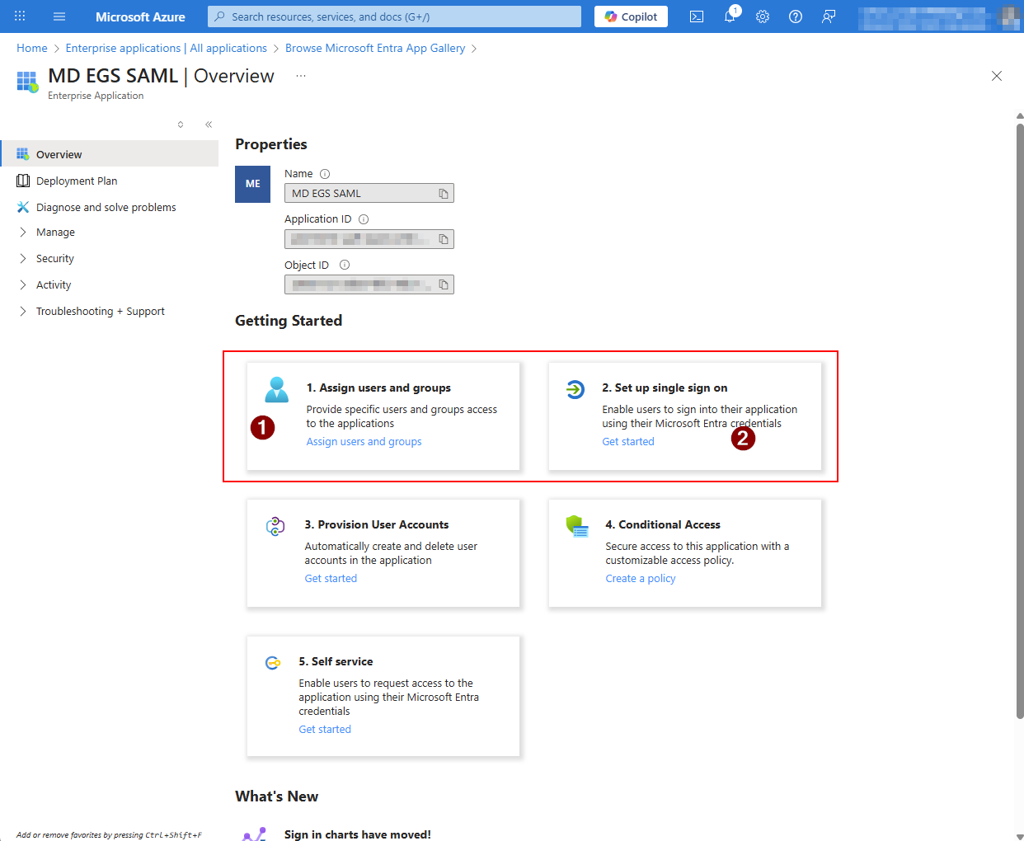
Assign the users/groups as needed, so that they can authenticate once the integration is completed, and proceed with the Single Sign On setup, selecting SAML as method
Step 3:
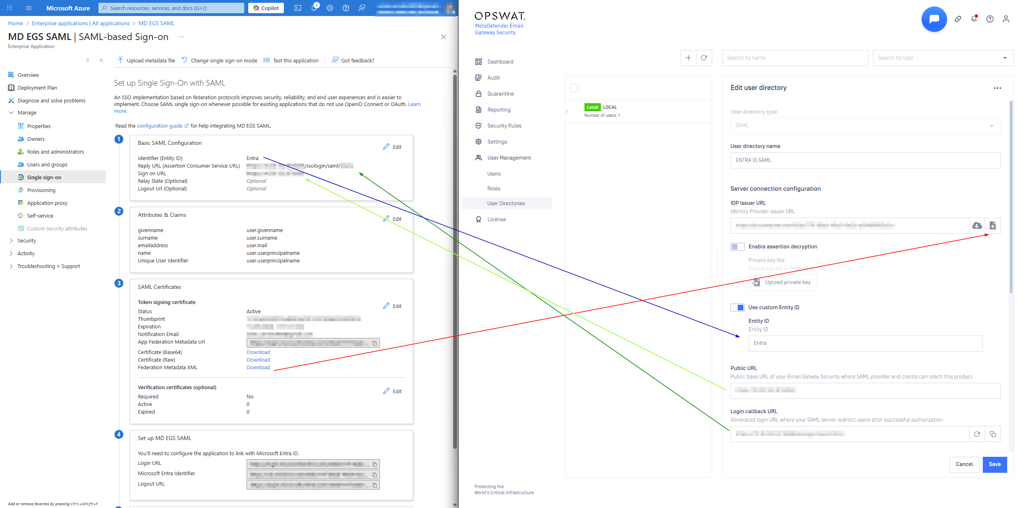
Go to MetaDefender Email Gateway Security (EGS) Web UI > User Management > User Directories and create a new SAML User Directory, configuring everything as follows:
__ __
On the EGS:
User Directory Type: SAMLUser Directory name: Enter a custom nameIDP Issuer URL: Upload theFederation Metadata XMLfrom AzurePlease note that the Azure Federation Metadata XML automatically updates whenever you modify any settings that influence the SAML configuration.
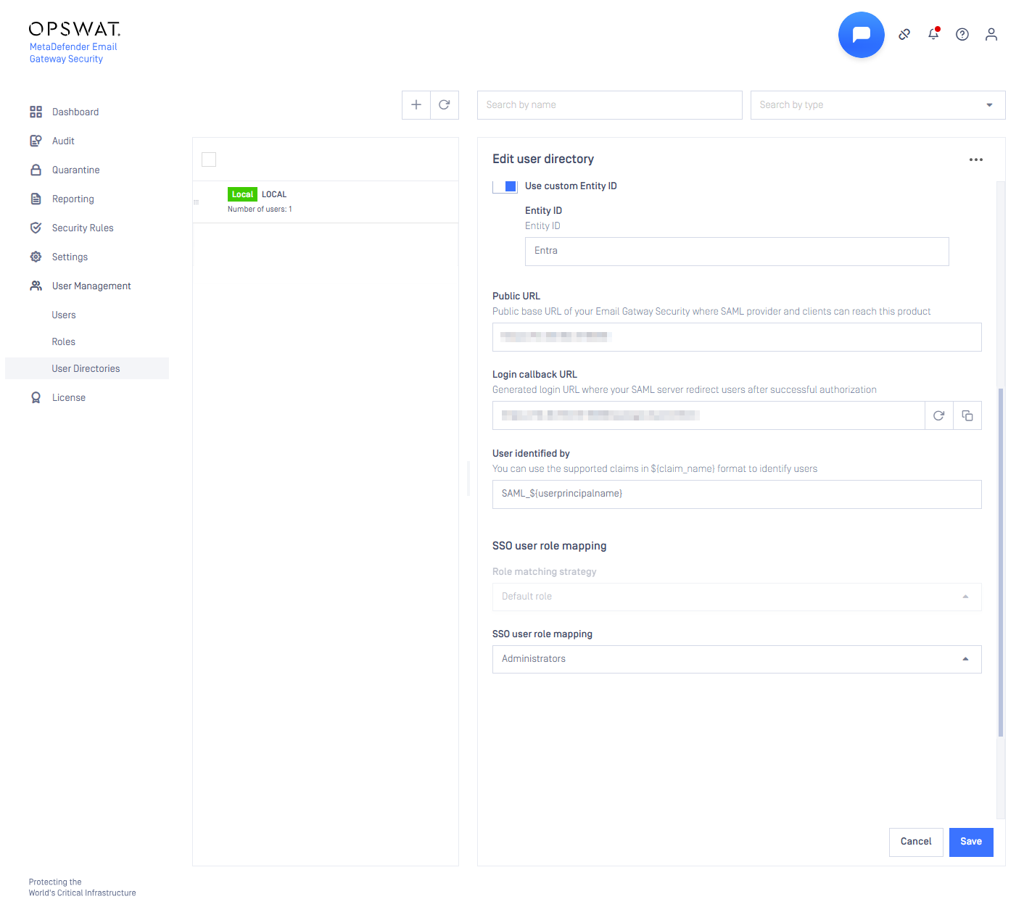
Use custom Entity ID: Enable and enter a custom valuePublic URLandLogin callback URL: Leave unchangedUser identified by: Use the support claims from AzureSSO user role mapping: Configure the user mapping as needed
On the Entra ID:
Basic SAML Configuration:
Identifier (Entity ID): The value configured on EGSReply URL (Assertion Consumer Service URL): EGS Login Callback URLSign on URL: EGS Public URL
Step 4:
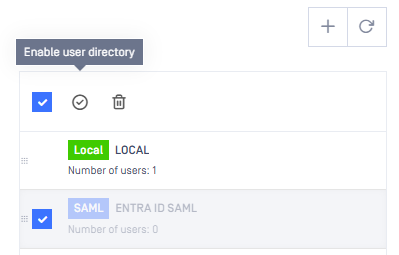
Save the changes and enable the newly created User Directory on the EGS:
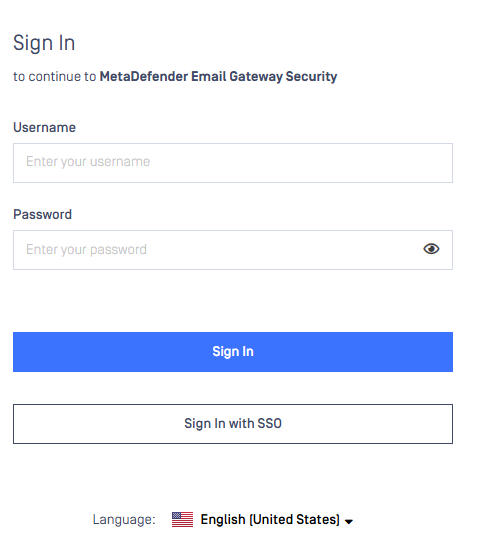
Once completed, the option to authenticate with SSO will appear on the Login Page:
If Further Assistance is required, please proceed to log a support case or chatting with our support engineer.