
Drive can be enrolled to SaaS or On-Prem Central Management Servers in 3 different ways
Enroll MetaDefender Drive to Central Management Server from MetaDefender Drive User Interface
Enroll MetaDefender Drive to Central Management Server from MetaDefender Drive Toolkit
Enroll MetaDefender Drive to Central Management Server from MetaDefender Drive with Smart Touch
Enrolling with OPSWAT Central Management enables MetaDefender Drive administrators to centralize the following operations:
View, manage and adjust settings of all enrolled Drives with centralized policies
Viewing and Managing scan reports per Drive
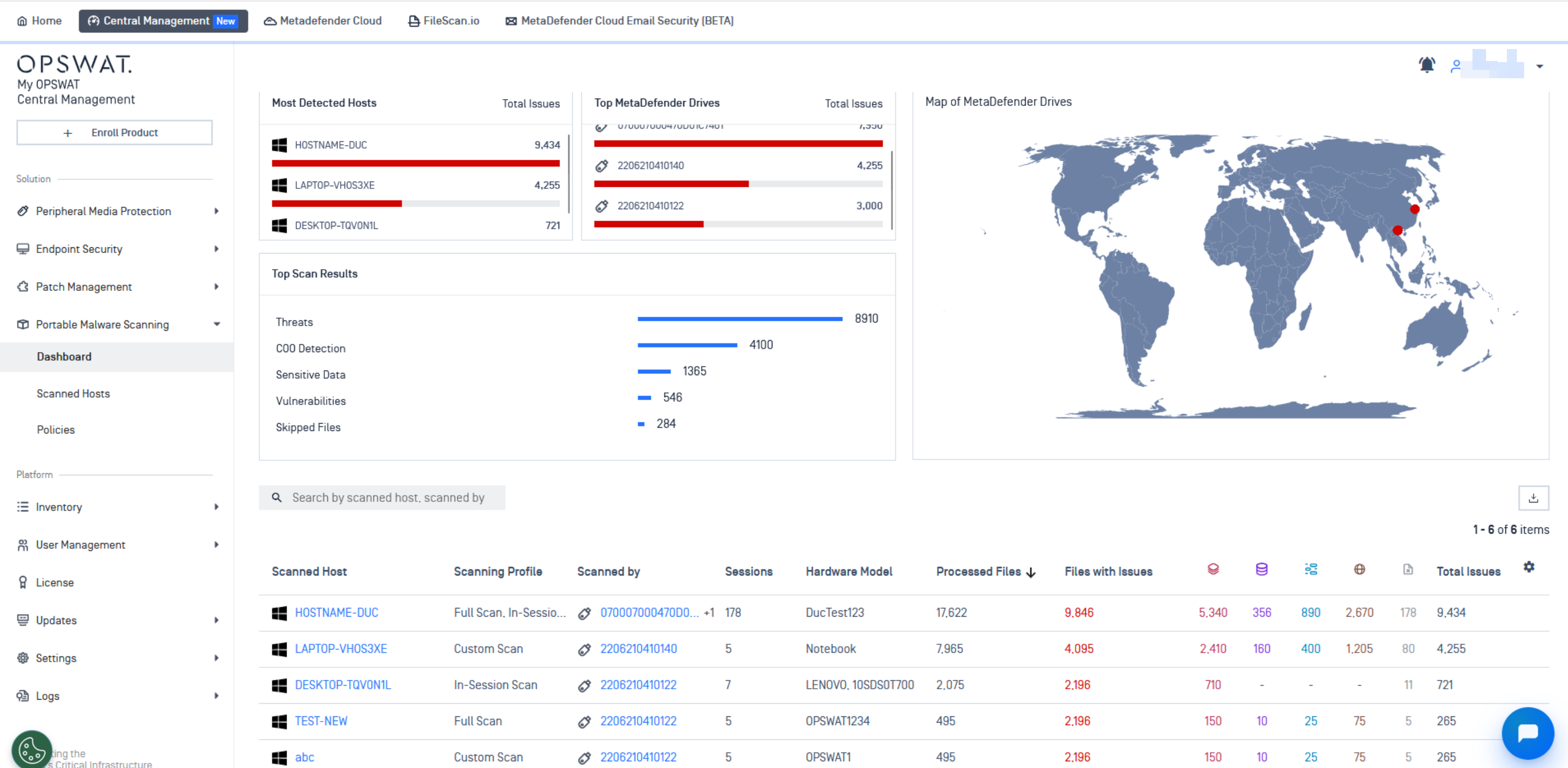
AutoSync scan reports after scans finish
Exporting reports in PDF/TXT format
View specific details about the hosts involved in the scans
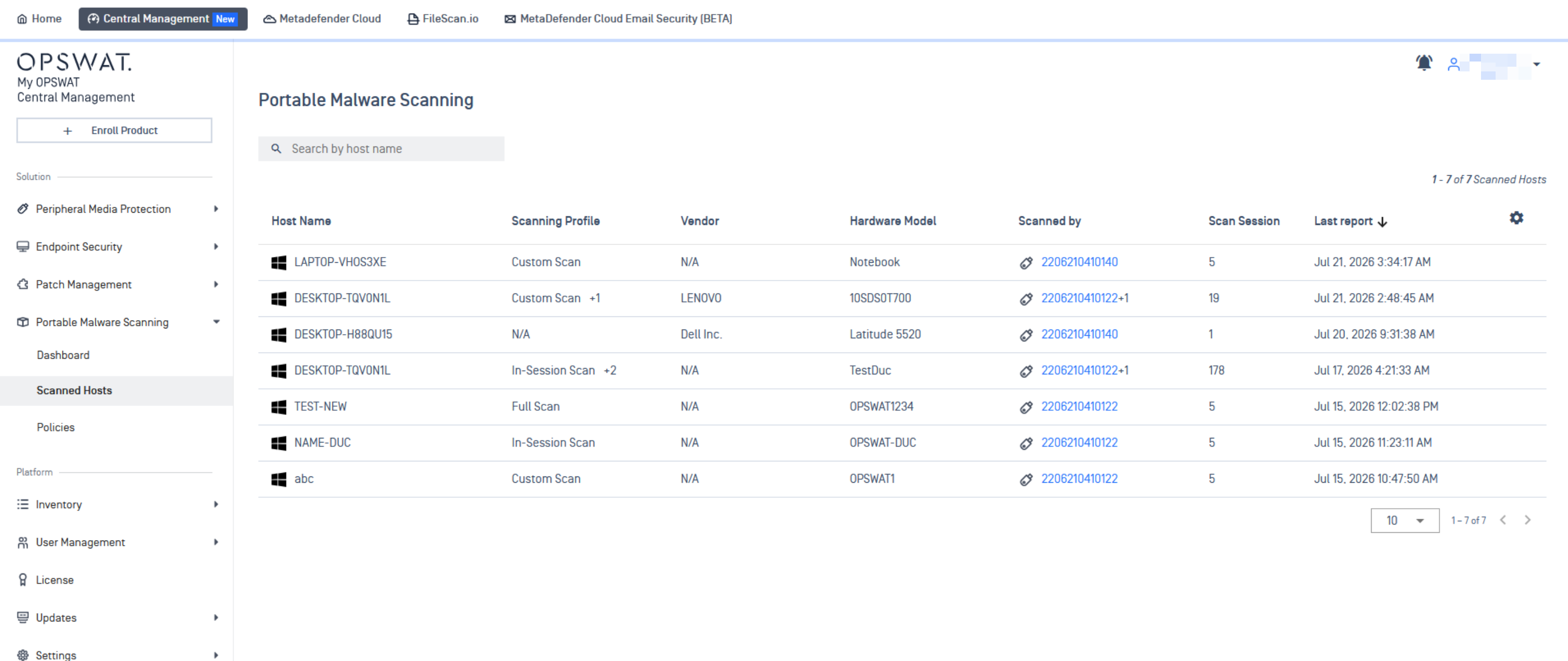
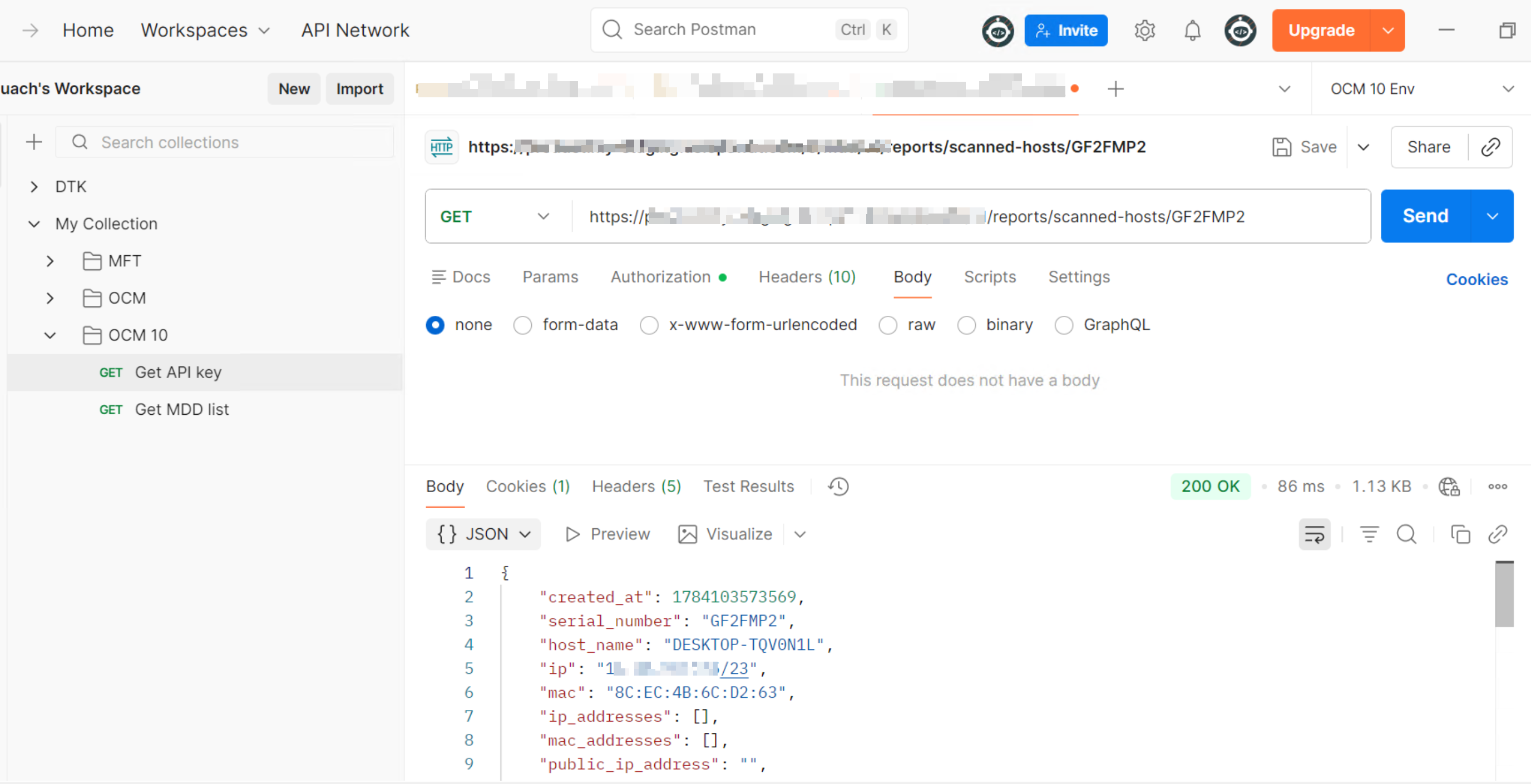
Extract Scanned hosts information through Central Management's APIs
For MetaDefender Drive to establish a connection with an OPSWAT Central Management server using self-signed certificates, please follow the instructions on the Using Self-signed Certificates for OPSWAT Central Management page.
For more details on how to manage MetaDefender Drive from OPSWAT Central Management, please refer to the Managing MetaDefender Drive.