
Operator Authorization
As a MetaDefender Drive Operator, once the MetaDefender Drive is enrolled, you will be restricted from performing Quick and Custom scans. You can only perform a Full Scan and Update Engine Version.
Ad-hoc configuration changes are required to obtain a 6-digit One Time Password (OTP) from a user who was assigned an Approver role in order to perform any of the restricted actions, such as a quick scan or custom scan.
To check if your Drive is locked, You can go to the Scan page, or the Engines page to see if there are restricted actions.
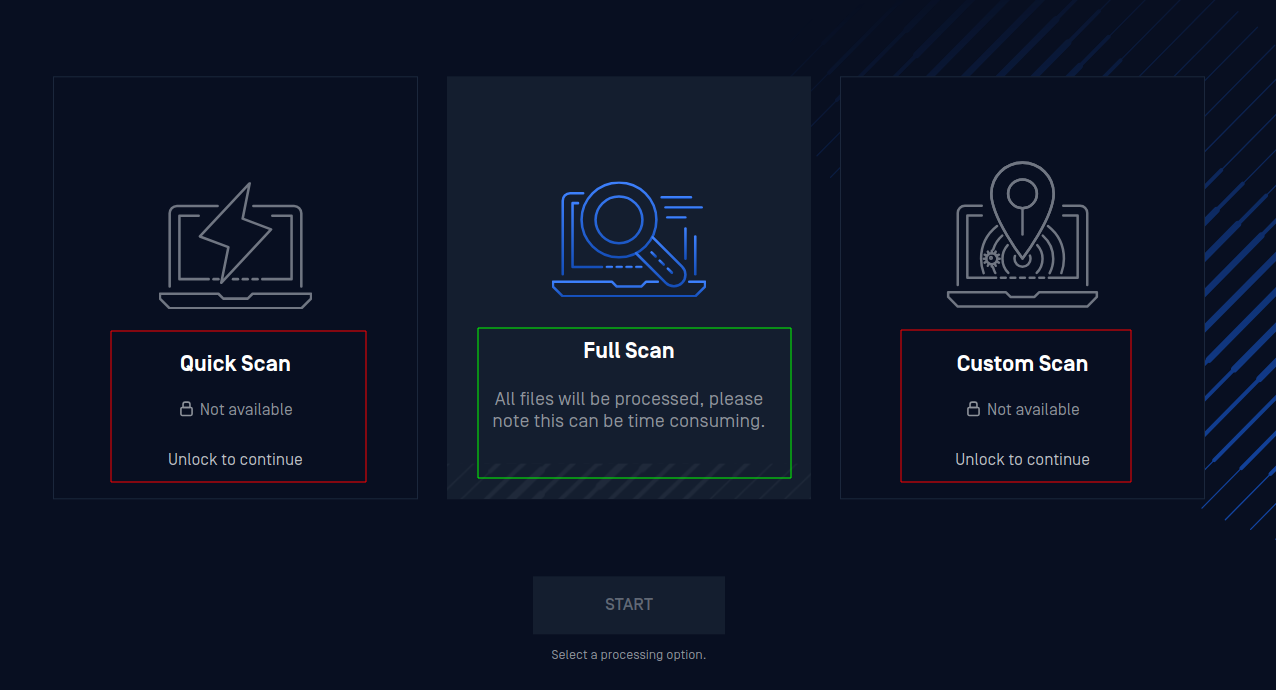
To unlock your Drive, click any of the restricted actions. You will be prompted to enter a 6-digit authentication code.
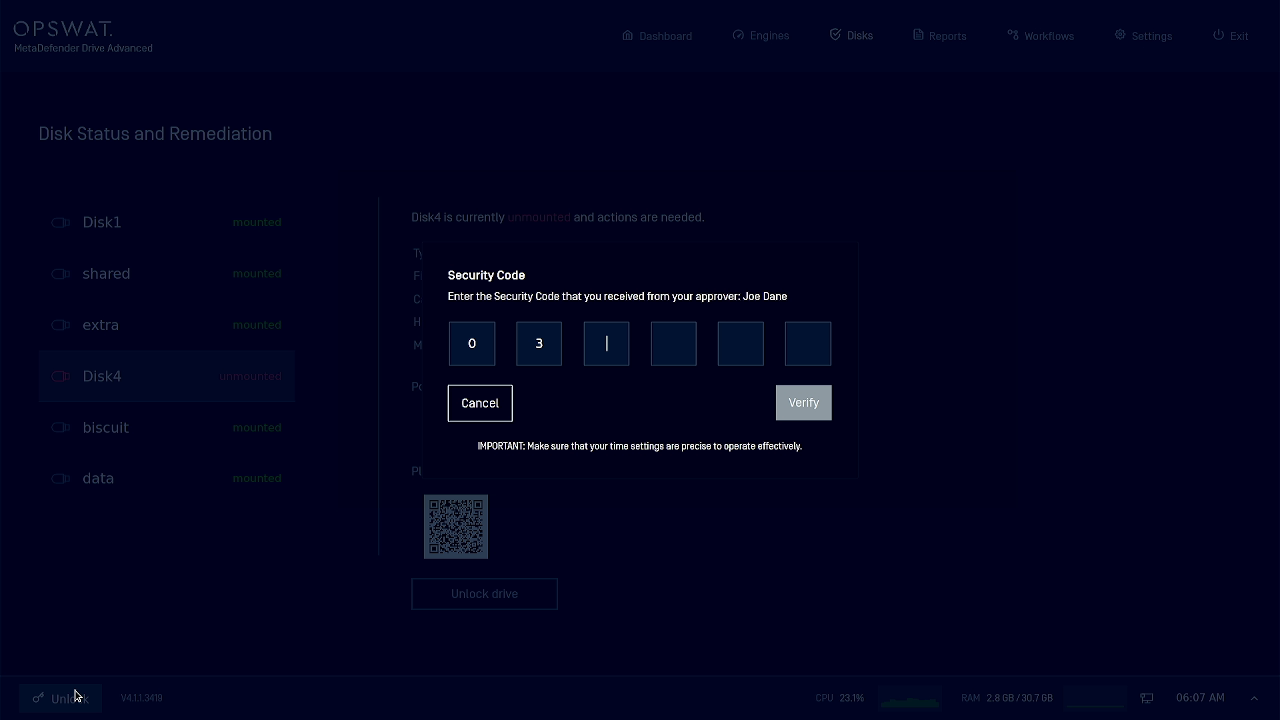
Ask the Approver for the Drive you are using to provide you with an updated authentication code using their Google Authenticator app, then enter this code and click Verify.