
Configuration
These system policy settings enables MetaDefender Drive administrator to align with and enforce organizational software upgrade policies. These Scan Results preferences enables defining the allowed dates since the last version update.
To enable this feature,
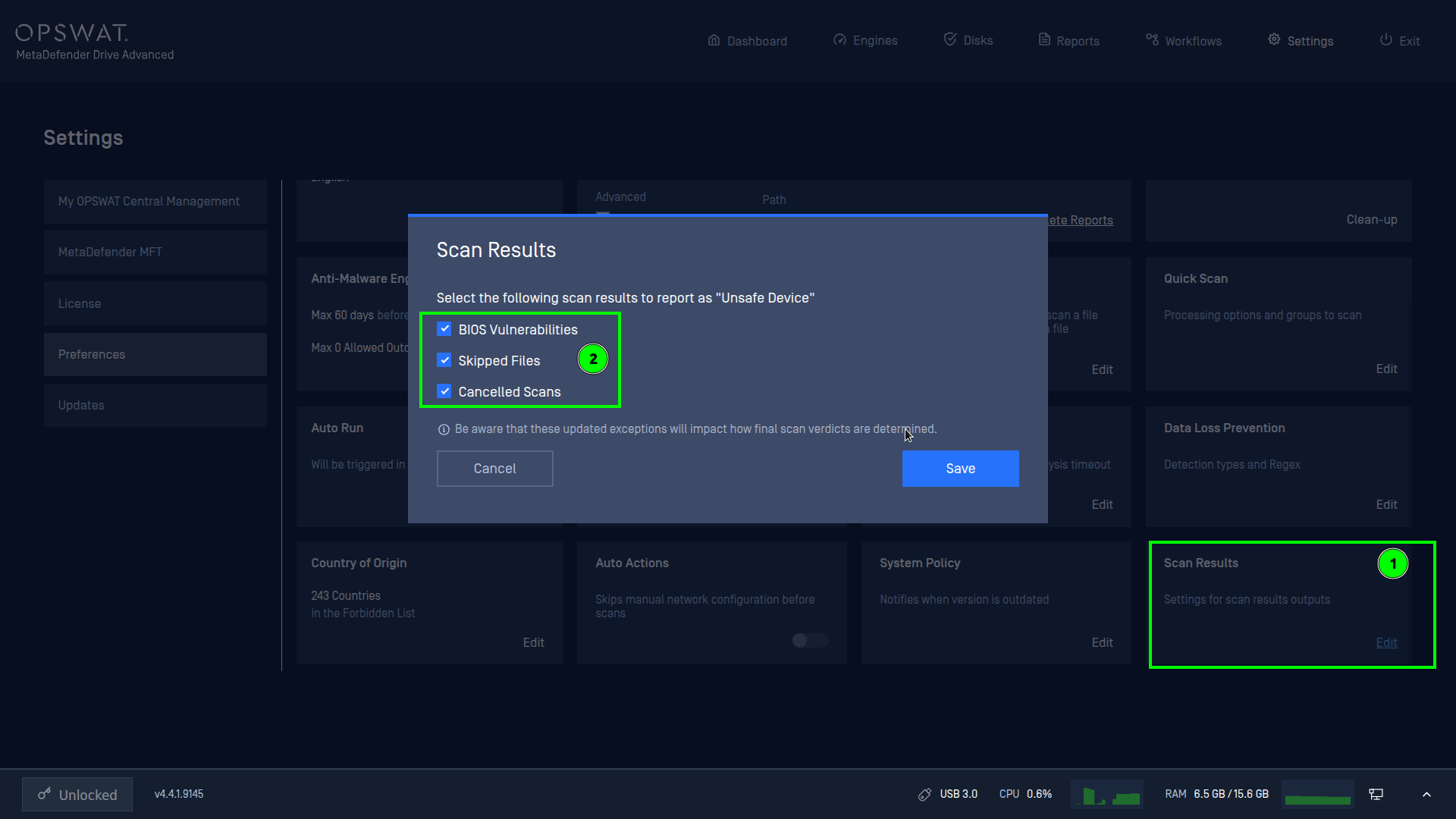
Go to Settings → Preferences → Scan Results.
Choose which of the following checkboxes you need to enable:
BIOS Vulnerabilities
Skipped Files
Cancelled Scans
Save the setting.
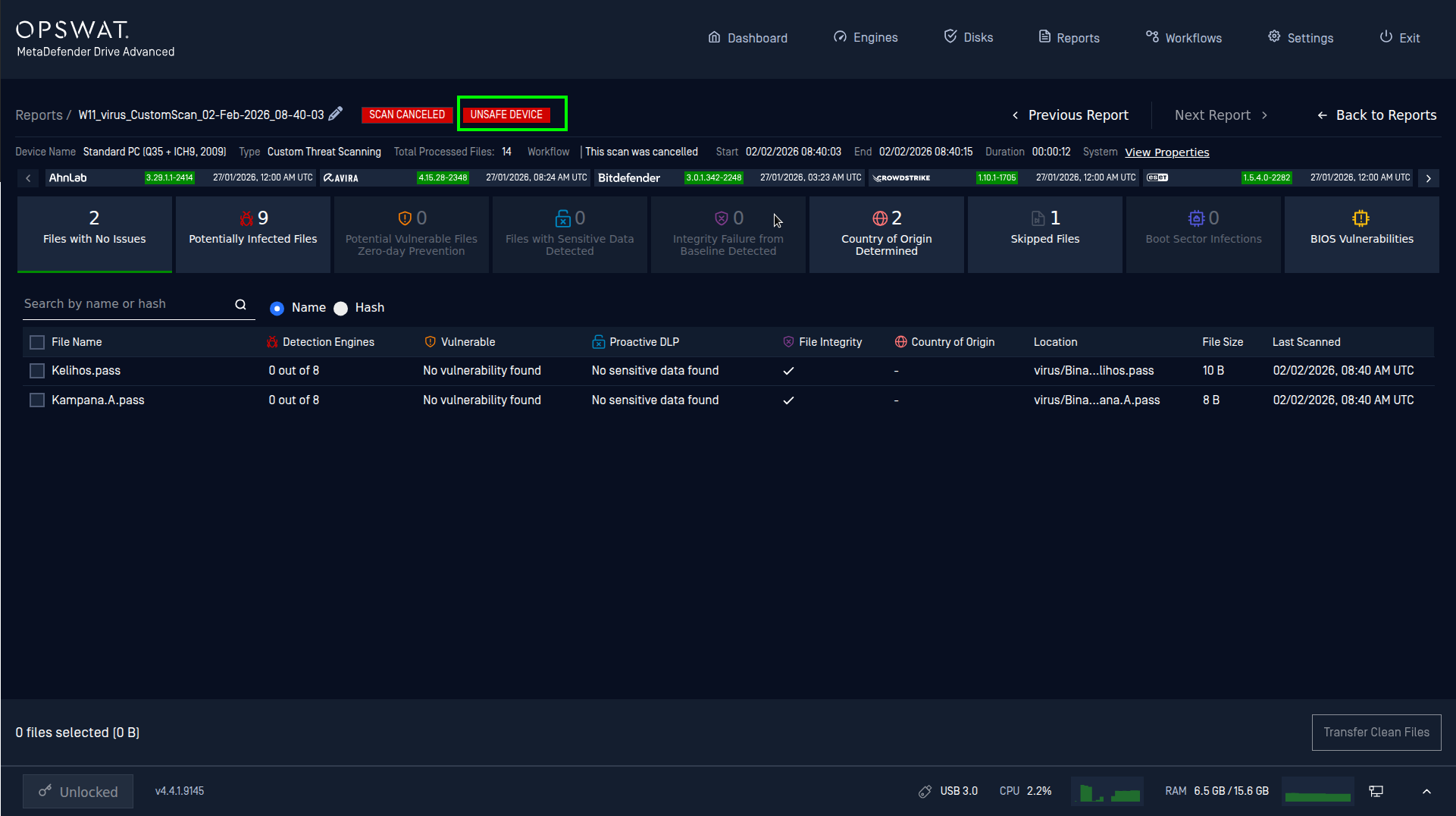
As a result, if a scan has any result matches the setting, the device will be marked as UNSAFE. Like in this example, the scan was cancelled and being marked as UNSAFE.
Was this page helpful?