
This article applies to the MetaDefender Drive Toolkit 3.7.0 or later
Starting from MetaDefender Drive Toolkit version 3.7.0, the Administrator Provisioning feature was introduced.
This feature provides an additional security layer by locking the MD Drive and requiring a One-Time Password (OTP) generated by Google Authenticator.
In some cases, the registered mobile phone may be unavailable or lost, and therefore cannot provide the OTP codes required for the MD Drive.
This article can help you to re-obtain or add the authentication setup on a new device.
If you download the MD Drive Toolkit on computer A and use it to enable the Administrator Provisioning, you need to use the MD Drive Toolkit on that computer.
Open the MD Drive Toolkit (Update & Upgrade not required)
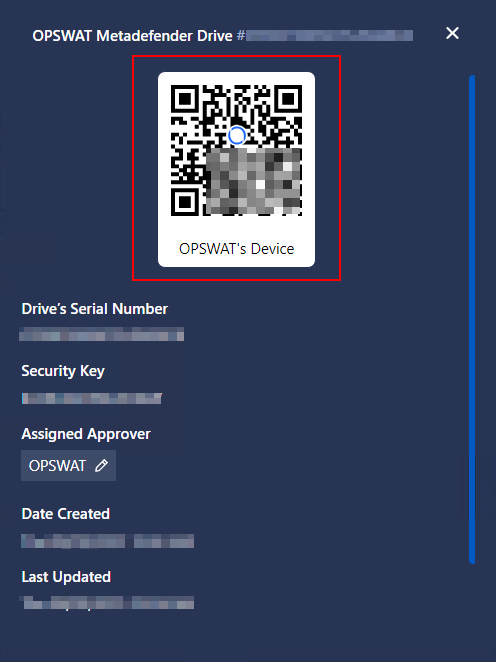
Go to Settings > Advanced Options > Lock MD Drive Software > Enrolled MD Drive(s) > Click on the QR code icon
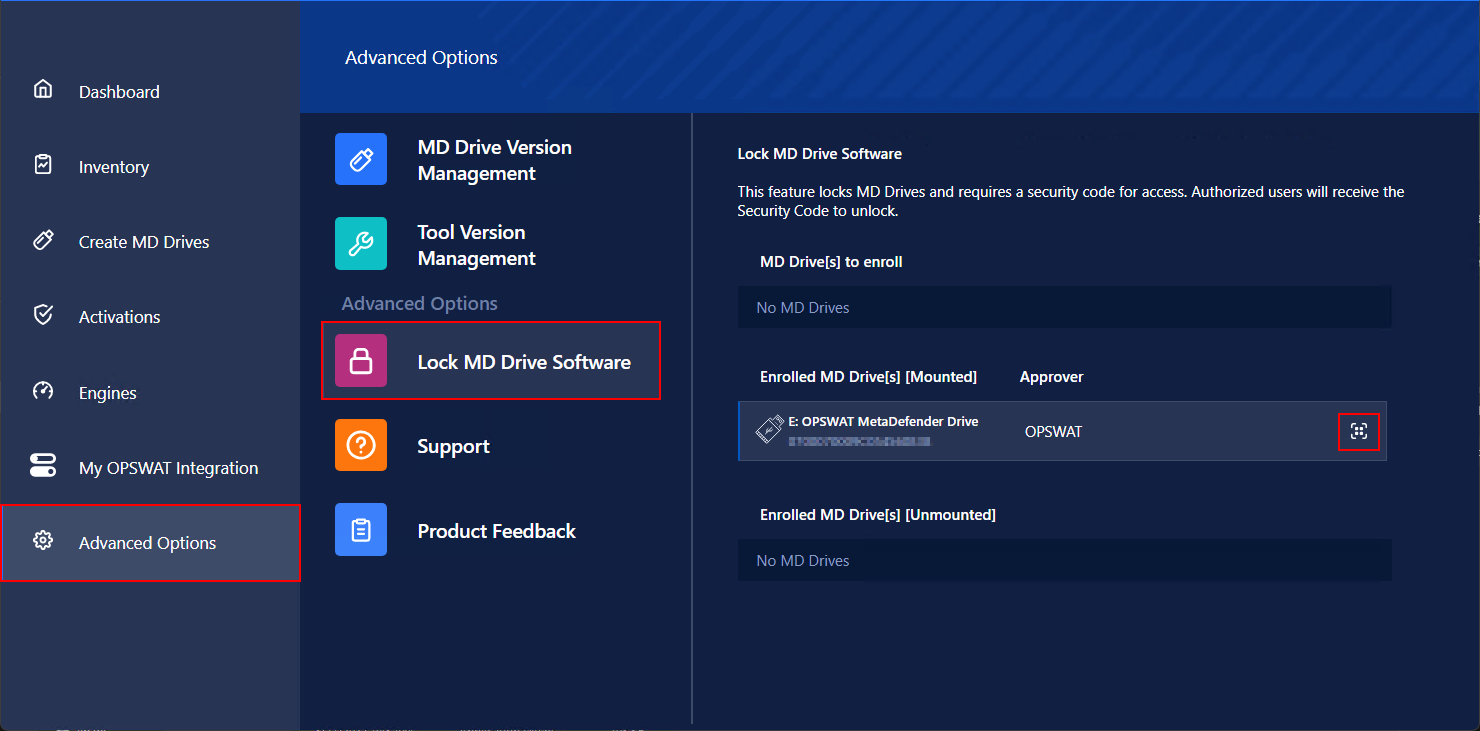
If you can connect the MD Drive to the computer, go to the [Mounted] section.
If the MD Drive is not connected to the computer, find it in the [Unmounted] section.
Use your new mobile phone with the Authenticator Application to scan the QR Code to obtain the OTP code.
If you cannot locate the MD Drive toolkit, which is used to create the MD Drive lock, the only way to have the MD Drive back is to clean re-flash it.
If Further Assistance is required, please proceed to log a support case or chatting with our support engineer.