Maintenance
v4.3.3
Search this version
Maintenance
Maintenance
Title
Message
Create new category
What is the title of your new category?
Edit page index title
What is the title of the page index?
Edit category
What is the new title of your category?
Edit link
What is the new title and URL of your link?
Inspection
Copy Markdown
Open in ChatGPT
Open in Claude
The Inspection page shows a general overview of each drive's usage by displaying stats about the number of scans, infected files found, vulnerabilities detected, potential data leaks (files with sensitive data), and Country of Origin non-compliant files.
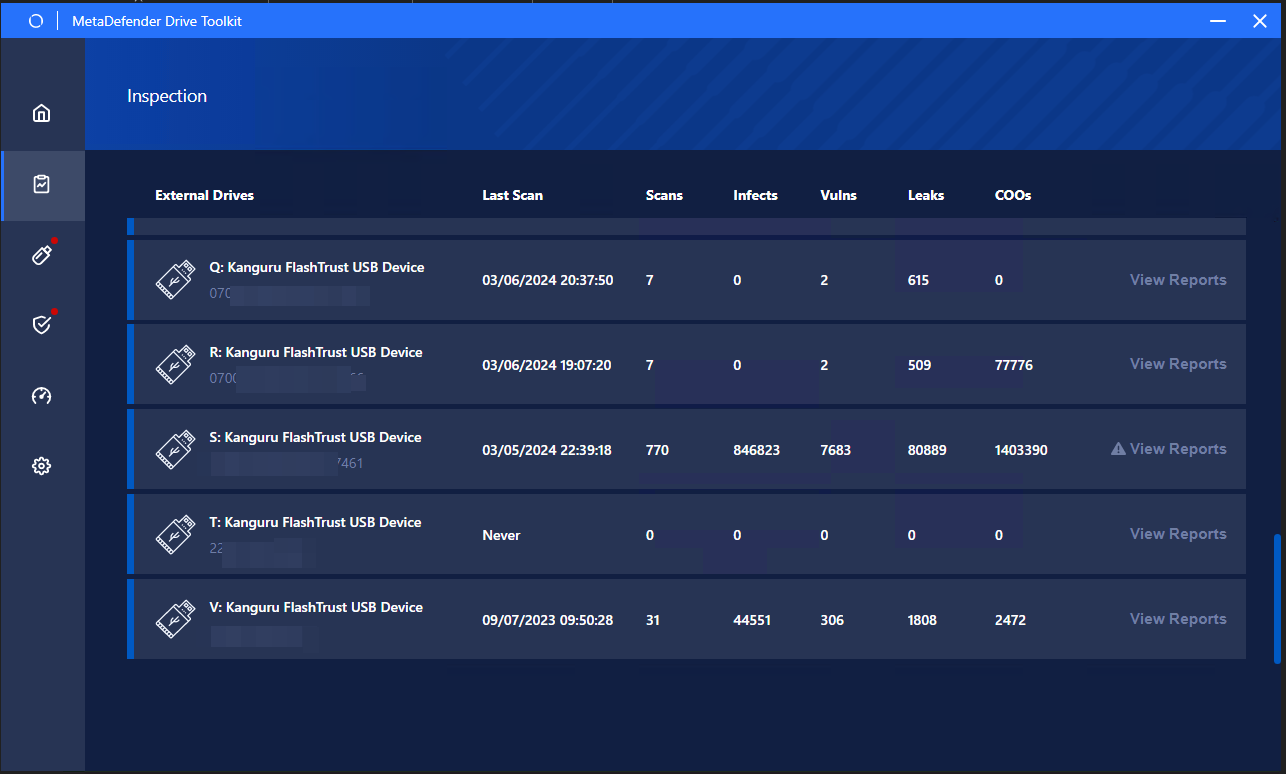
MetaDefender Drive Toolkit - Inspection interface
You can view more details about the scan history performed on a specific drive by clicking the View Reports button next to this drive:
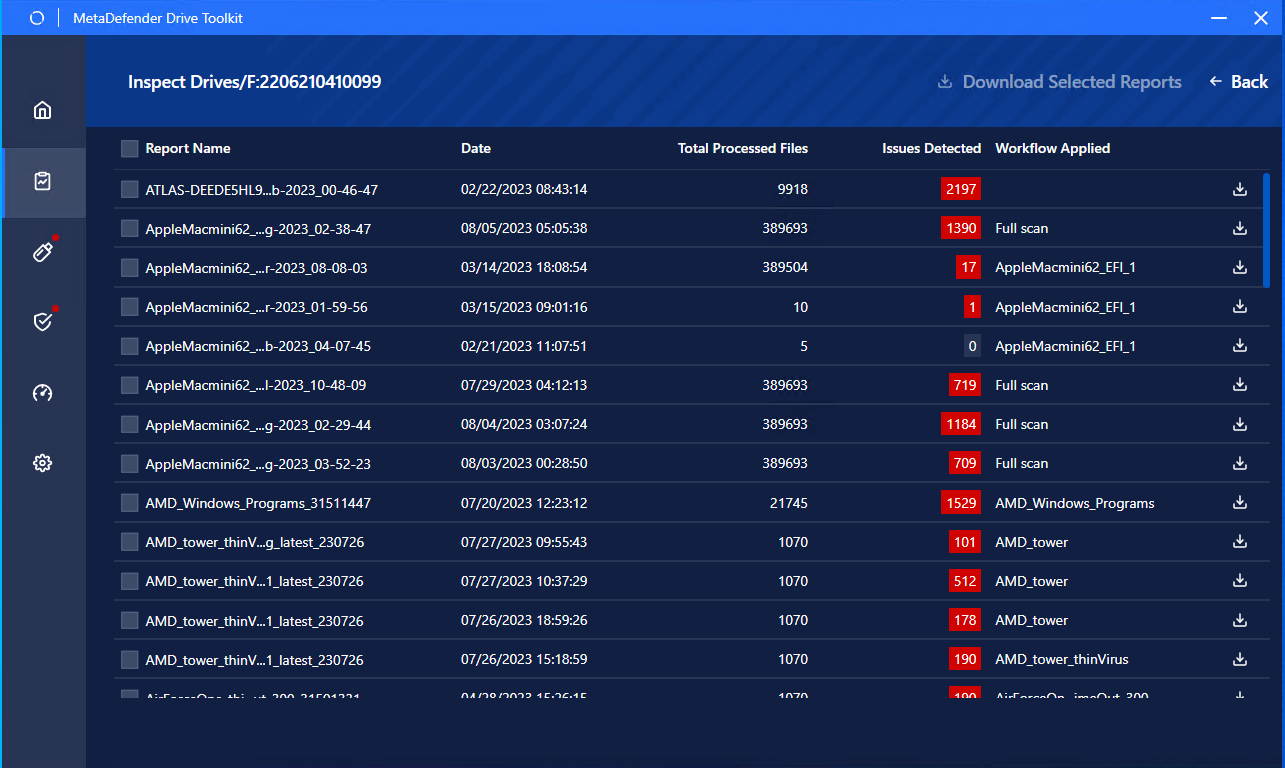
MetaDefender Drive Toolkit - a Drive scan history
You can save the scan reports from any drive on your local device's storage by clicking the download icon:
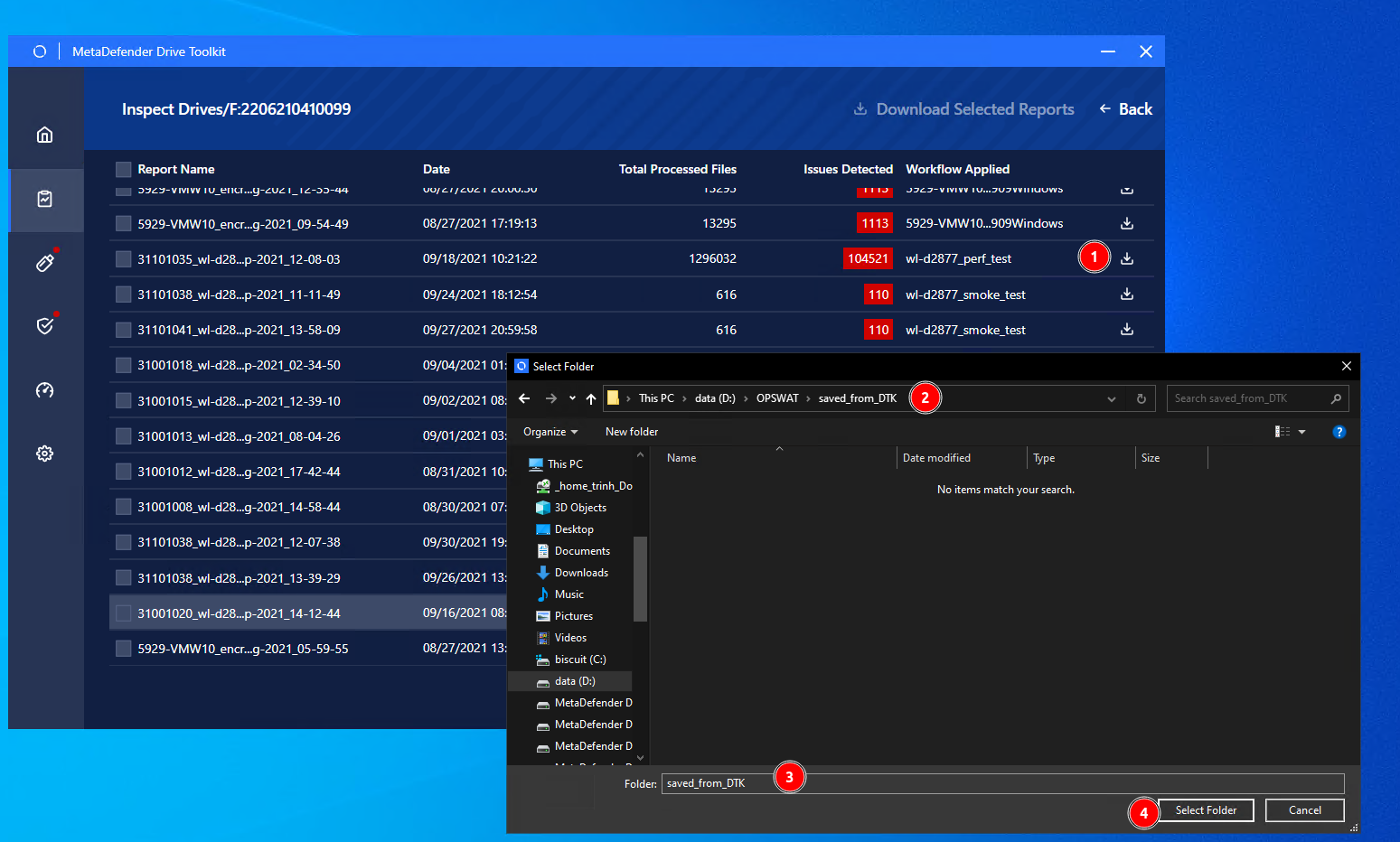
MetaDefender Drive Toolkit - saving a scan report on a target device
.
Type to search, ESC to discard
Last updated on
Was this page helpful?
Next to read:
Activate Licensenull
Discard Changes
Do you want to discard your current changes and overwrite with the template?
Archive Synced Block
Message
Create new Template
What is this template's title?
Delete Template
Message