
Issue:
You continue experiencing a problem with MetaDefender Drive.
Solution:
Please generate a support package or clone an image of the Drive and send us.
1. Generate Support Package with the built-in function
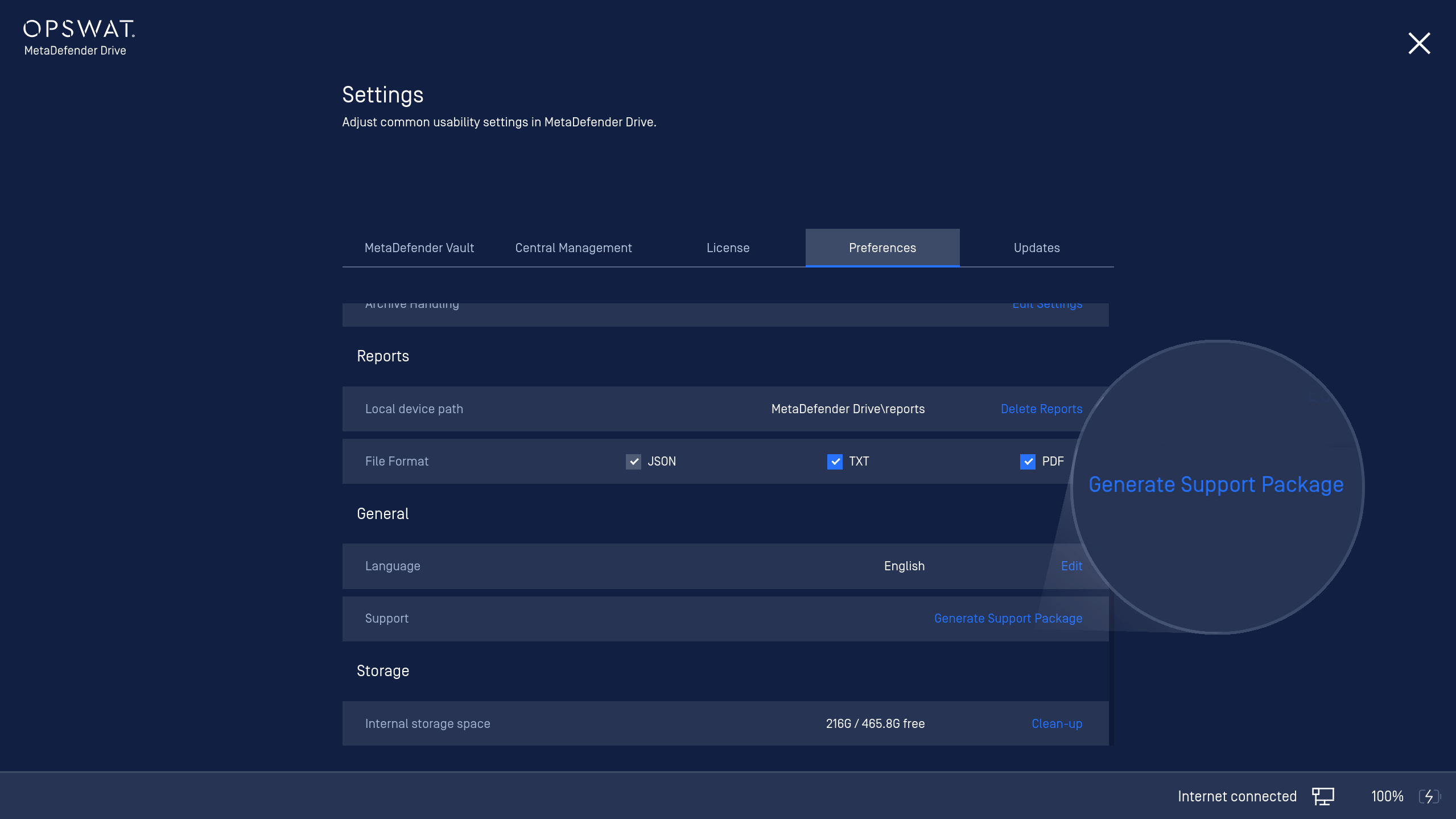
Go to Preferences --> General --> Support, you will see the function names "Generate Support Package". This will take a moment and generate a Support Package file on the MetaDefender Drive partition.
2. Generate a full image of MetaDefender Drive with Rufus
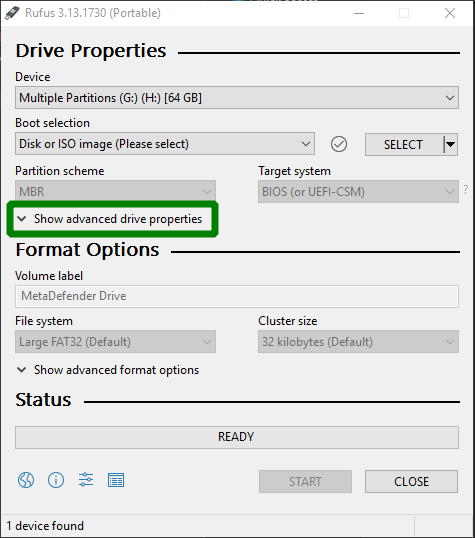
Download the portable version of rufus from https://rufus.ie/en_US/ (you can download and install the installer if you want but the portable version is good enough for 1-time-use)
Plug the MD Drive USB that you want to clone into your Windows machine
Launch Rufus then select “Show advanced drive properties”
3. Generate an image of Metadefender Drive with DD utility for Linux user
Plug the MD Drive USB that you want to clone into a linux machine
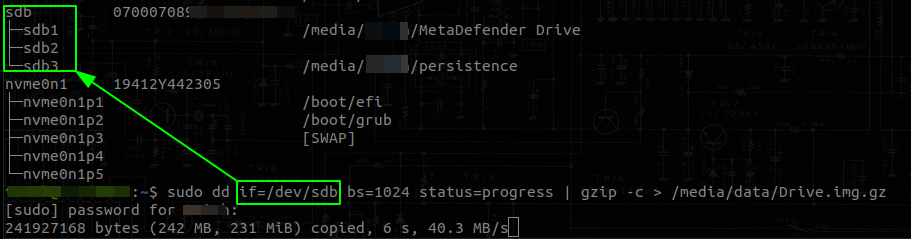
Launch the terminal, type in the command lsblk -o name,serial,mountpoint
Take note of the serial and the node of the USB you want to clone. In my example, the USB that needs to be cloned is
/dev/sdb(highlighted in the green box).