
To change the settings for archives, go to Settings > Preferences > Archive Handling > Edit Settings
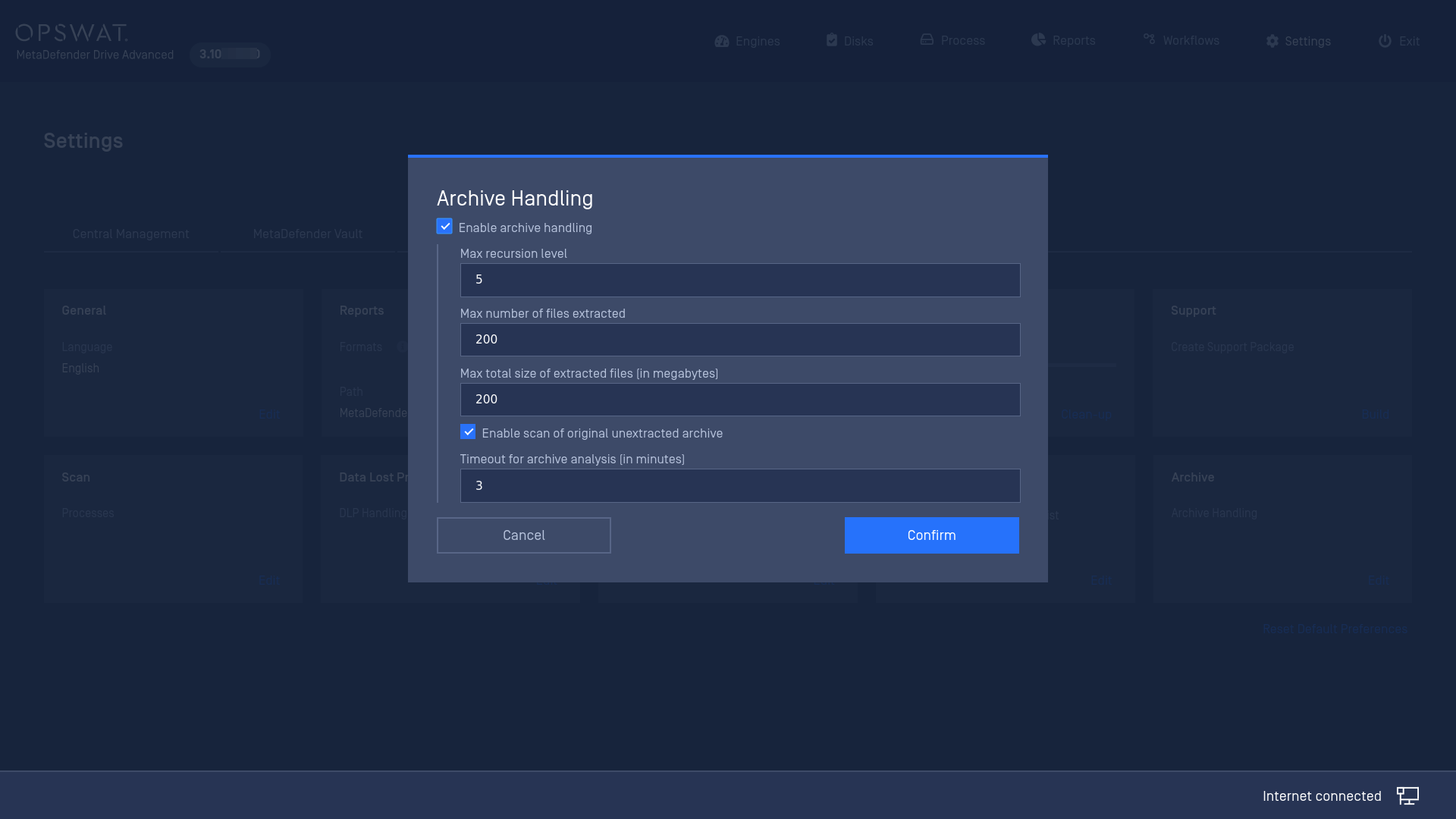
Enable Archive Handling: This option should always be checked. Without it, MetaDefender Drive will not be able to scan inside archive files. When this option is enabled, MetaDefender Drive will extract the archive using 7-Zip then recursively scan each file individually.
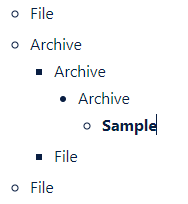
Max Recursion Level: This option indicates through how many layers of archives MetaDefender Drive will traverse. If there are more layers than allowed, the scan will fail with an appropriate error.
For example, this archive “Sample” is 4 deep.
Max Number of Files Extracted: If the number of files exceeds this value, the scan will fail with an appropriate error.
Max Total Size of Extracted Files: If the cumulative size of all files extracted from an archive are greater than this limit, the scan will fail with an appropriate error.
Enable Scan of Original Unextracted Archive: In addition to scanning the files within the archive, MetaDefender Drive will scan the archive itself.