
A Support Package is a compressed archive of device logs, diagnostic data, and system information from your MetaDefender Drive with Smart Touch. You can share this file with the OPSWAT support team to help diagnose issues.
Before you start, make sure Smart Touch device has been charged with at least 50%.
For the whole process, Smart Touch will not be able to connect to a charger.
How to Generate a Support Package
From Smart Touch home screen, navigate to Settings, tap Support Package
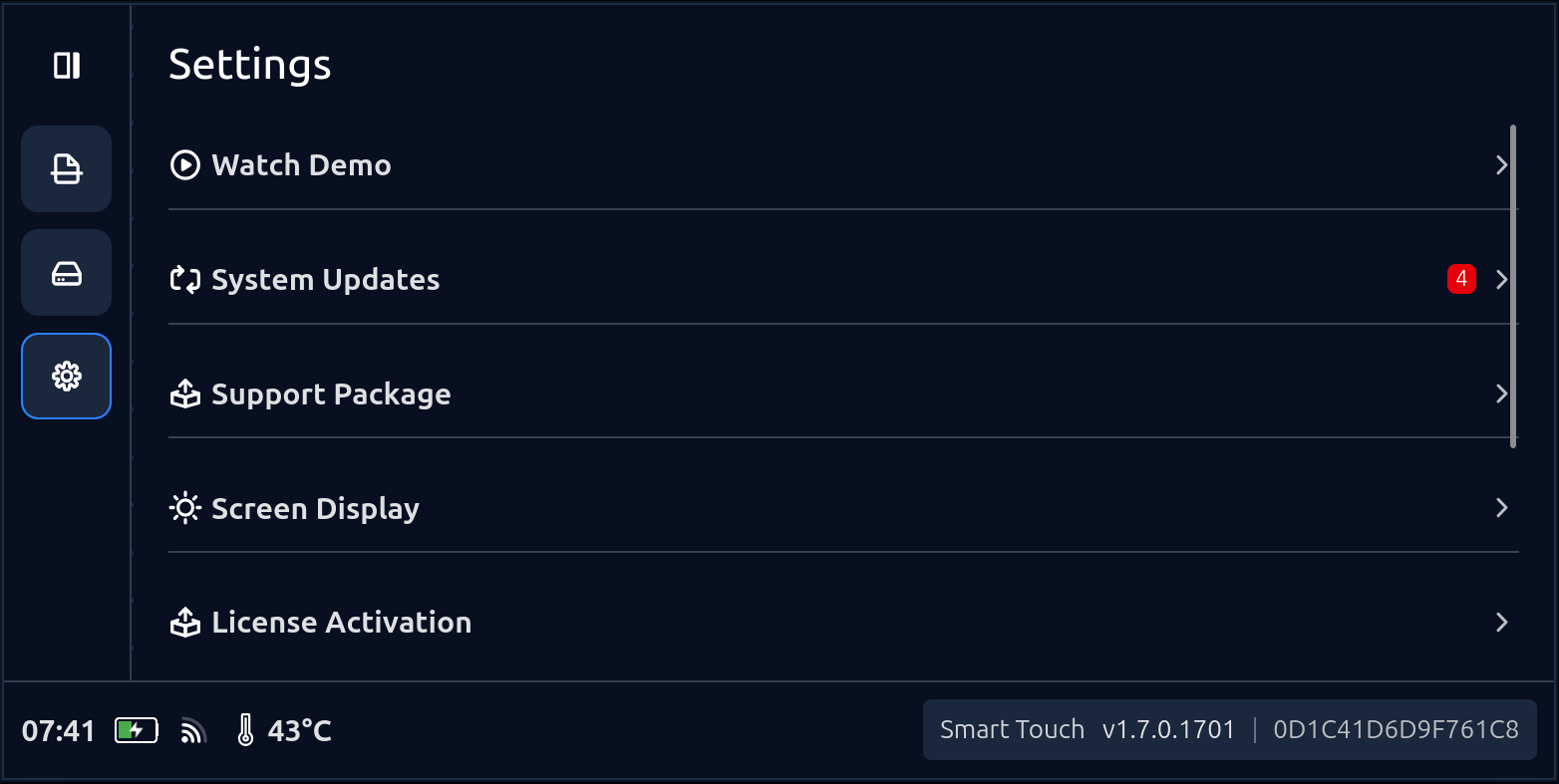
Note: If Generate Support Package is grayed out, MetaDefender Drive is currently scanning or an update is in progress. Wait for it to finish, then try again.
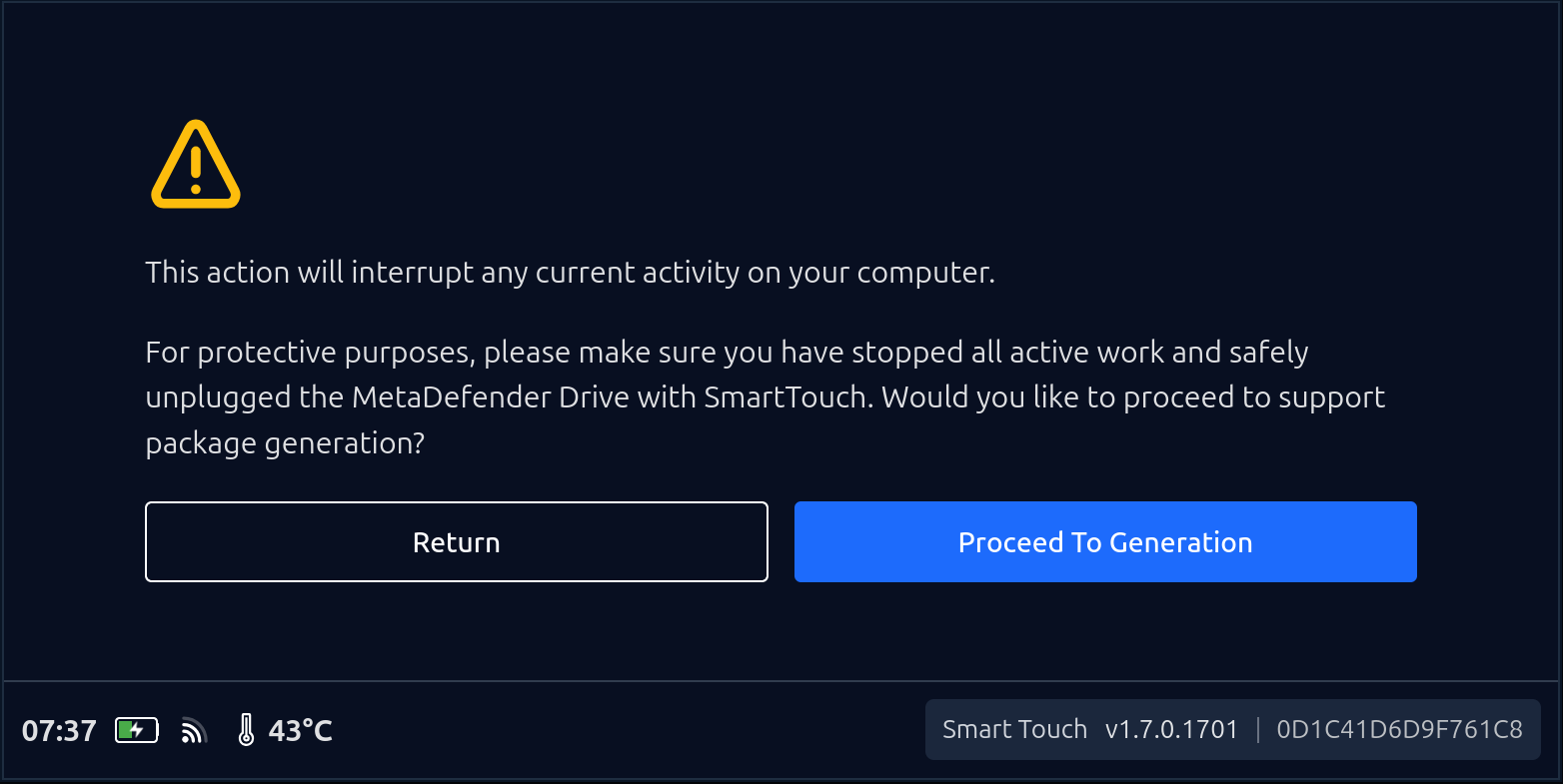
A confirmation dialog appears warning that this action will interrupt any current activity on your target computer. Make sure you have stopped all active work on the connected computer and safely unplugged the MetaDefender Drive before proceeding.
Tap Proceed To Generation
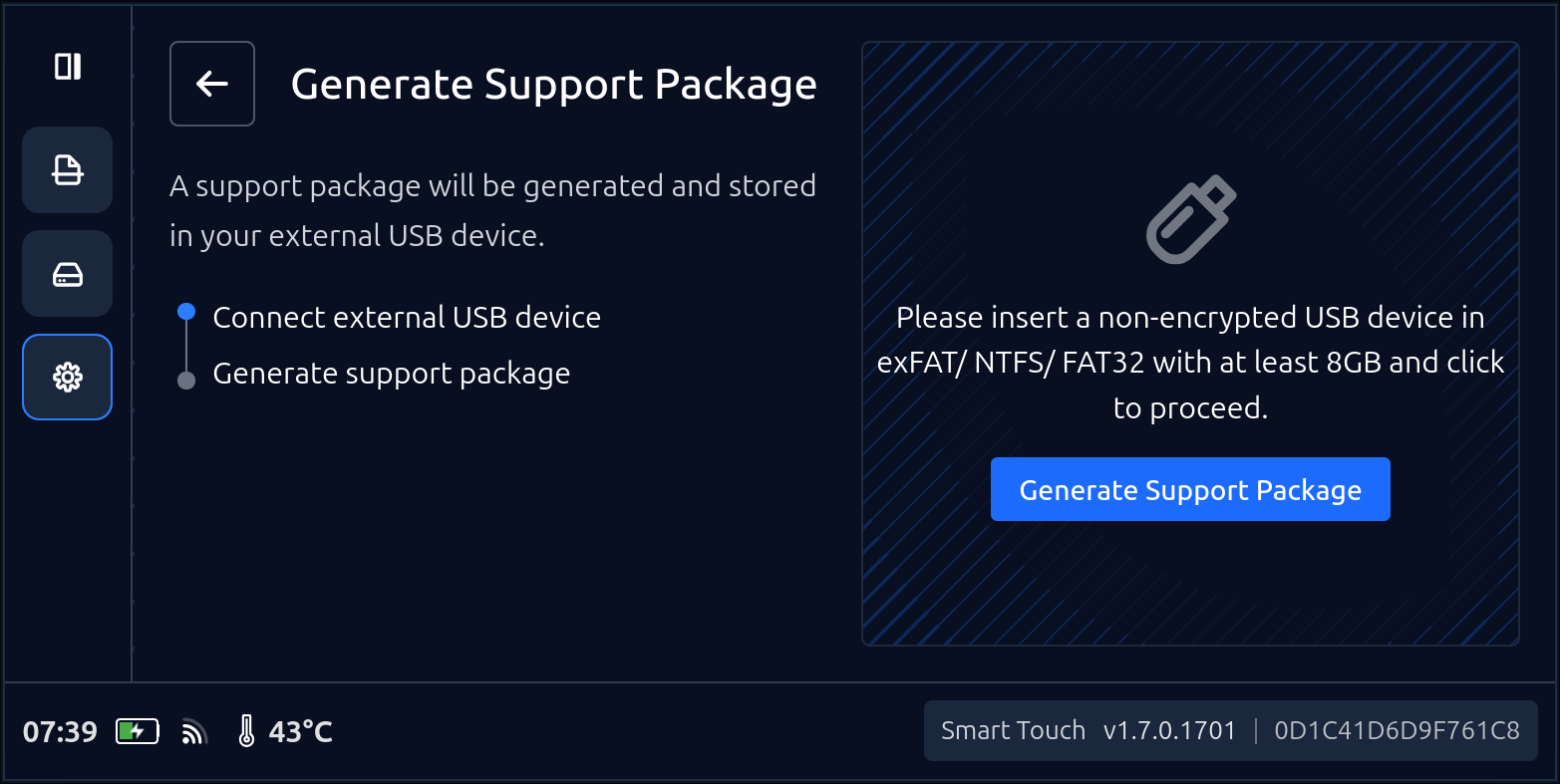
Insert a non-encrypted USB Storage formatted in exFAT, NTFS or FAT32 then tap Generate Support Package
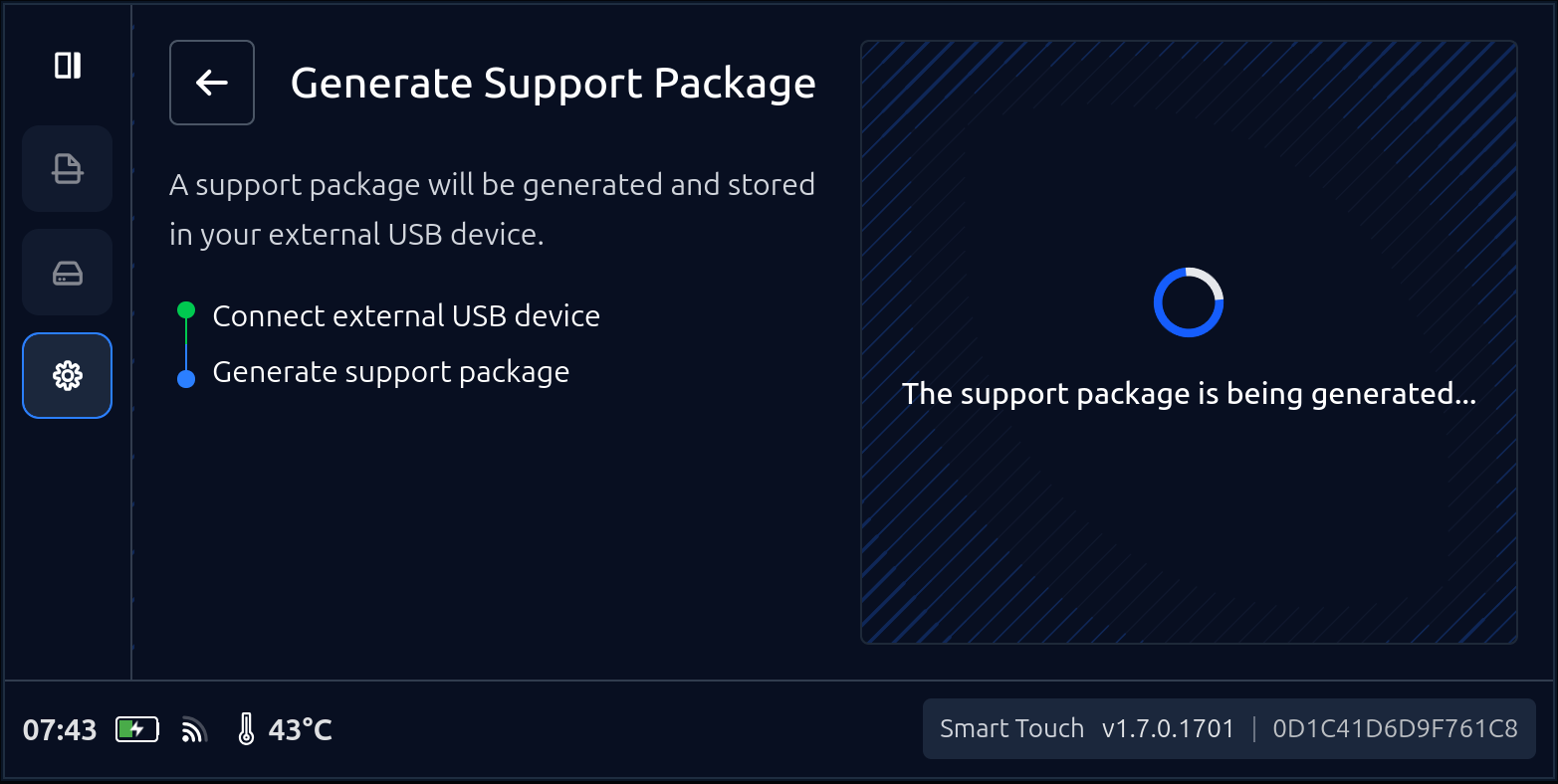
Wait for the Support Package to be generated
When complete, a success screen is displayed showing the file name and file size of the generated package on the USB. Tap Done to return to the Settings screen.
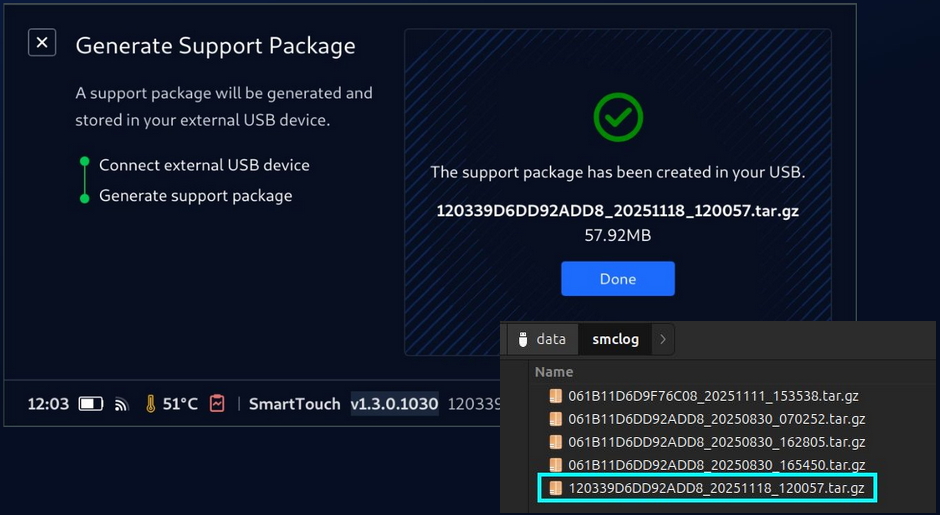
After Generation
The Support Package file is saved to the root of your USB storage device. Send this file to OPSWAT support when submitting a support case.
Remove the USB device from the Smart Touch USB-C port.
Send the
.zipfile OPSWAT.