Options
The quarantine is for keeping blocked files in a separated place. It can be used by configuring workflows (see Advanced configuration for the Workflow Template).
On the Quarantine page (History → Quarantine), the following operations can be performed on the quarantined files:

By clicking on the ... item, details appear.
Pinned files won't be removed on clean-ups. Use the pin icon to do so.
For removing the files from the list, please use the bin icon.
Files can be downloaded by clicking the download icon.
The Check with Adaptive Sandbox, Check with SBOM, the Pin, Unpin and Delete operations can also be performed in bulk using the check boxes before the filenames and clicking the action icons above the file list.
Check with Adaptive Sandbox
Files in the quarantine can be uploaded to Adaptive Sandbox to retrieve deep analysis result.
This feature requires the Adaptive Sandbox technology to be licensed, and enabled in workflow.
Quarantine items may be sent to Adaptive Sandbox:
Manually select the file and click on the
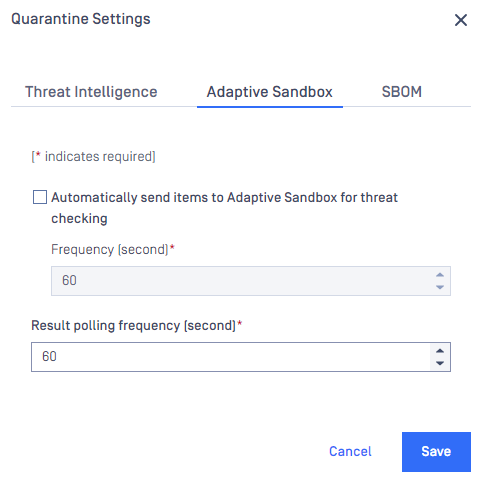
Check with Adaptive Sandboxbutton, orAutomatically, driven by the configuration under Quarantine settings
Check with SBOM
Files in the quarantine can be uploaded to SBOM engine to retrieve deep analysis result.
This feature requires the SBOM technology to be licensed, and enabled in workflow.
Quarantine items may be sent to SBOM:
Manually select the file and click on the
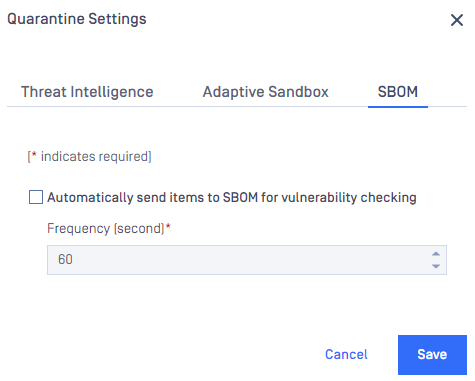
Check with SBOMbutton, orAutomatically, driven by the configuration under Quarantine settings