
Knowledge Base
v5.16.0
Search this version
I forgot my login password, what can I do?
Copy Markdown
Open in ChatGPT
Open in Claude
Check Your Version:
This article applies to all MetaDefender Core V5 releases deployed on Windows and Linux systems.
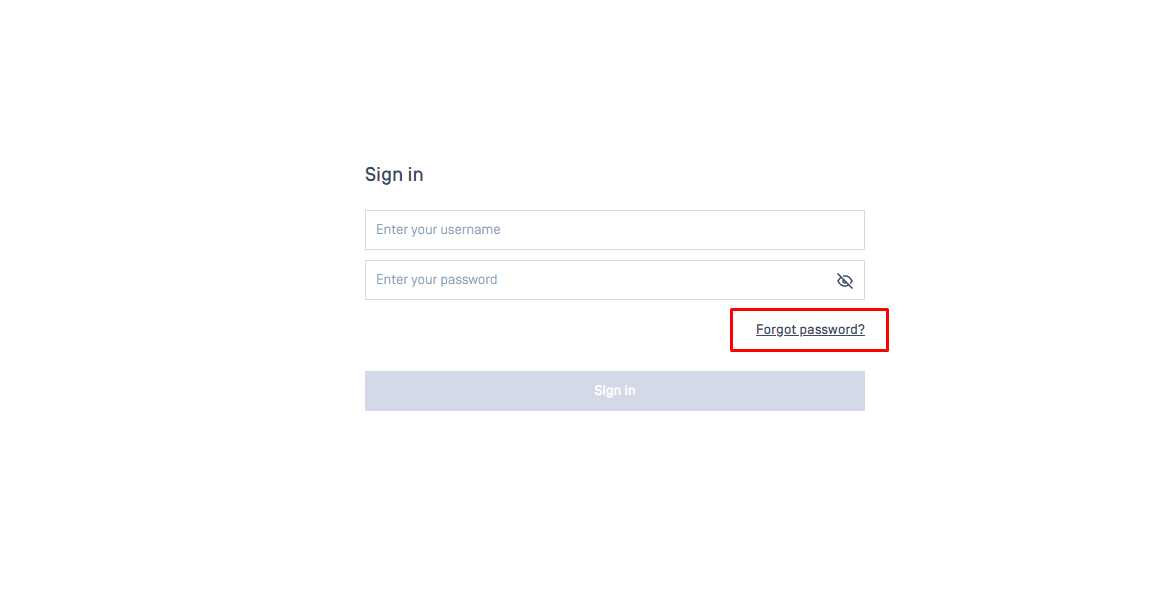
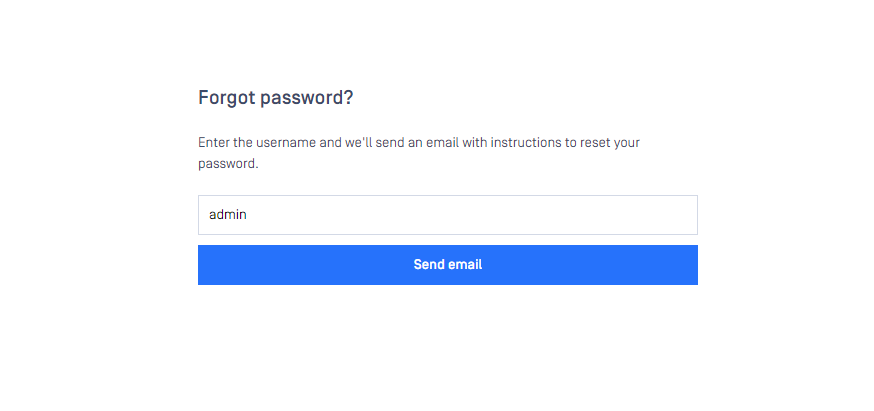
The 'Forgot Password' tab will be visible within the login screen. Once the username has been provided, instructions for password reset will be sent via email to the admin user created for password recovery.
If a mail server has been integrated with the MetaDefender Core product, users will be able to use the feature to recover their credentials.
Please Note:
SMTP server must be configured to use this feature. You can follow this article to configure.
Support:
If Further Assistance is required, please follow the instructions on How to Create Support Package With Bundle Tools?, then proceed to create a support case or chat with our support engineer.
Last updated on
Was this page helpful?
Next to read:
How to Utilize YARA Rules with MetaDefender Core?null
Discard Changes
Do you want to discard your current changes and overwrite with the template?
Archive Synced Block
Message
Create new Template
What is this template's title?
Delete Template
Message
Knowledge Base
Knowledge Base
Configuration and Settings
Errors and Troubleshooting
Features and Functionality
Licensing, Setup and Deployment
Updates, Patches and Bug Fixes
Version Upgrades
Page
Code Steps
Category
Label
Link
Separator
Title
Message
Page icon
No icon. This page keeps the plain index row.
orSVG or PNG, square, at least 32×32.
Create new category
What is the title of your new category?
Edit page index title
What is the title of the page index?
Edit category
What is the new title of your category?
Edit link
What is the new title and URL of your link?