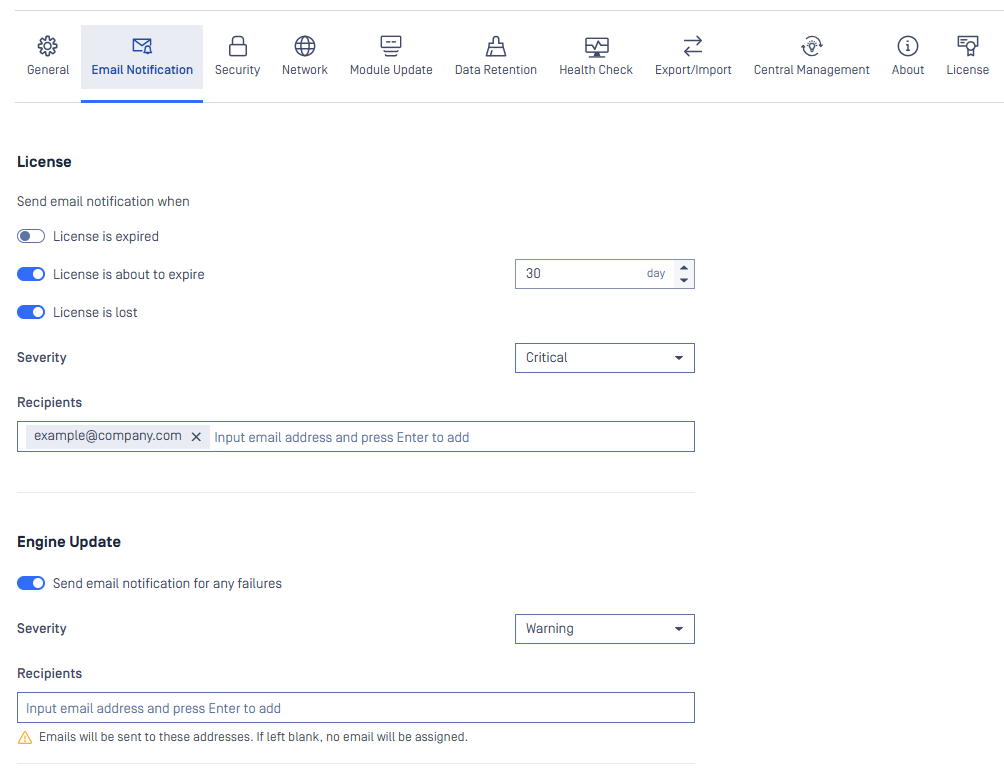
Administrator can configure Email Notification settings to receive notifications for detected threats and incidents, providing real-time updates on potential security risks.
Pre-defined Threats Detected : Defines which scan results, threats, or incidents should trigger a notification. These can include infections, suspicious activities, or the presence of sensitive data.
Failed-to-Update Engine: Notifies on “Download Failed”, “Permanently Failed”, Temporary Failed”, and “Content Invalid".
Soon-to-Expire Licensing: Helps avoid service interruptions by facilitating timely license renewals.
Quarantined Files: Alerts users about files that need review, assisting in managing false positives and potentially malicious files.
Failed Scans: Monitors the scanning process, prompting rechecks of failed scans to maintain continuity.