AI-Generated Image Detection

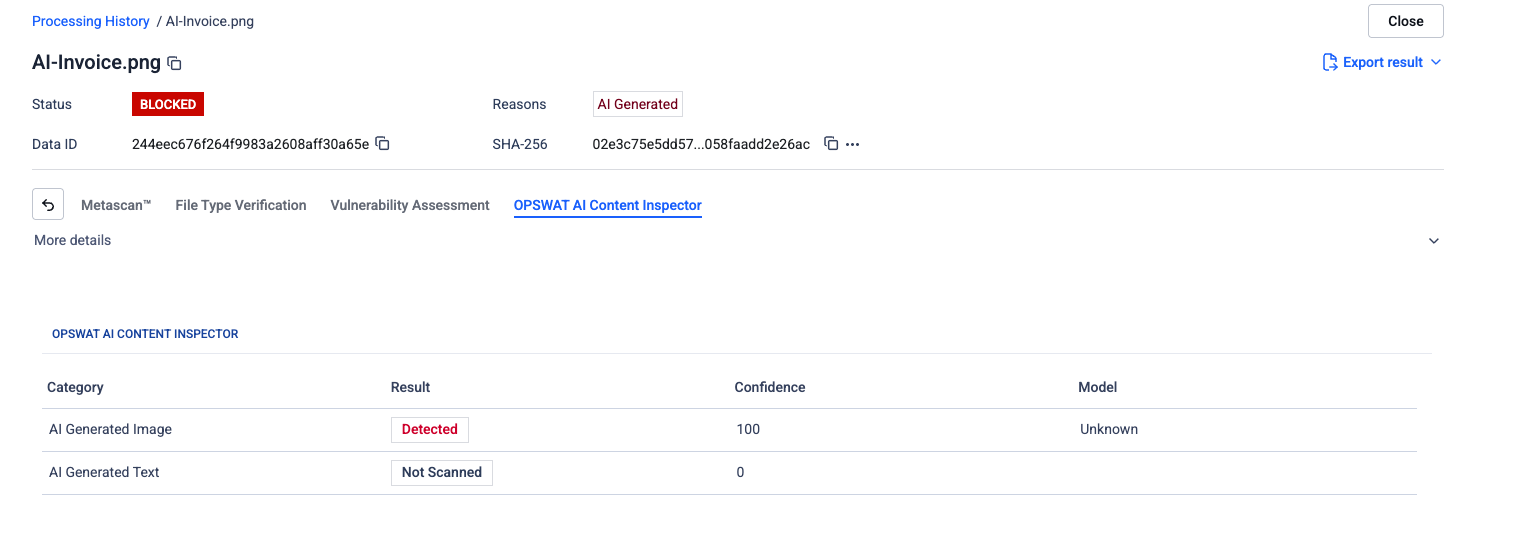
AI-Generated Image Detection identifies images produced by diffusion models, GANs, and other generative image systems. The classifier combines metadata inspection, perceptual fingerprinting, and multimodal vision classifiers to evaluate whether an image originated from a generative model, was substantially manipulated, or is an authentic capture.

This classifier targets the highest-value image-fraud entry points in enterprise workflows fabricated accident photos in auto insurance claims, synthetic damage evidence in home insurance, and etc.
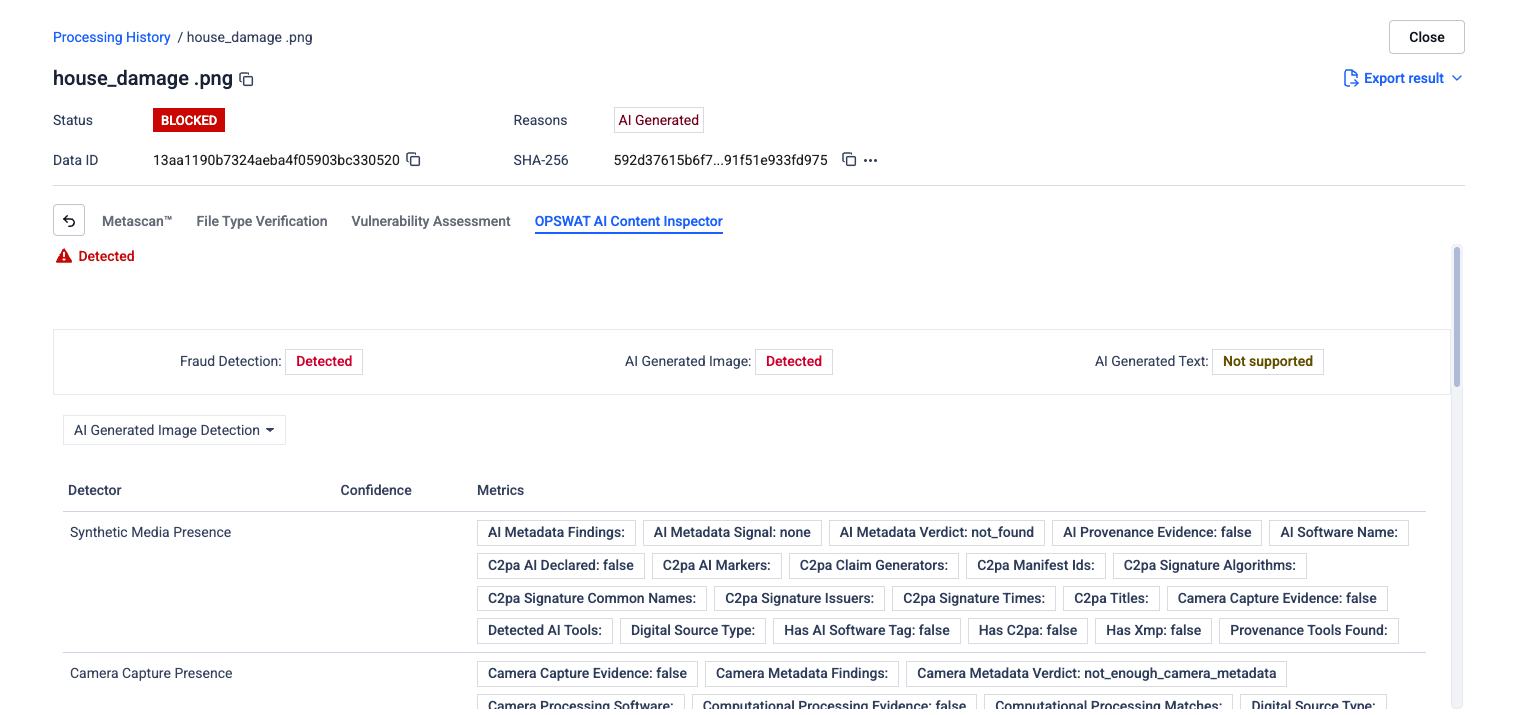
Image detectors

This section explains how each detector analyzes image content to distinguish AI-generated or manipulated images from authentic camera-captured photos. The detectors evaluate a range of visual, statistical, and metadata-based signals within the image to identify patterns commonly associated with synthetic or edited media, helping organizations assess the authenticity and integrity of visual data.

OPSWAT AI Content Inspector — Image Detectors
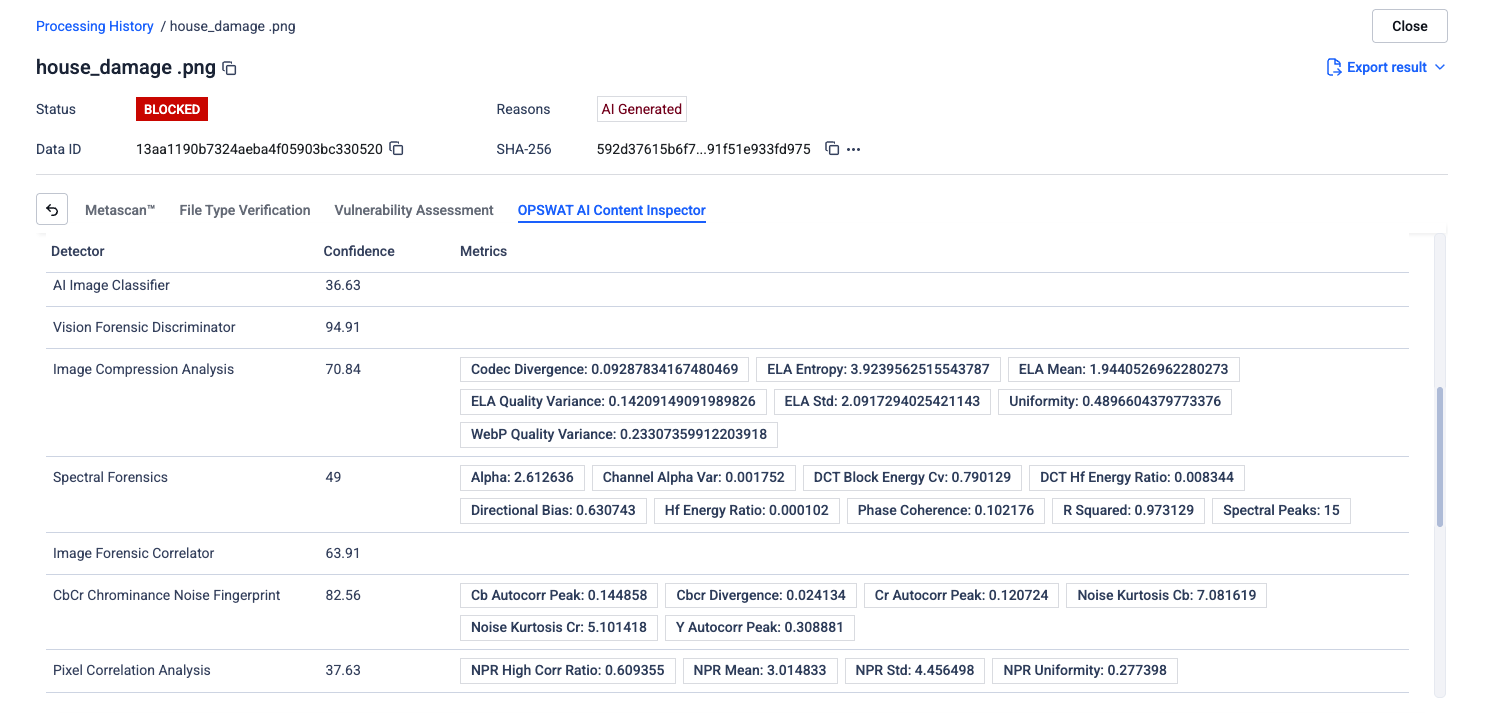
Image Compression Analysis
Forensic

Re-saves the image and compares the result to spot uneven compression. Edited or AI-made regions often compress differently from the rest of the picture.

Pixel Correlation Analysis
Forensic

Checks how neighbouring pixels relate to each other. Real photos have natural variation, while AI-generated images tend to look unusually smooth or uniform.

Sensor Fingerprint Analysis
Forensic

Every camera sensor leaves a tiny, invisible fingerprint on its photos. This detector looks for that fingerprint, which is missing in AI-generated images.

Spectral Forensics
Forensic

Examines the image's hidden frequency patterns. AI generators tend to leave unusual signatures that don't appear in genuine photographs.

CbCr Chrominance Noise Fingerprint
Forensic

Studies the random colour noise in an image. Real cameras produce a specific noise pattern across colour channels that AI tools rarely reproduce.

Camera Capture Presence

Looks for proof inside the file that a real camera took the photo, such as camera make, model, and capture settings. Missing details can be a red flag.

Synthetic Media Presence

Searches for traces left behind by AI image tools, like software tags or provenance information that reveal the file was created or edited by AI.

Image Forensic Correlator
ML model

Runs pixel data, noise residuals, and frequency maps through dedicated neural network branches simultaneously, capturing AI-generation signatures that no single view of the image could reveal on its own.

AI Image Classifier
ML model

A deep-learning model trained on huge sets of real and AI-generated pictures. It learns the subtle visual differences and predicts which category the image belongs to.

Vision Forensic Discriminator
ML model

A specialised model that focuses on the tell-tale visual artefacts left by image generators, helping flag content that looks real to the human eye.

Image Forensic Aggregator
ML model

Pulls together the outputs of all the other image checks and produces one overall AI score, giving a stronger final answer than any single test alone.

Fraud Context Classifier
Fraud

Inspects what's actually shown in the image to spot signs of fraud, such as forged documents, manipulated receipts, or other suspicious content.

How to Configuration

Policies > Workflow rules > "Workflow name" > OPSWAT AI Content Inspector > Advanced Options
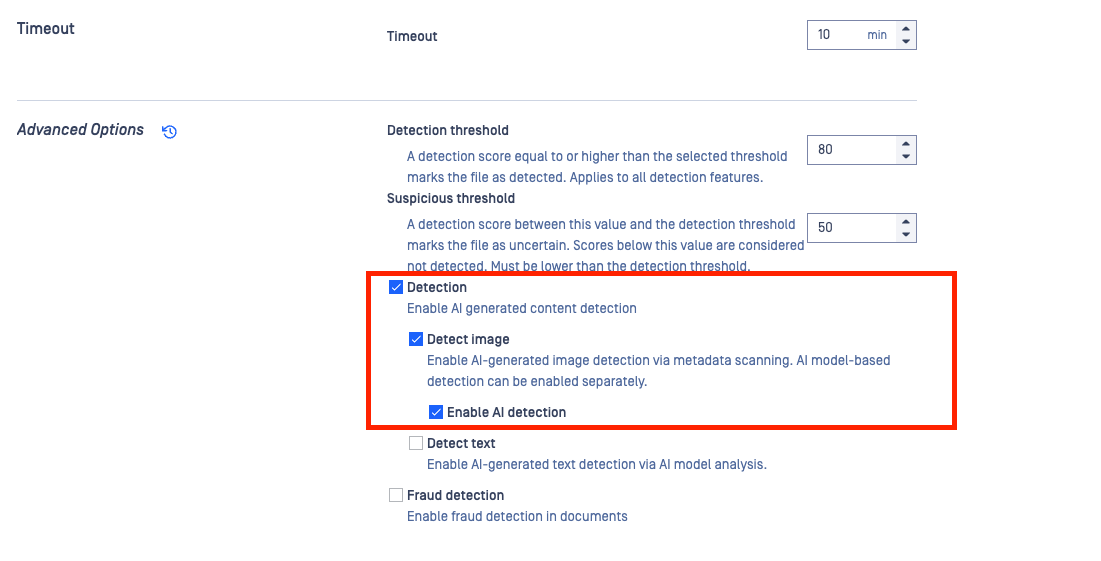
  • Detect Image: When enabled, the uploaded image is scanned for metadata indicators associated with AI-generated or edited media. This includes checking for software tags, missing camera information, provenance data, and other file-level signals that may suggest synthetic content. *Only metadata-based analysis is performed when this option is enabled by itself.
  • Enable AI Model: When enabled, the image is analyzed using the full AI detection pipeline, including forensic analysis, machine learning models, metadata inspection, and visual artifact detection. This option performs a comprehensive scan using all available detectors and AI models to provide a higher-confidence authenticity assessment.
VariableType to search · ESC to discard
GlossaryType to search · ESC to discard
InsertType to search · ESC to discard
No matches