
This section will allow the system administrator to enable secure connections to MetaDefender Cluster Control Center if required. In addition, Request rate limit, Password and Session policies are set in this section.
Request Rate Limit
The Request Rate Limit feature helps protect MD Cluster Control Center from excessive administrative requests by limiting the number of concurrent operations the system accepts. This prevents bursts of requests from overwhelming system resources and helps maintain stable performance.
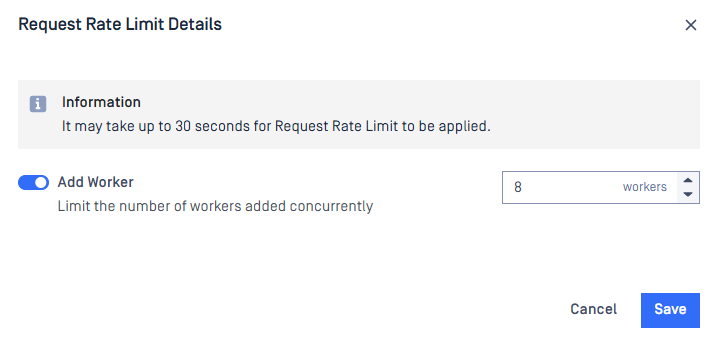
Click Details to configure request rate limits for supported administrative operations. Each operation can be enabled or disabled independently, and its maximum number of concurrent requests can be adjusted to match your deployment requirements.
After you save the configuration, the new request rate limits may take up to 30 seconds to take effect.
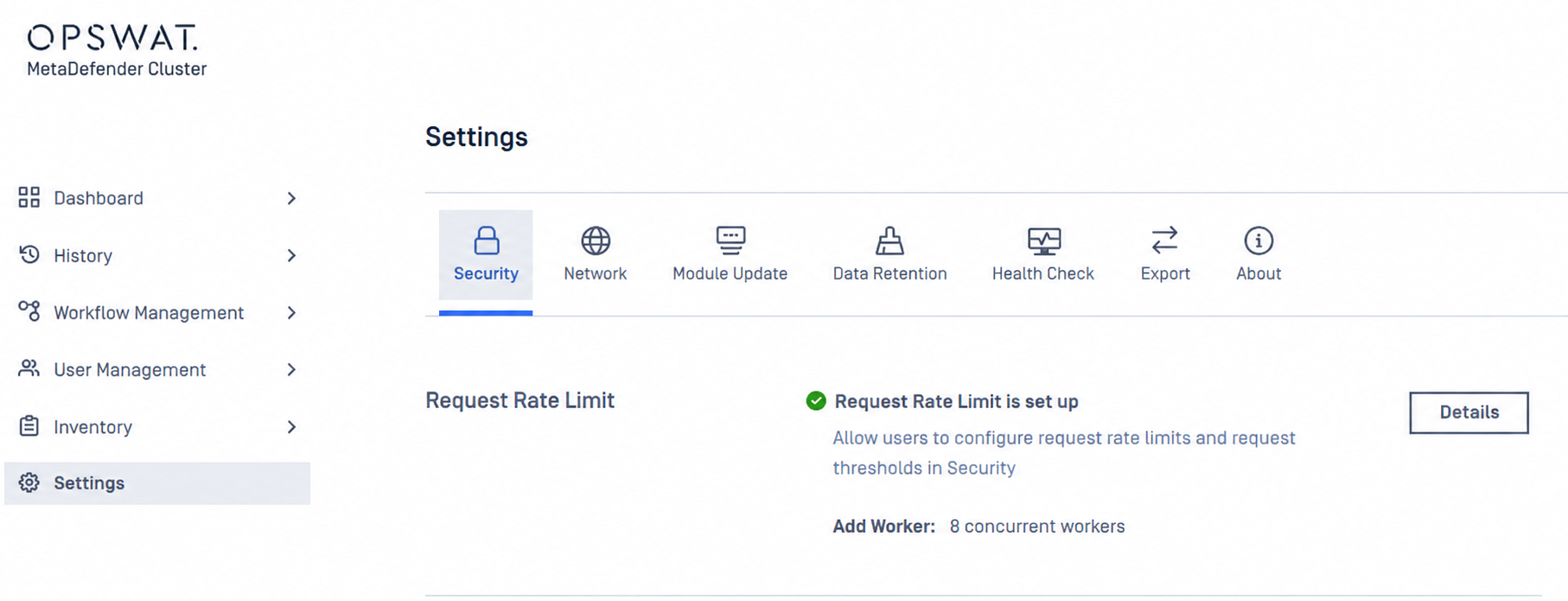
Add Worker
Limits the number of Add Worker operations that can run concurrently.
When enabled, specify the maximum number of Worker registration requests that MD Cluster Control Center can process at the same time. Requests that exceed the configured limit are rejected, and users are prompted to try again later.
The updated limit may take up to 30 seconds to take effect after it is saved.
Password Policy
These password policies changes only apply to new user creations and future password changes. Existing users' passwords are unaffected.
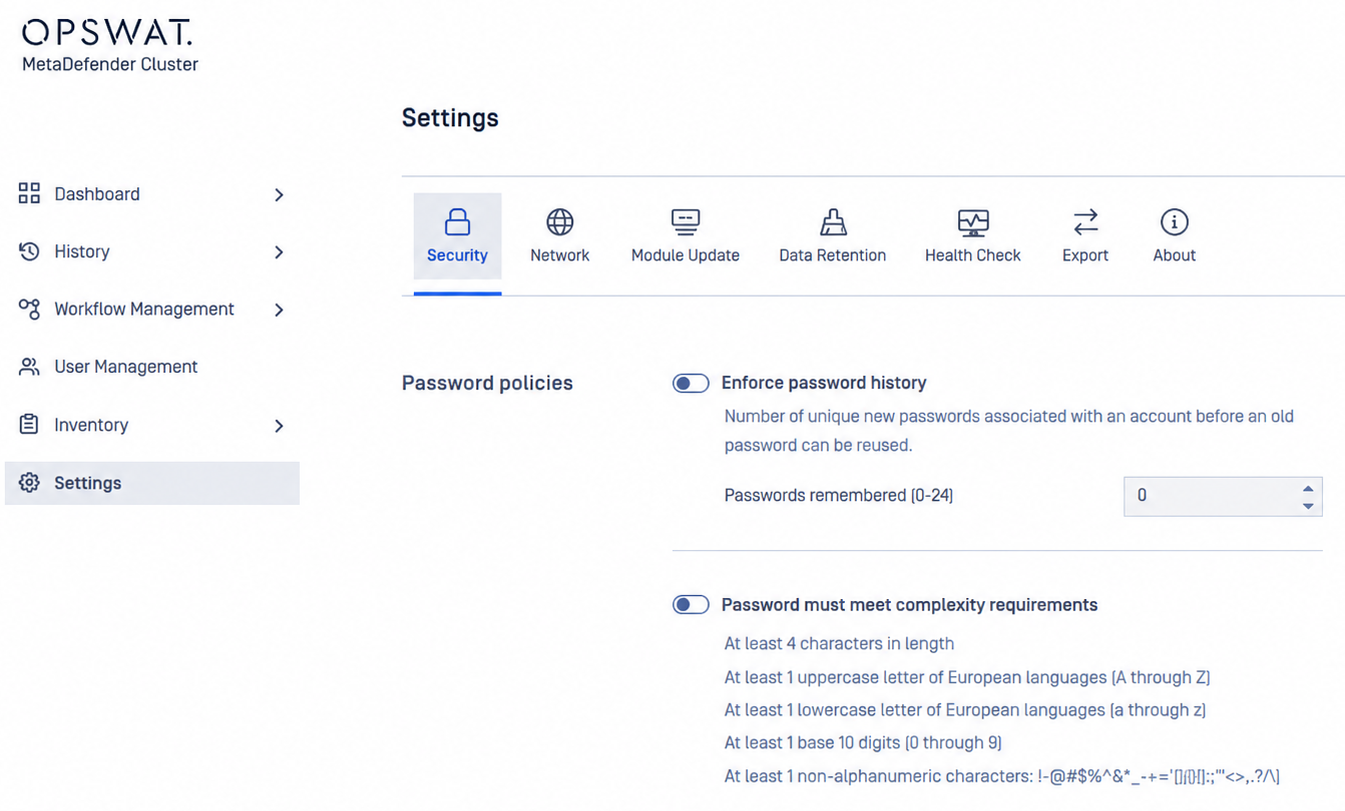
Local users' password can be enforced to meet requirements set by administrators, which includes following constraints:
Enforce password policy:
Determines the number of unique new passwords that must be associated with a user account before an old password can be reused.
Range: [0-24].
Default: 0 (to disable enforcement).
Password must meet complexity requirements:
Determines whether passwords must meet a series of guidelines that are considered important for a strong password.
Default: unchecked
At least 4 characters in length.
At least 1 uppercase letter of European languages (A through Z).
At least 1 lowercase letter of European languages (a through z).
At least 1 base 10 digits (0 through 9).
At least 1 non-alphanumeric characters (special characters): (~!@#$%^&*_-+=`|(){}[]:;"'<>,.?/).
Minimum password length:
The least number of characters that can make up a password for a user account.
Range: [0-30].
Default: 0 (to disable enforcement).
Session Policy
Session policies control how user sessions are created and maintained in MD Cluster. You can configure session expiration, allow or prevent multiple concurrent sessions for the same user, and control whether requests from different IP addresses are accepted within an authenticated session.
Changes take effect for new sessions. Existing sessions continue to use the settings that were in effect when they were established.
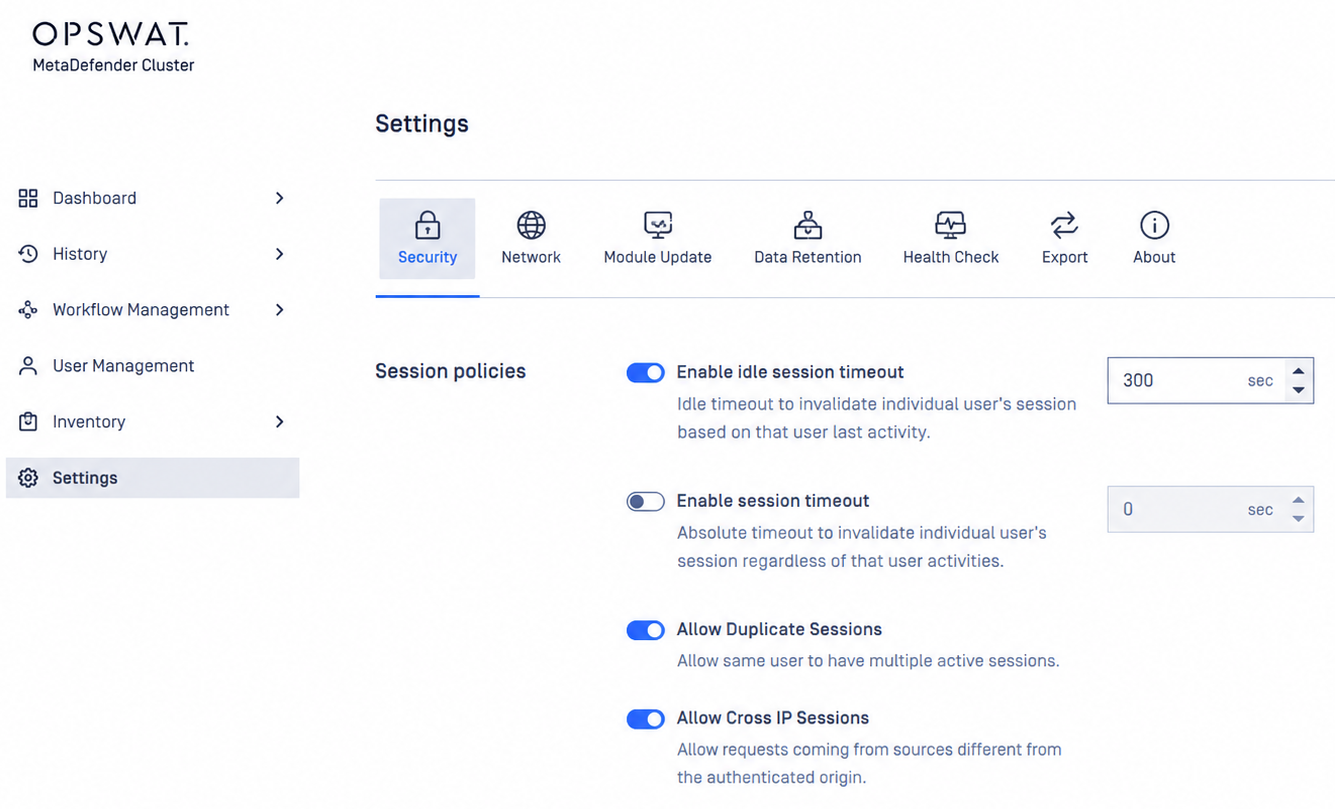
Idle session timeout: Idle timeout to invalidate individual user’s session based on that user last activity.
Session timeout: Absolute timeout to invalidate individual user’s session regardless of that user activities.
Allow Duplicate Sessions: Allow same user to have multiple active sessions.
Allow Cross IP Sessions: Allow requests coming from sources different from the authenticated origin.
Scan from link
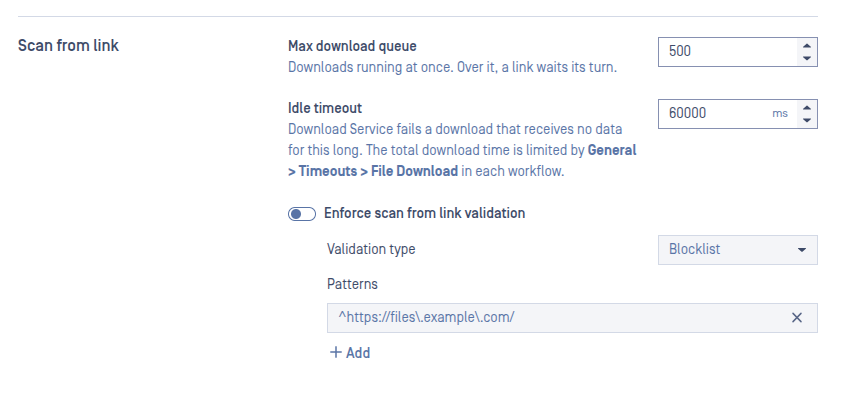
These settings control how MetaDefender Cluster downloads files that are submitted by link (the downloadfrom header of POST /file). They apply to the whole cluster.
Max download queue: the number of downloads that can run at the same time.
When the limit is reached, a new link is not refused. It waits in the queue and starts when a running download finishes.
Use a lower value to limit the network and disk load on the Download Service. Use a higher value to download more files in parallel.
Idle timeout: How long a download can go without receiving any data before it stops.
The value is in milliseconds.
The timer restarts every time data arrives. A slow download that still receives data does not stop.
When the timeout is reached, the download result is
Download Failedwith the error detailServer took too long to respond.
The idle timeout does not limit the total download time. The total time is limited by the workflow setting General > Timeouts > File download. When that limit is reached, the result is Download Timeout.
Enforce scan from link validation: Turn this on to allow or block links by pattern. When it is off, every link is downloaded, and the validation type and patterns are ignored.
Type | A link is downloaded when |
|---|---|
Blocklist | It matches none of the patterns. |
Allowlist | It matches at least one pattern. |
Patterns: Each pattern is a regular expression.