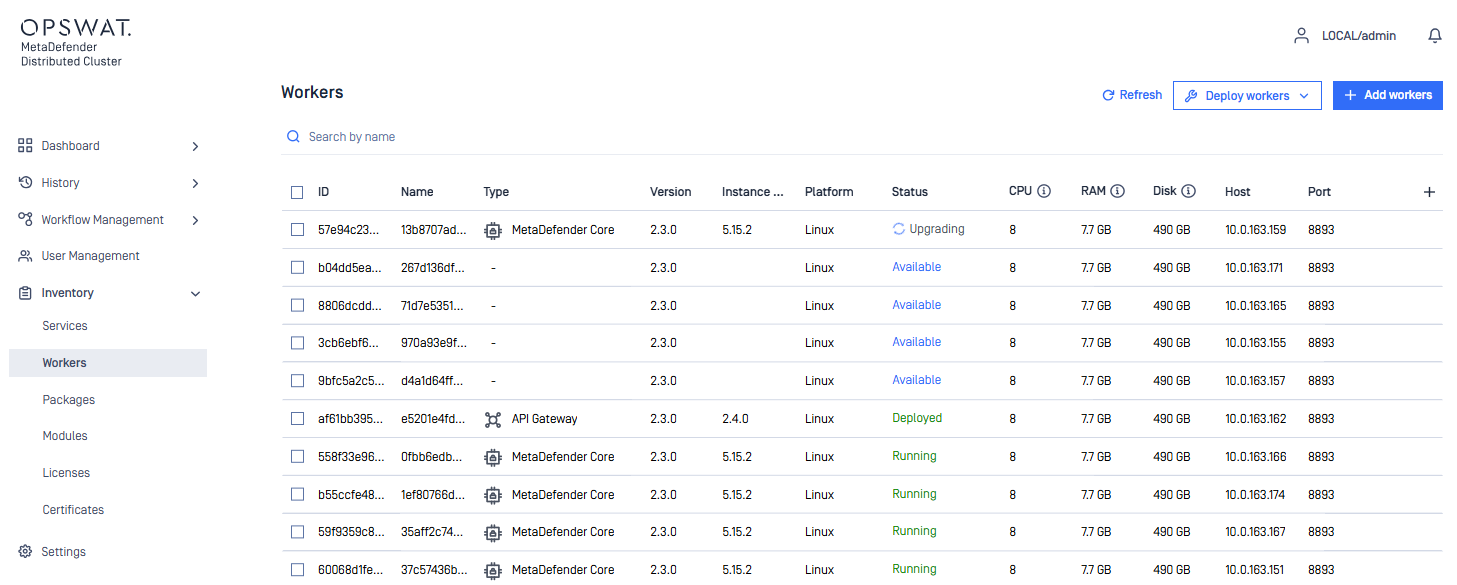
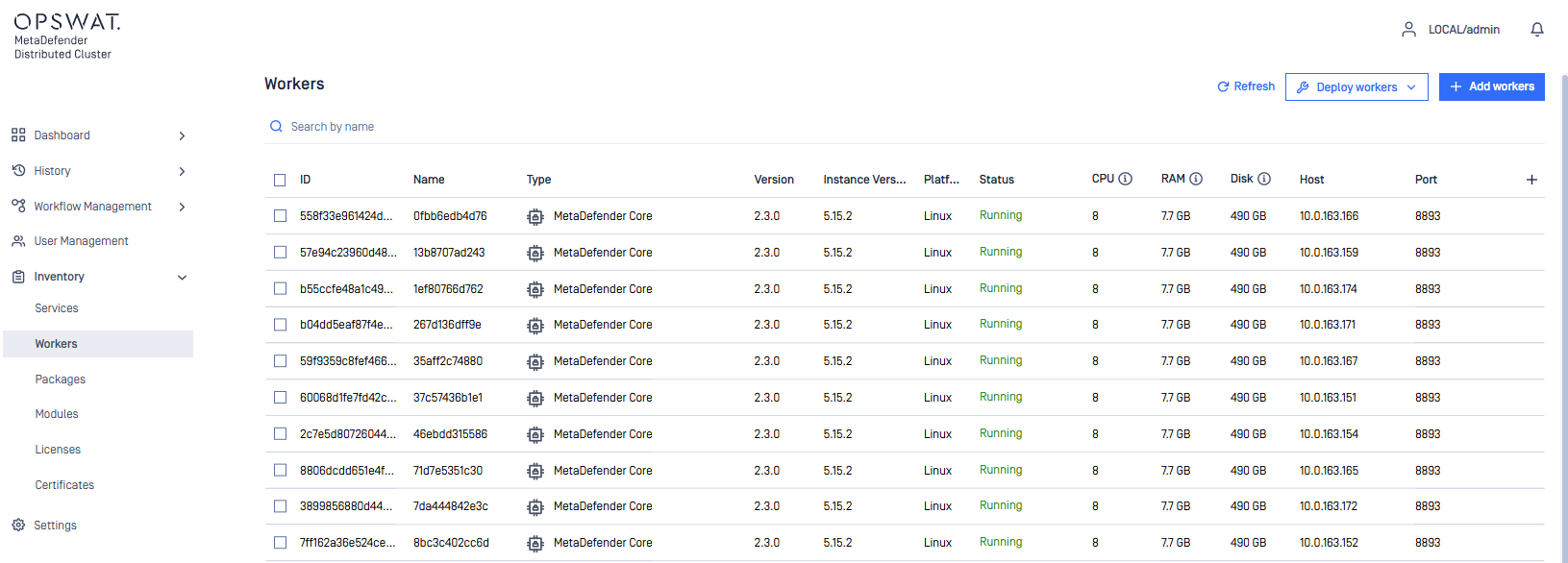
This section will allow the system administrator to add the MetaDefender Distributed Cluster (MD Cluster) Workers which will help deploy and monitor activities of MetaDefender Core, MD Cluster API Gateway and MD Cluster Callback Service.
MD Cluster Callback Service is optional. However, if the scan result needs to be sent to a Webhook. This service must be installed in order to use the Callback Service feature.
Add new workers
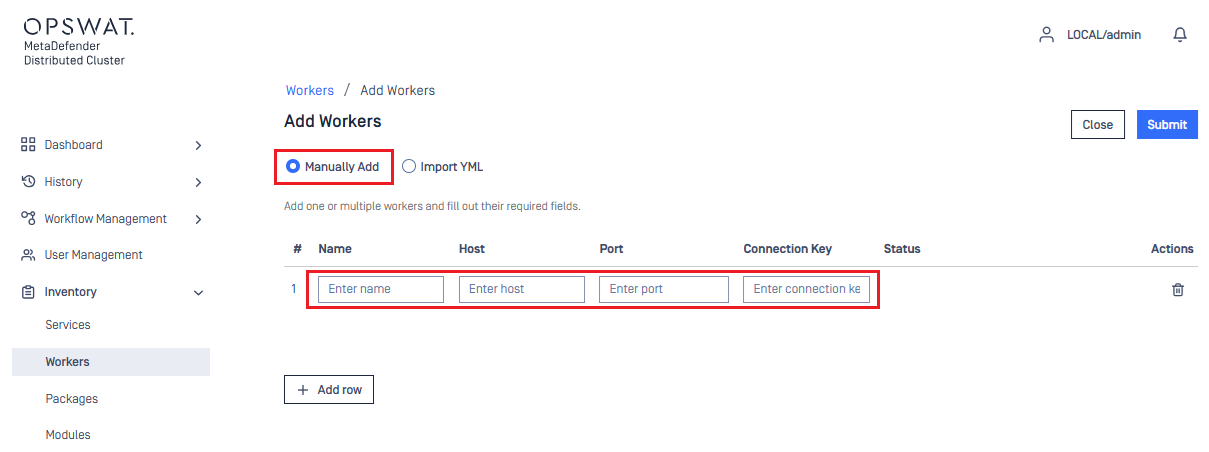
When manually adding the MD Cluster Workers. Simply fill out the Name, Host, Port and Connection Key fields. The Port and Connection Key are the same values used in the configuration file of MD Cluster Worker during installation. Once added, select Submit and MD Cluster will validate if the Workers are added successfully or failed.
Import workers
The system administrator has an option to import the MD Cluster Workers via YML file instead of manually adding the MD Cluster Workers via MD Cluster Control Center UI. There is a template available to be downloaded when selecting the Import YML option. Below you'll find an example with an MD Cluster API Gateway and three MetaDefender Cores:
display_nameAPI-Gateway host10.1.100.100 port8893 connection_key1234abcddisplay_nameCore-1 host10.1.100.101 port8893 connection_key1234abcddisplay_nameCore-2 host10.1.100.103 port8893 connection_key1234abcddisplay_nameCore-3 host10.1.100.104 port8893 connection_key1234abcd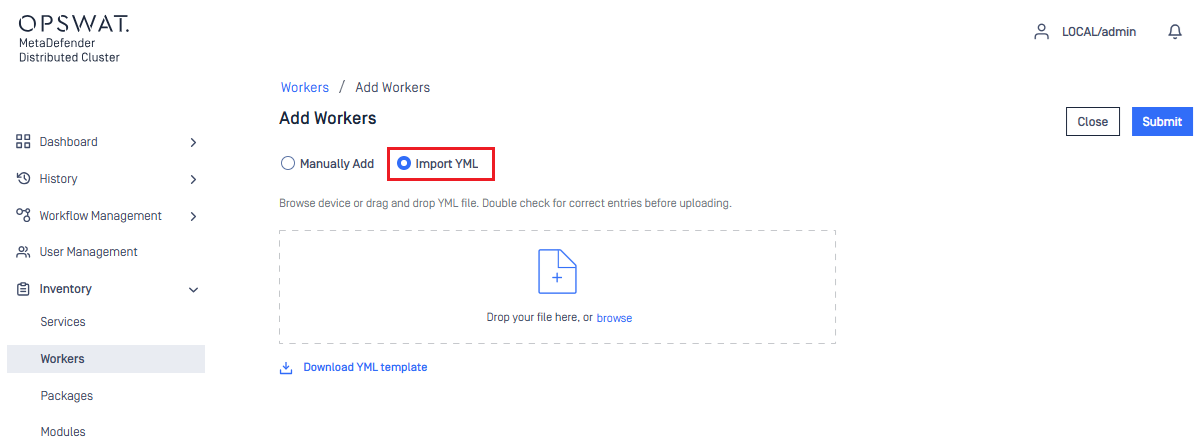
Deploy workers
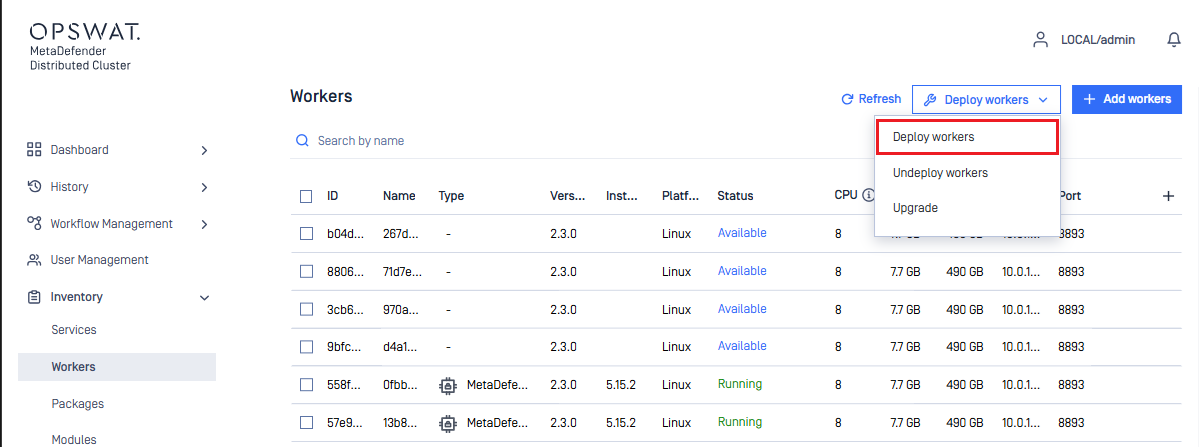
Once MD Cluster Workers have been added and their status are shown as Available. The system administrator can now deploy MetaDefender Core, MD Cluster API Gateway and MD Cluster Callback Service separately or all at the same time.
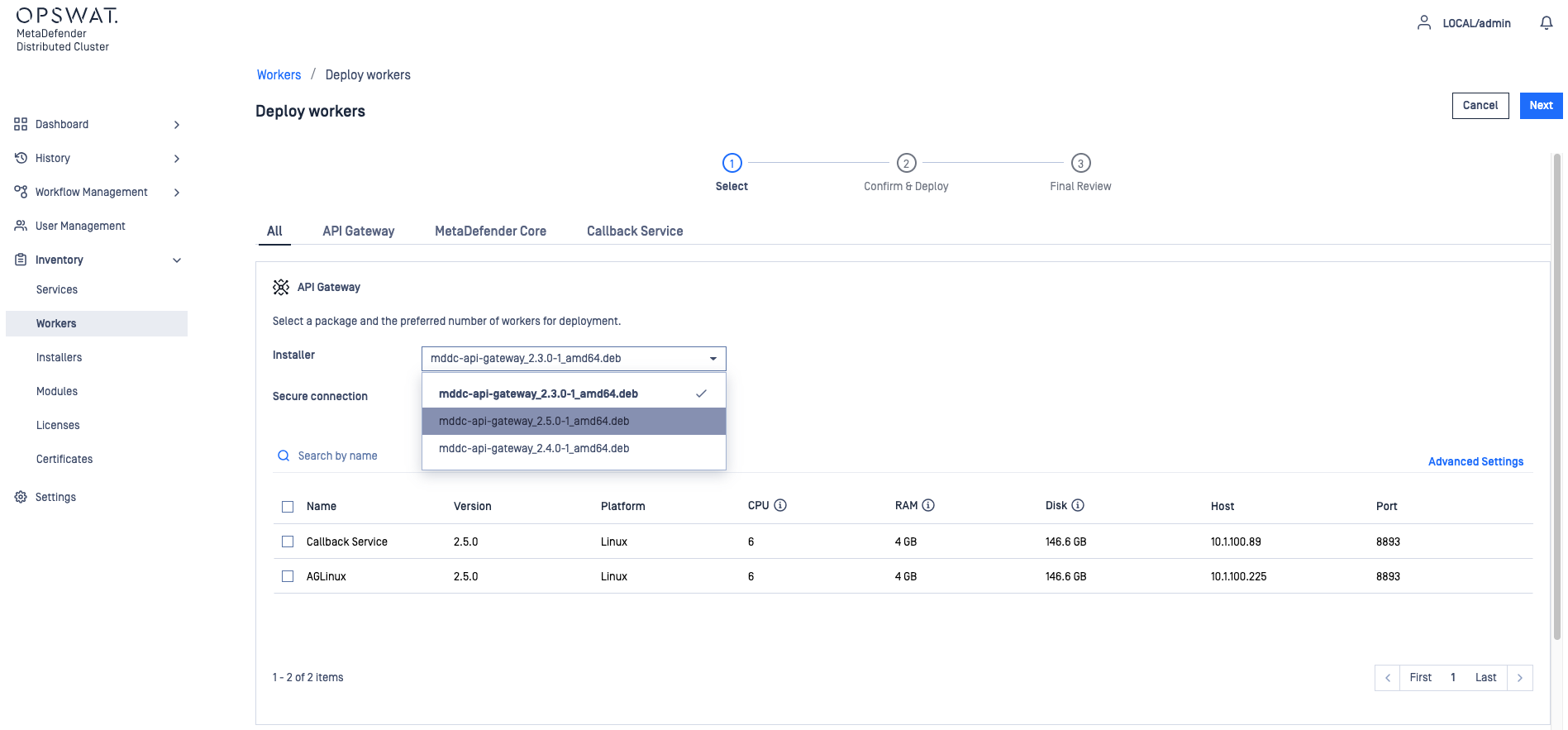
To deploy the MD Cluster API Gateway. Simply choose the version of MDC API Gateway and select an available MD Cluster Workers.
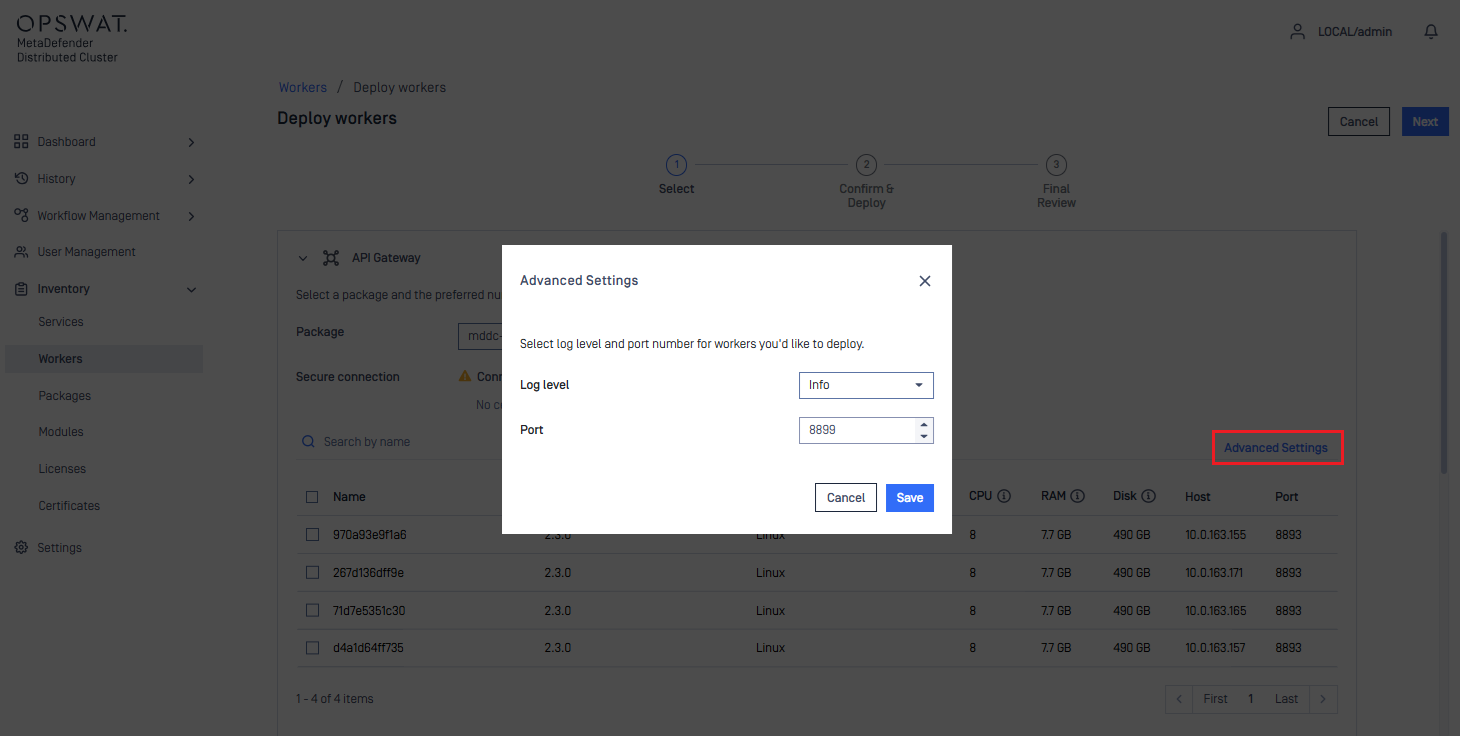
The Log level and Port that will be assigned to MD Cluster API Gateway can be set by clicking Advanced Settings.
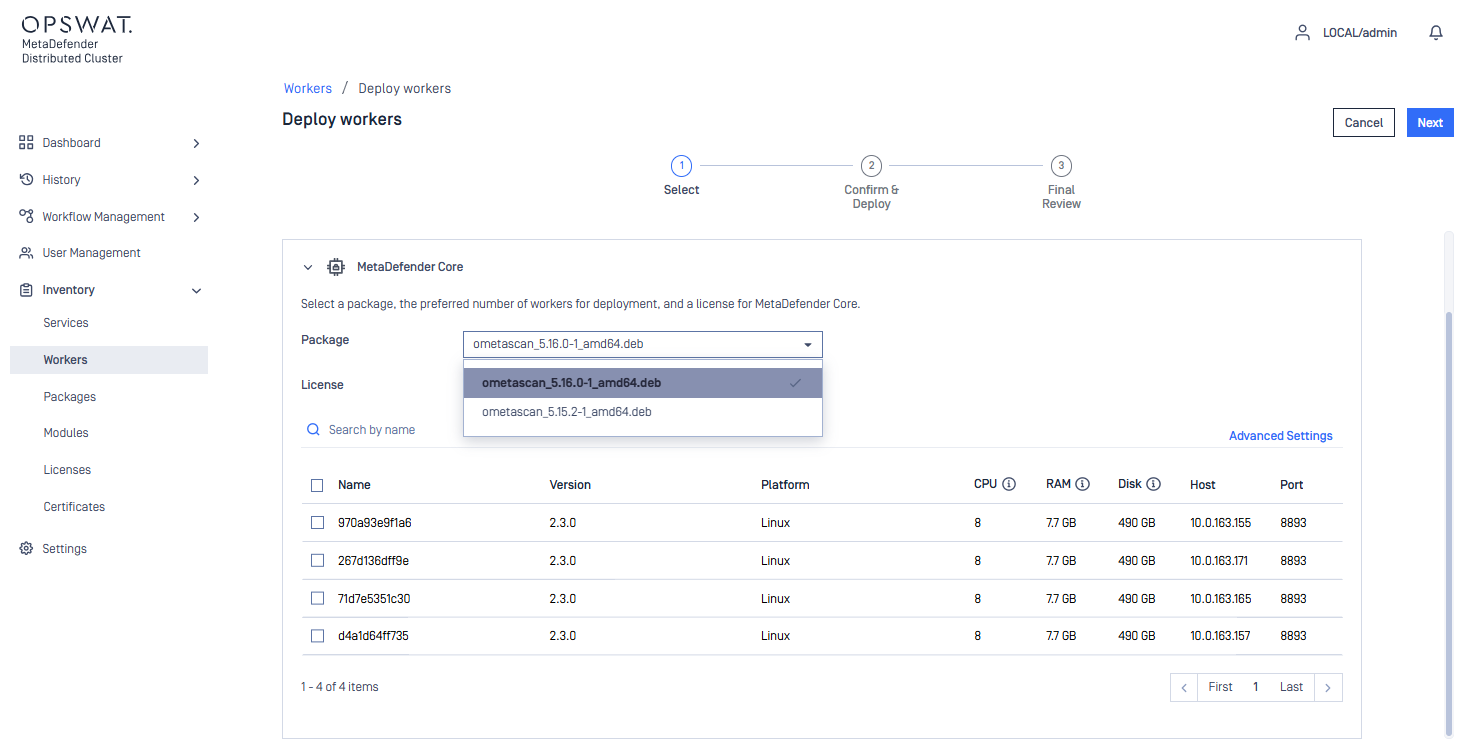
The system administrator can choose the version of MetaDefender Core should be deployed on available MD Cluster Workers.
The system administrator can also modify the Log level, Port and Connection per file service of MetaDefender Core that will be deployed by selecting Advanced Settings.
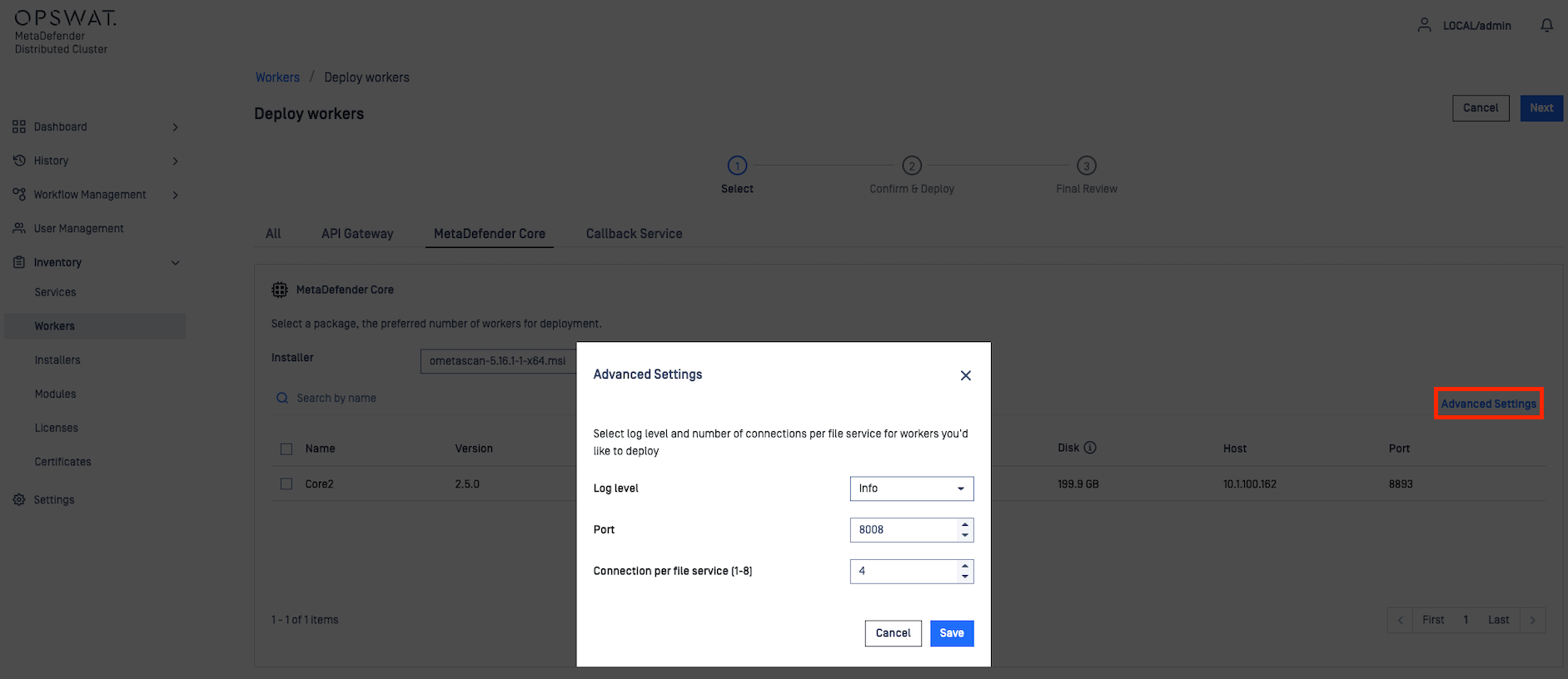
Click Next to confirm the deployment and Finish to start deploying on selected MD Cluster Workers.
Release workers
To release MD Cluster API Gateway, MD Cluster Callback Service, or MetaDefender Core on MD Cluster Workers, the system administrator can select Undeploy workers in the top right corner.
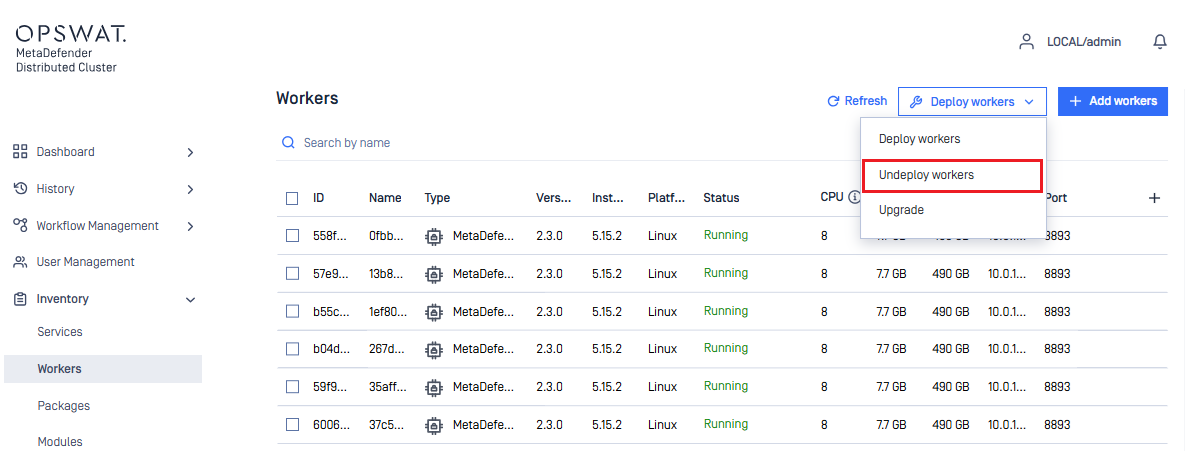
From the list of hosting MD Cluster Worker instances, the system administrator can choose instances to release MD Cluster API Gateway, MD Cluster Callback Service or MetaDefender Core.
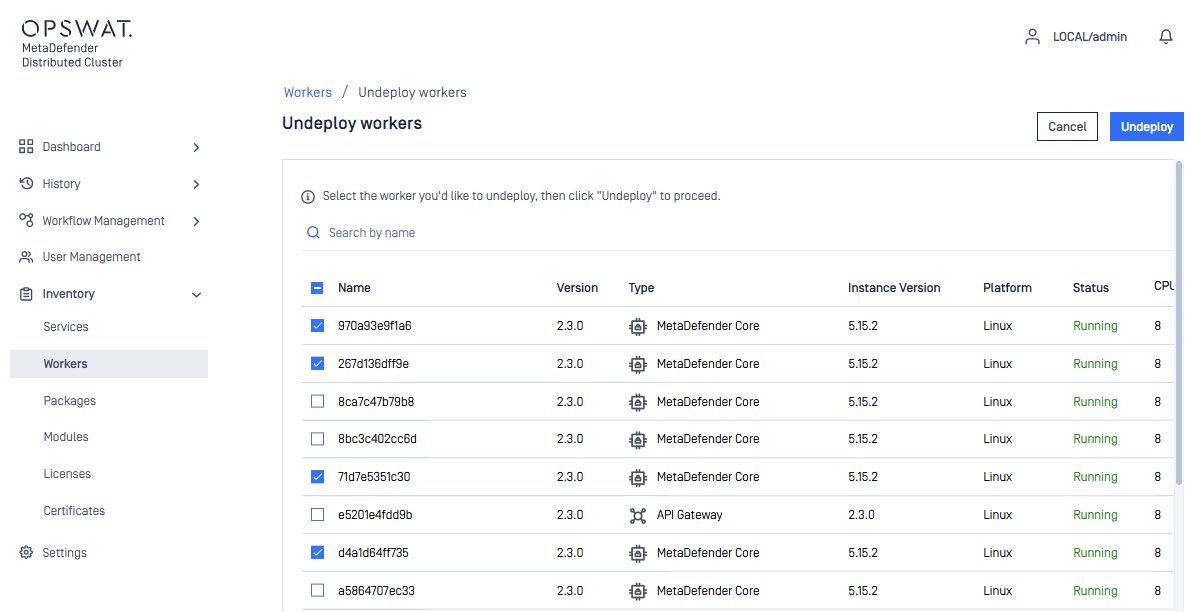
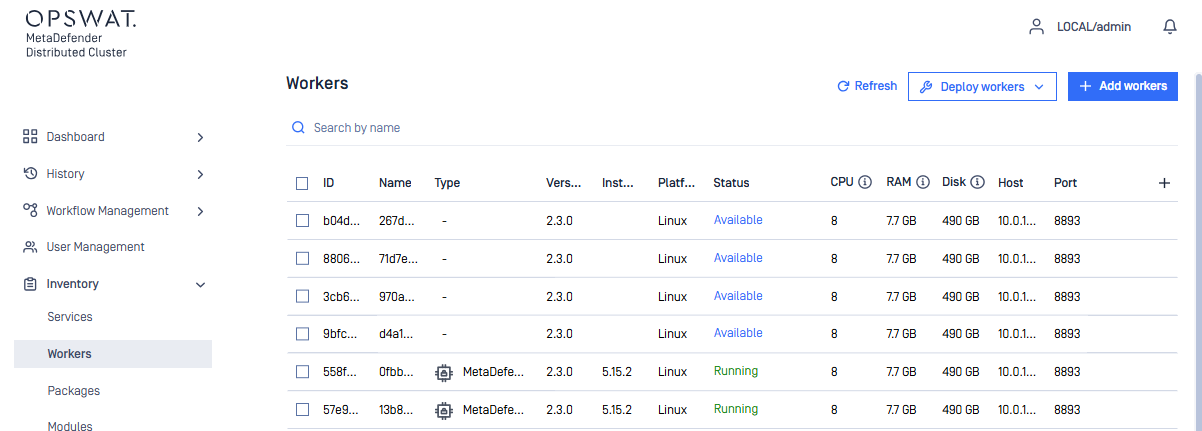
When the Undeploy button is selected. MD Cluster API Gateway, MD Cluster Callback Service, and/or MetaDefender Core on selected MD Cluster Worker instances are uninstalled. Once uninstalled, the MD Cluster Worker instances will become available to deploy new MD Cluster API Gateway, MD Cluster Callback Service or MetaDefender Core.
Upgrade
When a new version of MD Cluster API Gateway, MD Cluster Callback Service or MetaDefender Core is available. And all three installers have been uploaded to the Installers section. The system administrator can perform an upgrade for the three products by selecting the Deploy Workers menu and then Upgrade.
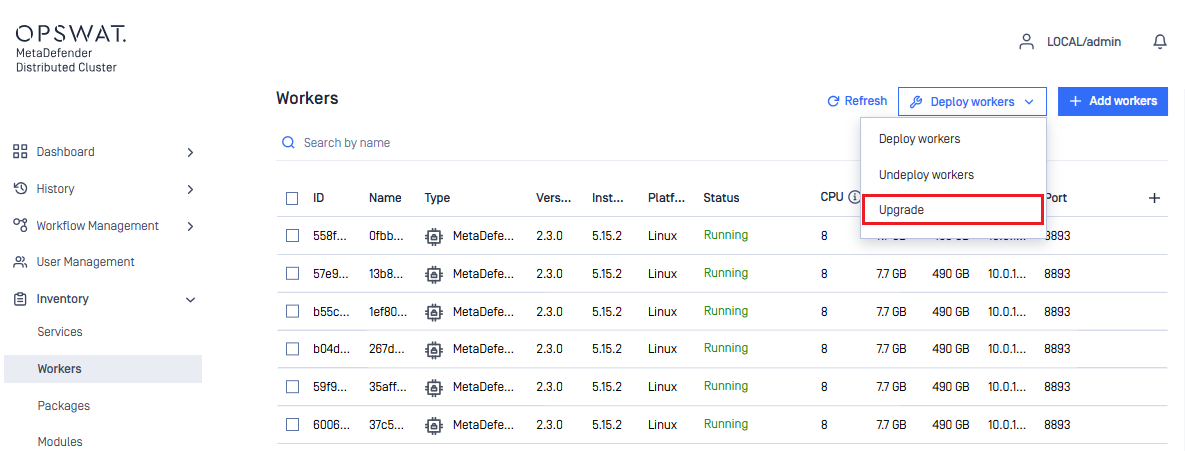
The system administrator can then choose the new version of MD Cluster API Gateway, MD Cluster Callback Service and MetaDefender Core to perform the upgrade.
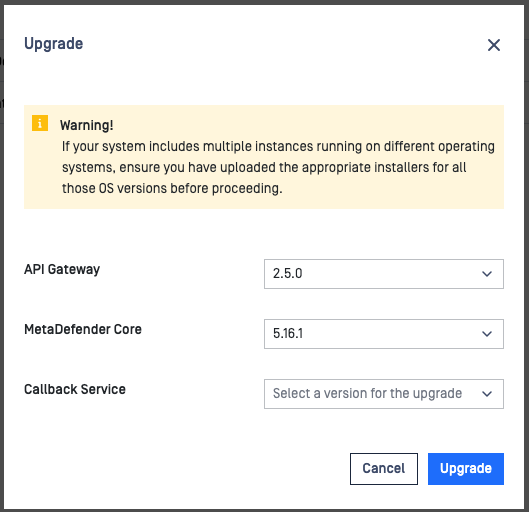
The new versions of MD Cluster API Gateway, MD Cluster Callback Service, or MetaDefender Core are streamed to the MD Cluster Workers and remote upgrade process will takes place automatically.
If there are scans currently active. MetaDefender Core will isolate itself by no longer taking scan request and finishes its current scans before upgrading. Upgrades are performed one MetaDefender Core at a time so that scans are uninterrupted.