Configurations
v2.5.2
Search this version
Configurations
Configurations
Title
Message
Create new category
What is the title of your new category?
Edit page index title
What is the title of the page index?
Edit category
What is the new title of your category?
Edit link
What is the new title and URL of your link?
High Availability support for Redis
Copy Markdown
Open in ChatGPT
Open in Claude
A minimum of two Redis instances must be installed on separate hosts for High Availability solution to function properly.
An odd number of Redis Sentinels should be installed.
Redis Sentinel
- Install Redis instances on servers.
- Select one instance as primary. In Linux Terminal of the other instances (replicas), run the following command:
Bash
# Debian/Ubuntu or Red Hat/Rocky$ redis-cli replicaof <primary_host> <primary_port>- Build configuration file for Redis Sentinel.
Bash
x
# The port on which the Sentinel should runport <SENTINEL_PORT># By default Redis does not run as a daemon. Use 'yes' if you need it.# Note that Redis will write a pid file in /var/run/redis.pid when daemonized.daemonize yessentinel monitor myprimary <PRIMARY_IP> <PRIMARY_PORT> 2# sentinel monitor <master-name> <ip> <port> <quorum># quorum is the number of Sentinels that need to agree about the# fact the master is not reachable, in order to really mark the master as# failing, and eventually start a failover procedure if possible.sentinel down-after-milliseconds myprimary 2000# means sentinel will consider master down after 2 secondssentinel failover-timeout myprimary 4000# means the chosen sentinel has 4 seconds to perform failoversentinel parallel-syncs myprimary 2# sets the number of replicas that can be reconfigured to use the new master# after a failover at the same time. The lower the number, the more time it# will take for the failover process to complete, however if the replicas are# configured to serve old data, you may not want all the replicas to# re-synchronize with the master at the same time. While the replication process is# mostly non blocking for a replica, there is a moment when it stops to# load the bulk data from the master. You may want to make sure only one# replica at a time is not reachable by setting this option to the value of 1.Duplicate the configuration file and modify SENTINEL_PORT to the appropriate port that the Redis Sentinel instance listens on.
- Install Redis Sentinel instances on servers with the corresponding configuration files.
Bash
# Debian/Ubuntu or Red Hat/Rocky$ sudo redis-server </path/to/sentinel-config-file> --sentinel- Verify the Redis primary and its replicas. In Linux Terminal of any machine, run the following command:
Bash
# Debian/Ubuntu or Red Hat/Rocky$ redis-cli -h <sentinel_host> -p <sentinel_port># Provides information about the Primary> sentinel master myprimary# Gives you information about the replicas connected to the Primary> sentinel replicas myprimary# Provides information on the other Sentinels> sentinel sentinels myprimary# Provides the IP address of the current Primary> sentinel get-master-addr-by-name myprimarySetup instructions
- Sign to MD Cluster Control Center console with your Administrator account.
- Navigate to
Inventory>Services. - Expand the
Redisgroup. - Click
Add service. - Enter the values for
Name,Host,Port,UsernameandPasswordfields of individual Redis instance.
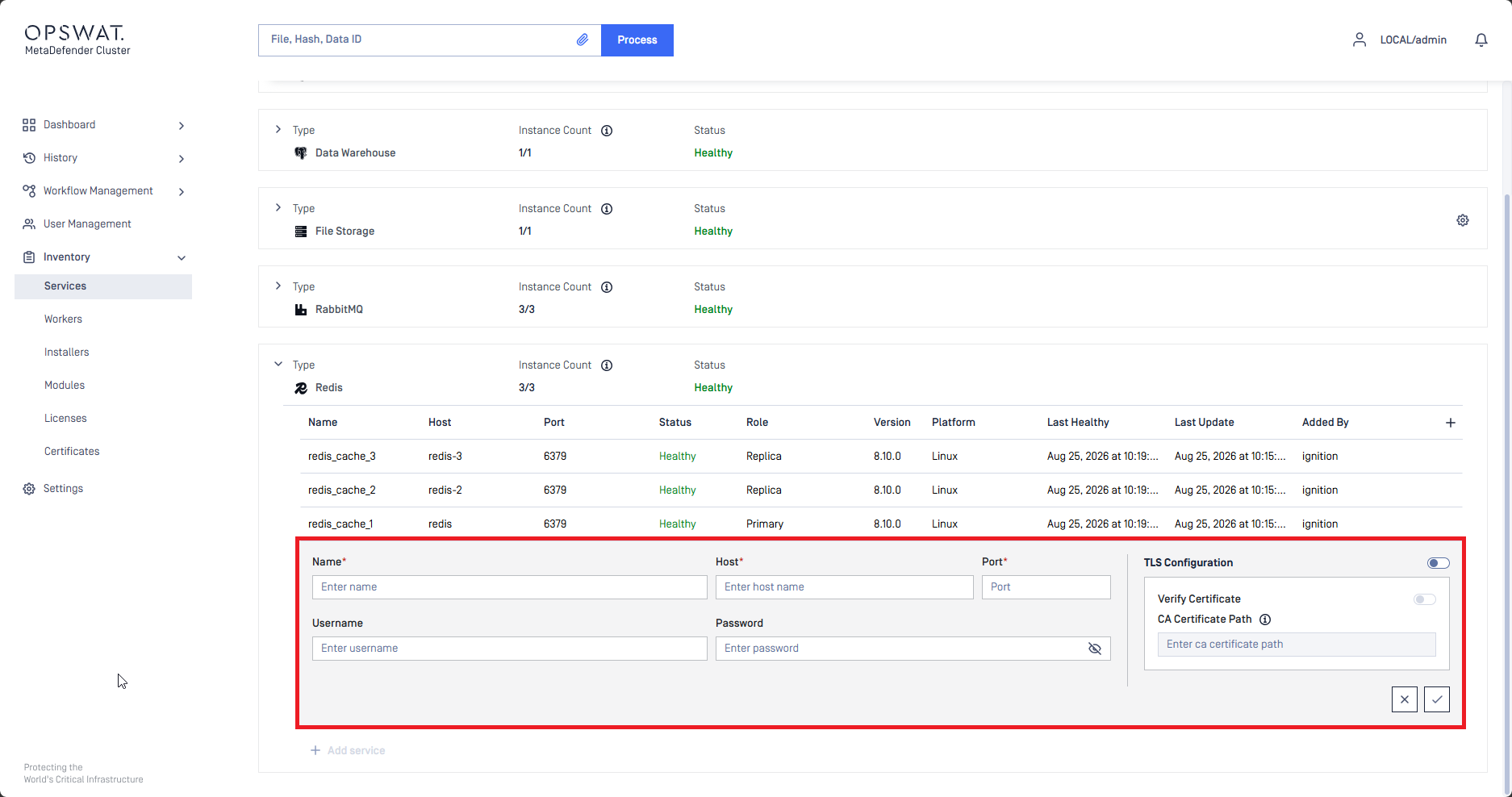
MD Cluster Control Center only accepts Redis and not Redis Sentinel.
- Click the Check icon in the bottom right to complete.
- Ensure all RabbitMQ nodes are reachable by the MD Cluster Control Center.
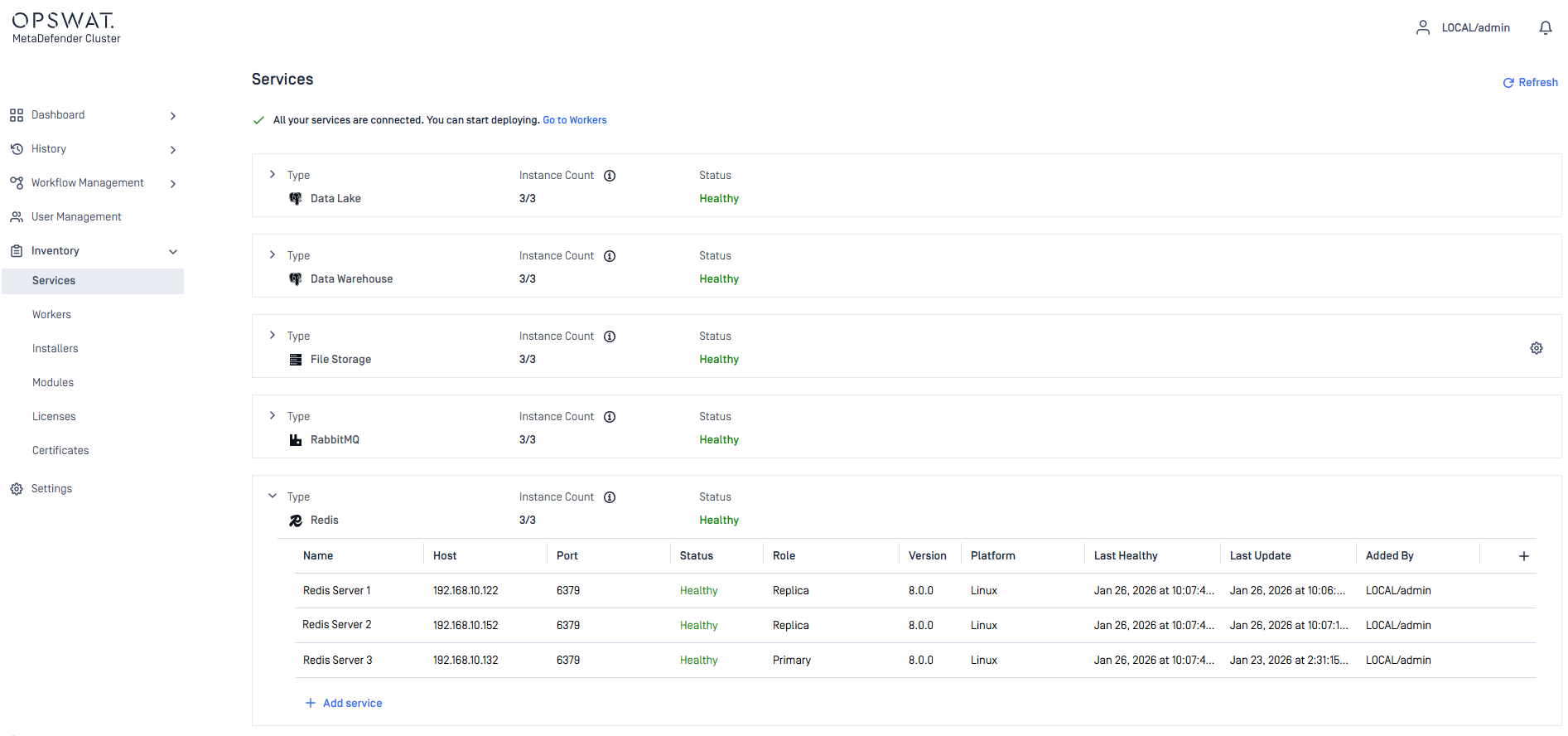
Type to search, ESC to discard
Last updated on
Was this page helpful?
Next to read:
High Availability support for PostgreSQL Data lakeDiscard Changes
Do you want to discard your current changes and overwrite with the template?
Archive Synced Block
Message
Create new Template
What is this template's title?
Delete Template
Message
