Integrations
v 4
Search this version
Integrations
Integrations
Title
Message
Create new category
What is the title of your new category?
Edit page index title
What is the title of the page index?
Edit category
What is the new title of your category?
Edit link
What is the new title and URL of your link?
How to use OPSWAT File Security for Chrome
Copy Markdown
Open in ChatGPT
Open in Claude
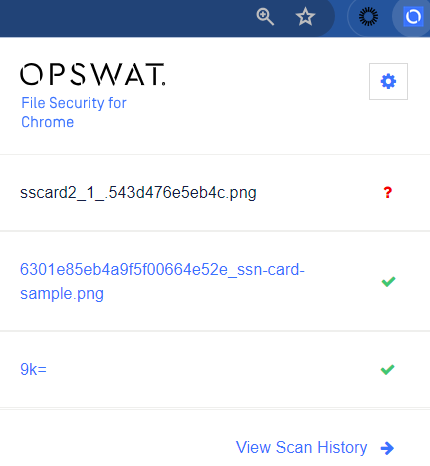
On any web page, right click on the download link for the file you would like to scan for malware. In the context menu, select 'Scan with OPSWAT'. OPSWAT File Security for Chrome will begin analyzing the file at the selected URL, and results will be available on the Scan History page. Last 3 scans are also visible in the extension popup.
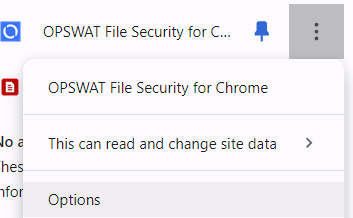
To access the OPSWAT File Security for Chrome extension settings page, right click on the 'OPSWAT File Security for Chrome' button in the Chrome top bar and select 'Options' from the drop down menu.
Type to search, ESC to discard
Last updated on
Was this page helpful?
Next to read:
Public APIsDiscard Changes
Do you want to discard your current changes and overwrite with the template?
Archive Synced Block
Message
Create new Template
What is this template's title?
Delete Template
Message
