
To manage users in MetaDefender OT Security, navigate to:
User Management → User in the Web Management interface.
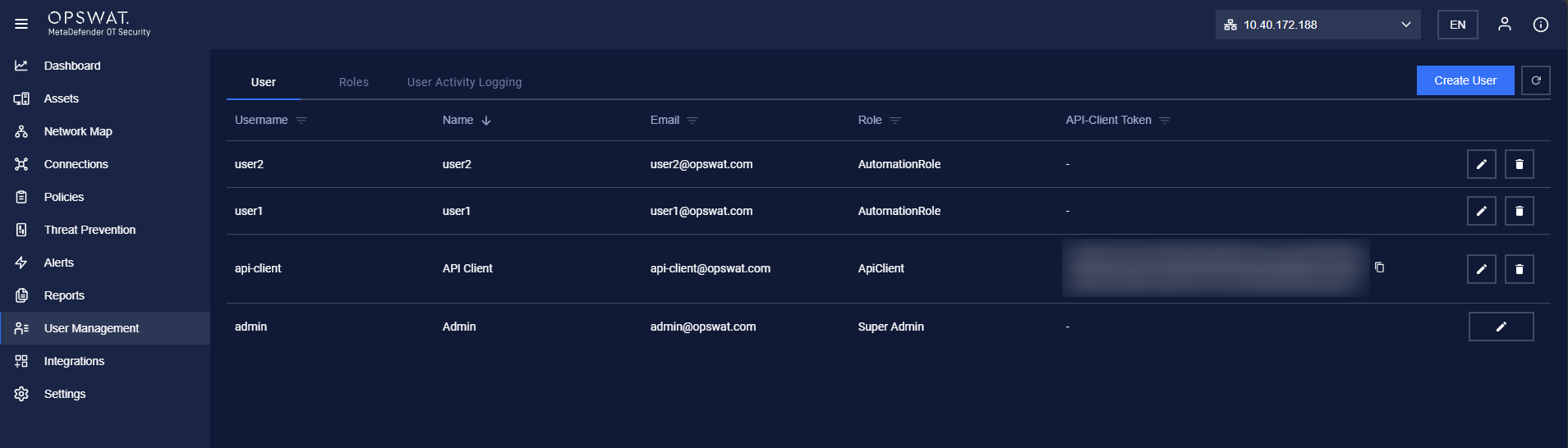
Default User Setup
After installation, a default local admin user must be created under the LOCAL user directory via the Welcome Wizard.
User Roles & Permissions: As a Super Admin, you can:
Create Users & Roles.
Assign roles to Admins, Operators, or API Clients.
Manage Sites Manager & Network Sensors under the Enterprise Manager.
This ensures secure and efficient access control across your infrastructure.
Steps to Create a User
Enter Username → Required field for the user's login name.
Select Role → Choose from Super Admin, Admin, Operator, or API Client.
Set Password & Confirm Password → Ensure they match.
Provide Display Name → The name that appears in the system.
Enter Email → Used for notifications and account recovery.
Enable First Login Password Change (Optional) → Forces the user to reset their password upon first login.
Click "Save" → To create a new user.
#Note: Only Super Admins with user management permissions can create new users.