Operating
v3.1.0
Search this version
Operating
Operating
Title
Message
Create new category
What is the title of your new category?
Edit page index title
What is the title of the page index?
Edit category
What is the new title of your category?
Edit link
What is the new title and URL of your link?
Enterprise Settings
Copy Markdown
Open in ChatGPT
Open in Claude
The Enterprise Settings can be accessed by clicking on the Investigate icon. On this page, users can add sites and then add sensors to each site. The map displays all the sites within the user's network.
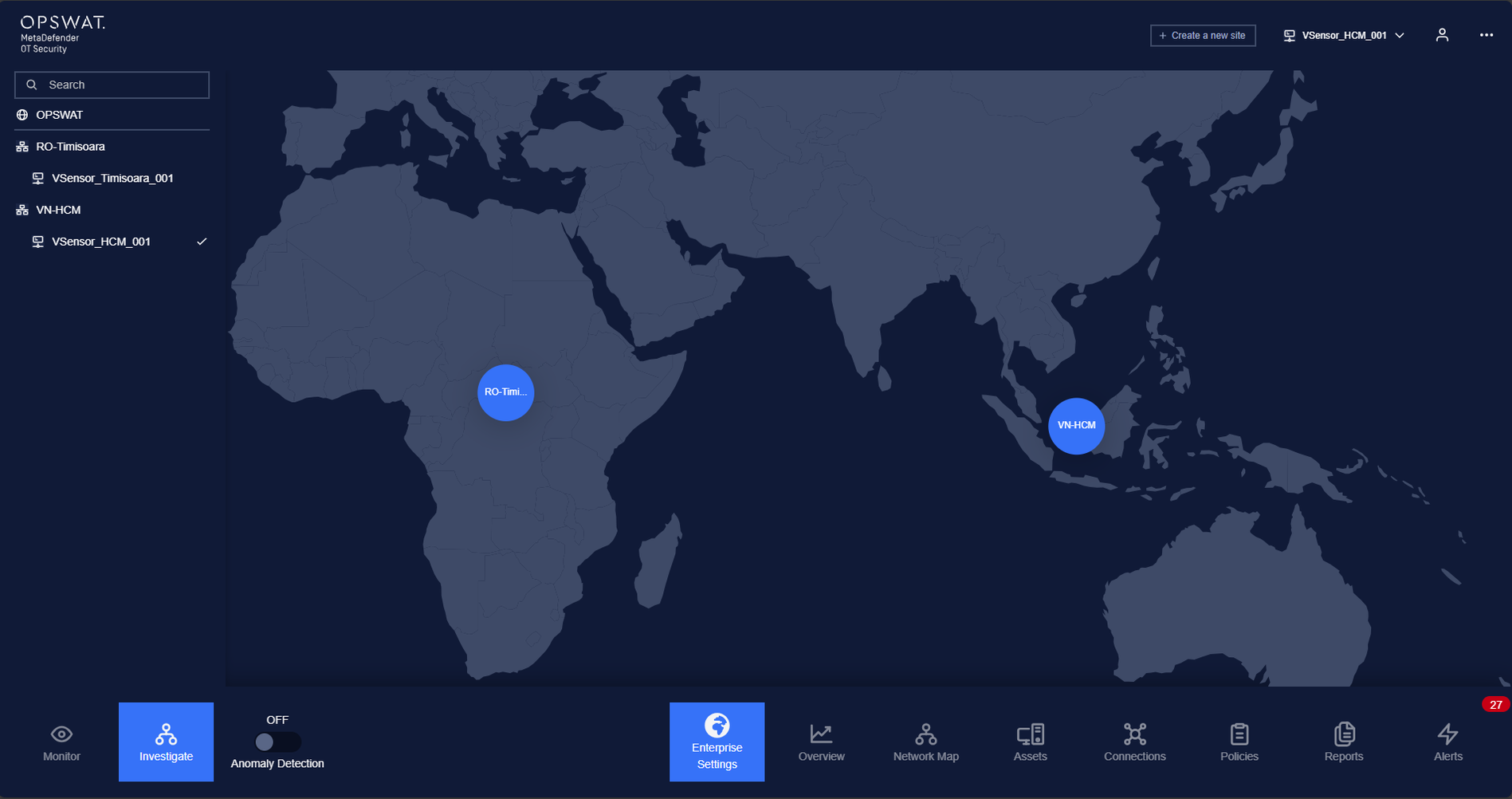
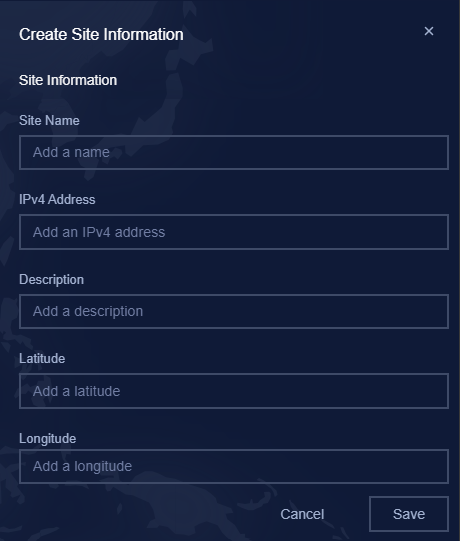
- Adding site: Users click on “Create a new site“ button at the top-right of the screen.

Then input required information like Site Name, IP, Latitude, Longitude and click Save button.
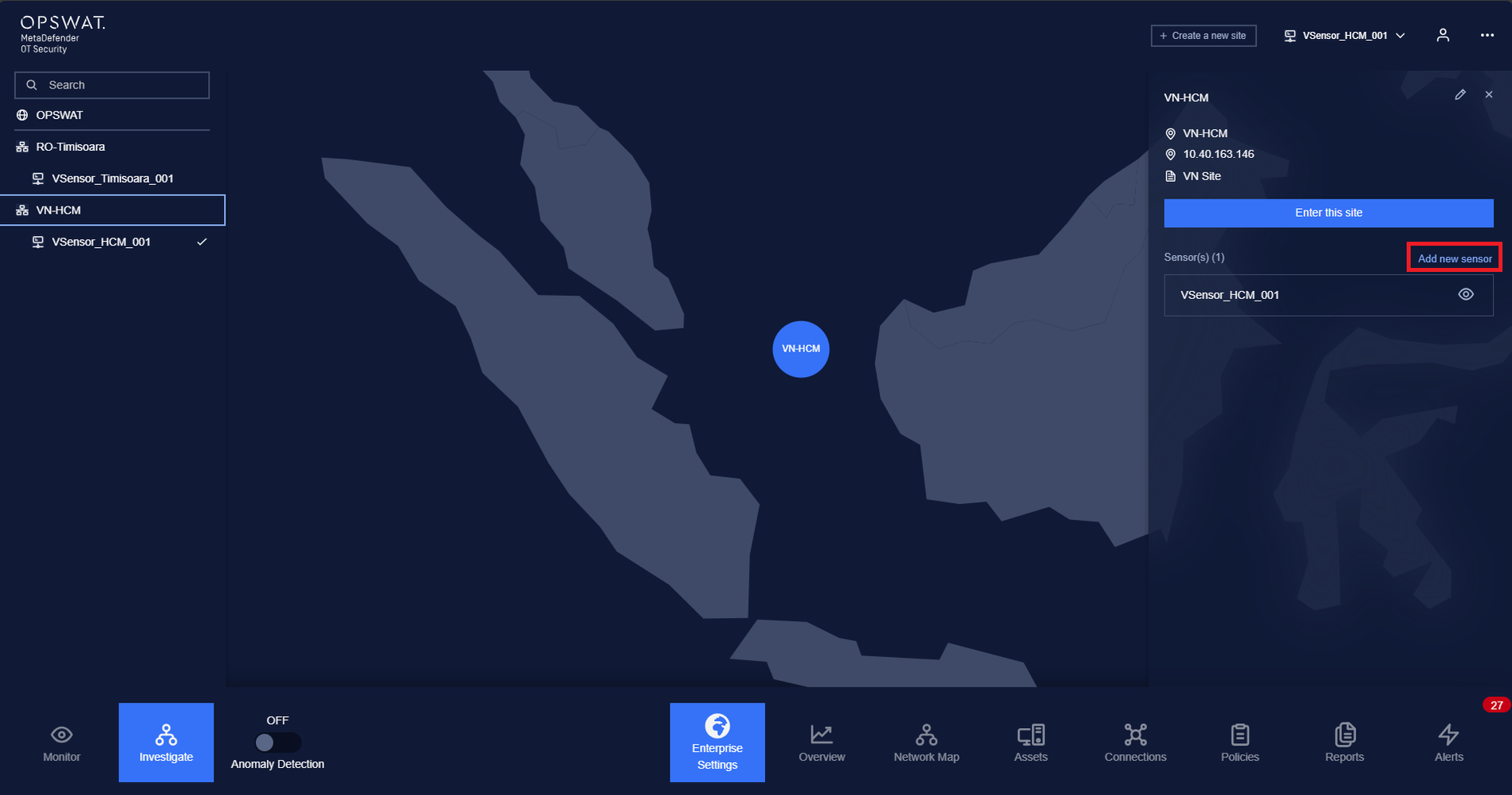
- Adding sensor: Users select the desired site and then click on the "Add new sensor" button.
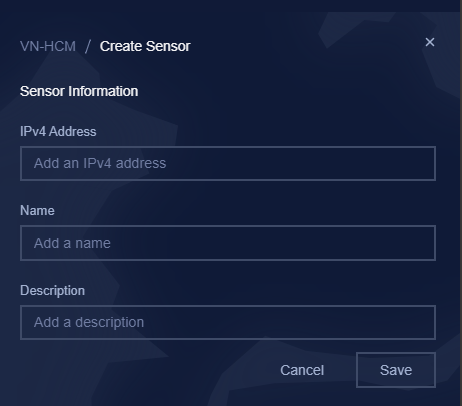
Input required information like IP and Name then click Save button.
Type to search, ESC to discard
Last updated on
Was this page helpful?
Next to read:
Enterprise dashboardDiscard Changes
Do you want to discard your current changes and overwrite with the template?
Archive Synced Block
Message
Create new Template
What is this template's title?
Delete Template
Message
