Settings
v 3.4.4
Search this version
Settings
Settings
Title
Message
Create new category
What is the title of your new category?
Edit page index title
What is the title of the page index?
Edit category
What is the new title of your category?
Edit link
What is the new title and URL of your link?
Enterprise - Custom Fields
Copy Markdown
Open in ChatGPT
Open in Claude
The Custom Fields setting is accessible under Settings > Custom Fields.
In this section, you can add more new Custom Fields to the Asset
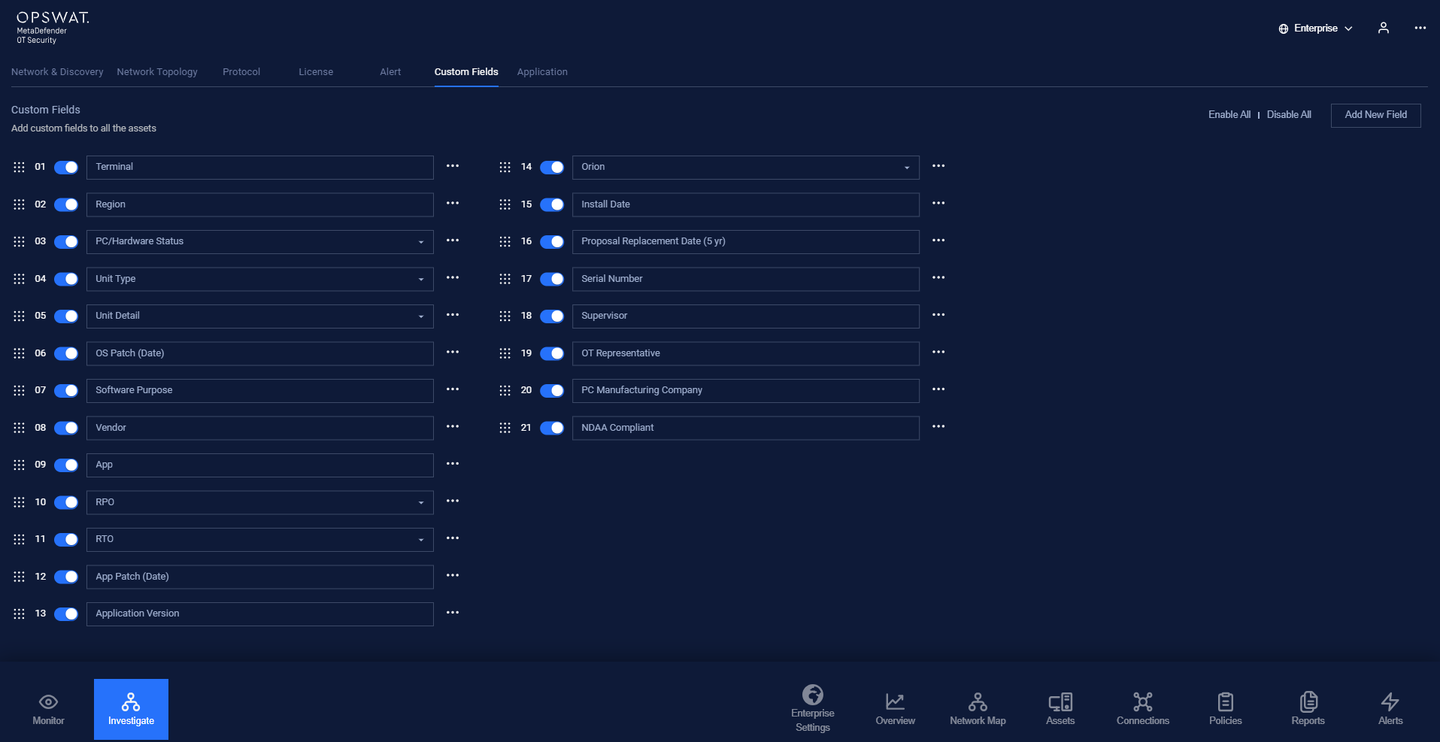
Users can choose Enable All or Disable All to display Custom Fields in Asset or not
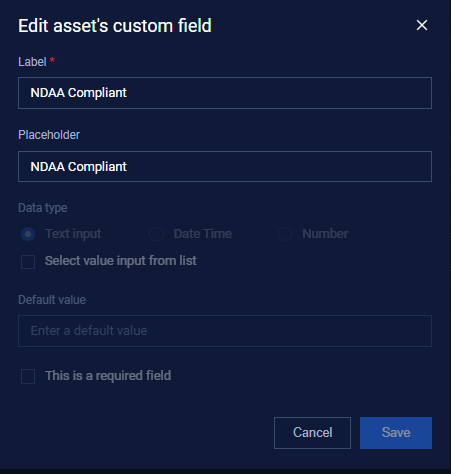
Users can create New Custom Fields, and delete or edit them. When editing custom fields, users only can edit Label and Placeholder.
Type to search, ESC to discard
Last updated on
Was this page helpful?
Next to read:
Enterprise - Update Signatures & DefinitionsDiscard Changes
Do you want to discard your current changes and overwrite with the template?
Archive Synced Block
Message
Create new Template
What is this template's title?
Delete Template
Message
