
Step-by-step guide
If the RADIUS Server will be configured for Direct or Proxy mode, this section can be skipped.
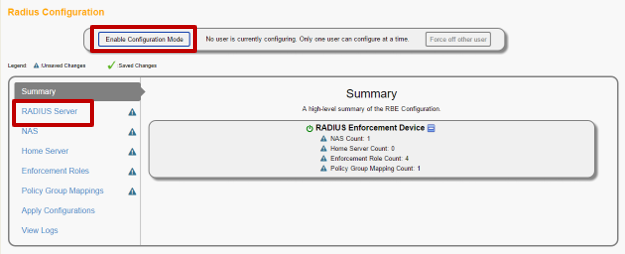
Click on “Enable Configuration Mode” to activate configuration mode and then select “RADIUS Server” from the left navigation.
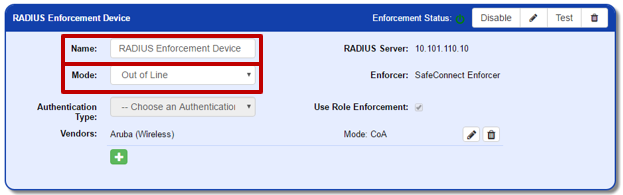
In the top section of the RADIUS server configuration, set the following values:
Name: A label to help describe this RADIUS server
Mode: Proxy
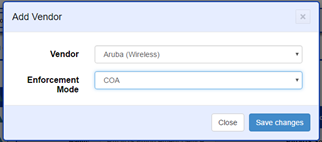
Under ‘Vendors’, click the green add icon to add your wireless vendor. After choosing the Vendor from the list, select “COA” as the enforcement mode.
Info
Aruba Wireless is currently the only Vendor where Out-of-Line mode is supported.
Related articles
Error rendering macro 'contentbylabel' : parameters should not be empty
Was this page helpful?
Configuration