
This article applies to the current NAC Enforcer.
From the Cisco web UI, click “Advanced” in the upper right,

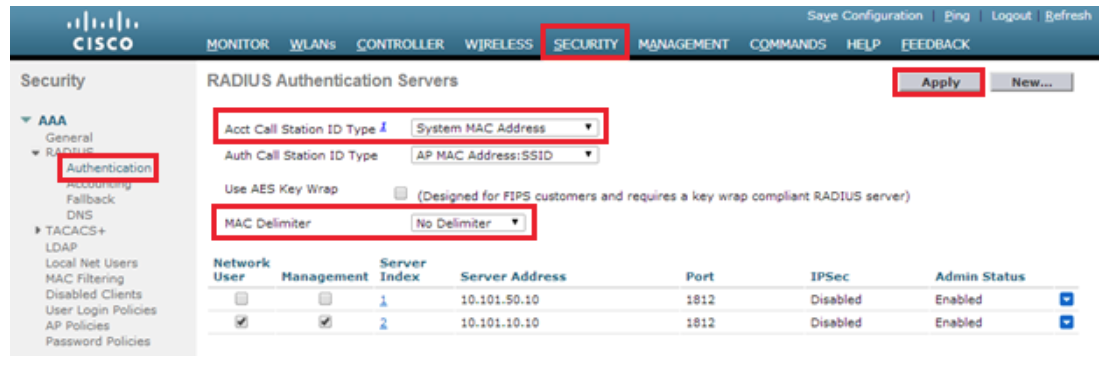
Set the Call Station ID Type and MAC Address Delimiter for RADIUS Accounting as follows.
Navigate to Security>AAA>RADIUS>Authentication.
Ensure that the Call Station ID Type is System MAC Address and that No Delimiter is selected.
Save your configuration by clicking the Apply button.
Add a RADIUS Accounting Server globally as follows.
Navigate to Security>AAA>RADIUS>Accounting.
Ensure that the MAC Delimiter is set to No Delimiter.
Click on New to add a new Accounting Server.
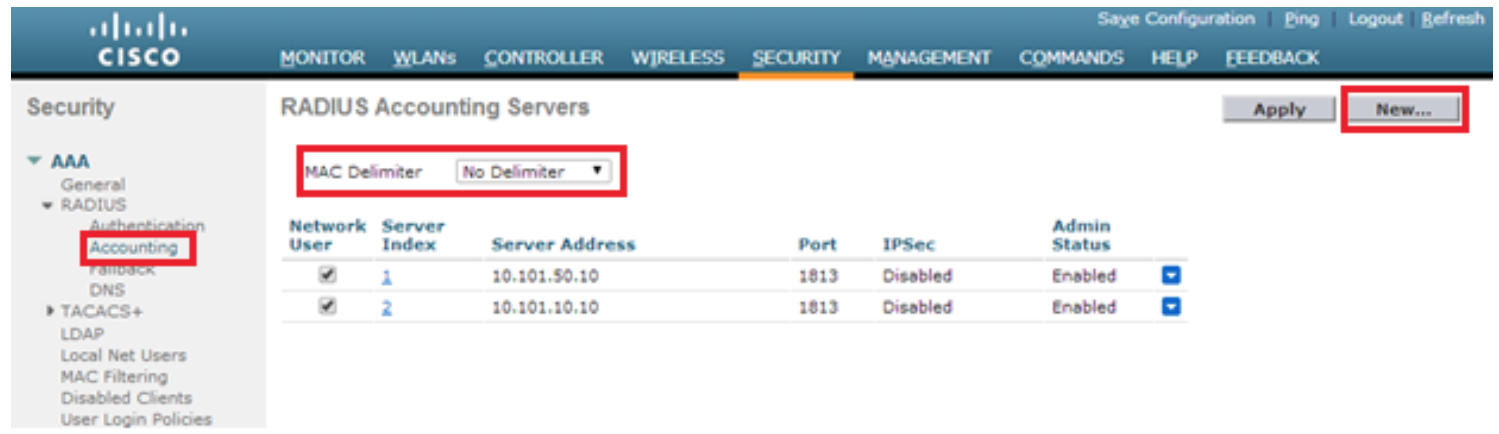
Enter the IP Address of your NAC Enforcer or, in a cluster, enter the Manager’s IP address.
Any shared Secret can be used, just ensure that it is the same in both systems.
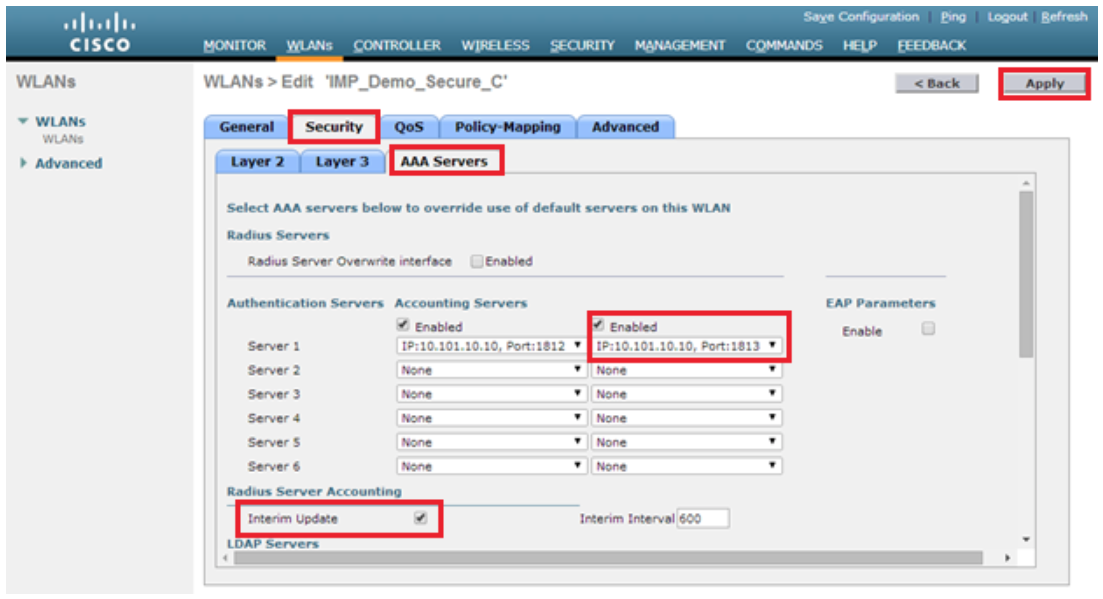
Configure Secure WLAN Settings - Layer 2 - as follows.
Navigate to WLANs and choose a WPA2 Enterprise SSID.
In the WLAN Settings, navigate to Security>AAA Servers.
Choose 172.16.20.10 as an Accounting Server, and use the standard port of 1813.
Ensure that the Interim Update option is checked.
Click Apply to implement your settings.
Do not make any edits to the Authentication Server settings.
If you have followed the instructions above but have been unable to Send RADIUS Accounting To NAC For Cisco WLC, please open a Support Case with the OPSWAT team via phone, online chat or form, or feel free to ask the community on our OPSWAT Expert Forum.